Comment-to-DM not sending? Find your symptom, then the fix
Instagram comment-to-DM not sending? Match your symptom (never sent, all stopped, some people missed, sent but unseen, late on a viral post) to its cause and fix.
On this page
- Which symptom do you have?
- Never sent a single DM: four setup checks
- It worked, then stopped all at once
- Some people get the DM, others don't
- The tool says "sent," but nobody saw it
- DMs arrive late on a viral post
- Instagram warned you about automated behavior
- What usually isn't the cause
- Quick checklist
- FAQ
- Why is my Instagram auto DM not sending?
- Why do some people get my automated DM and others don't?
- Where do comment-to-DM messages go?
- Can I send a second message after the first DM?
- Does changing my Instagram password break automation?
Sources: Meta's developer docs on private replies and messaging policy, the Instagram Messaging changelog and Meta Status. Checked 21 Nov 2026.
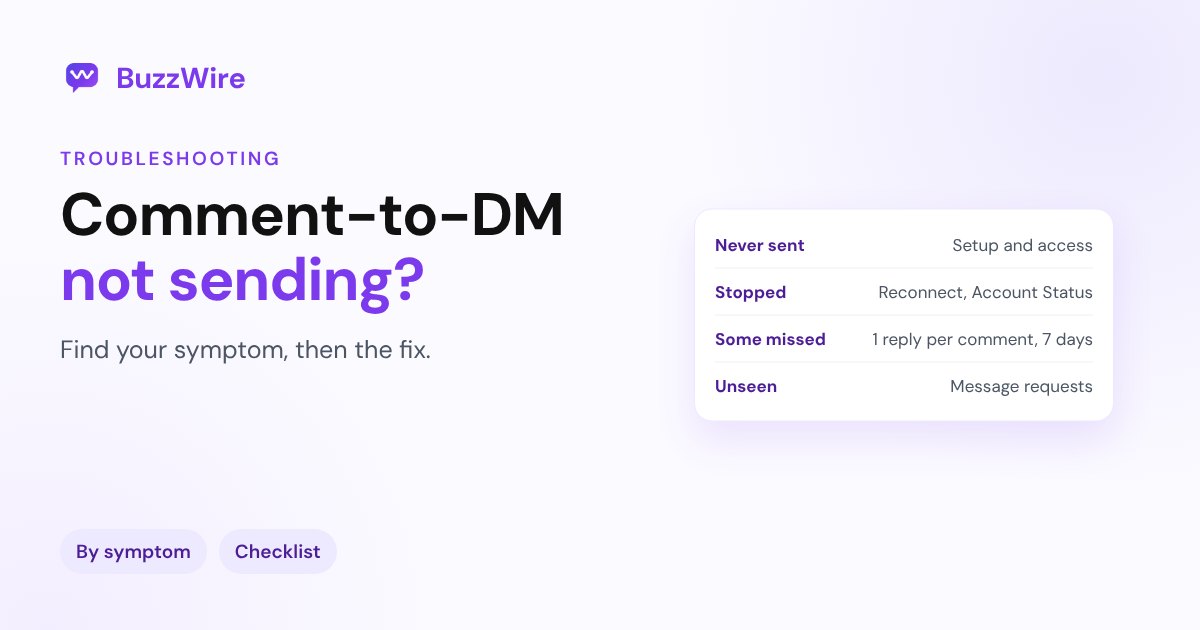
Which symptom do you have?
| What you see | Most likely cause | Jump to |
|---|---|---|
| Not a single DM has gone out | Setup: account type, connection, keyword, message access | Never sent |
| It worked, then everything stopped | Connection expired, restriction, Business AI, outage | Stopped all at once |
| Some commenters get it, others don't | Meta's private reply rules, filters, message settings | Some people missed |
| The tool says "sent," people say they didn't get it | Message requests folder | Sent but unseen |
| DMs arrive late on a busy post | Safe pacing within Instagram's limits | Late on a viral post |
| Instagram warned you about unusual activity | Too many tools or messages that look alike | A warning appeared |
Never sent a single DM: four setup checks
1. Is it a professional account, connected through Meta's official API? Comment-to-DM works through Meta's private replies, which are available to Instagram professional accounts (Business or Creator). A personal account can't use it. Switch under Settings → Account type and tools. More in business vs creator account.
2. Is access to messages allowed? In the Instagram app, open the menu on your profile, then Messages and story replies → Message requests, and below Connected tools, turn access on. Meta says that if you don't allow access, "you can only view and send Instagram messages from Instagram," so no connected tool can send your DMs. Source: Instagram Help, Manage access to Instagram messages across apps
3. Is the automation live, on the right post? Check that it's switched on, attached to the post or Reel people are commenting on (or to "any post"), and not paused. Test with a second account: comment the keyword and wait a minute.
4. Does the keyword match what people type? Most misses come from here:
- people add punctuation or emoji ("LINK!!", "link 🙏")
- they type a variation ("links", "send link")
- your keyword has a space or a capital that your tool treats strictly
Use a keyword that's one simple word, and check whether your tool matches "contains" or "exact." Our comment keyword planner helps pick one people won't misspell.
It worked, then stopped all at once
The connection expired. Changing your Instagram password, removing the app under Settings → Apps and websites, or switching account type can end the connection. Reconnect the account in your tool.
Your account is restricted. Open Settings → Account Status. If messaging is listed under features you can't use, automation stops too. See Instagram account suspended and "Try again later".
Meta's Business AI is routing the conversation. In October 2026, Meta clarified how conversations are routed between its Business AI and other apps: depending on the account's Business AI setting, an app may need the conversation handed to it before it can send. If you turned on an AI assistant in Meta's tools, check its settings. Source: Instagram Messaging changelog
Instagram is down. Check Meta Status before changing anything. If Instagram's own DMs are failing for you, it isn't your automation. See Instagram DM not working.
Some people get the DM, others don't
Meta's rules explain most of these:
- One private reply per comment. Meta says "Only one message can be sent to the commenter." If someone comments the keyword twice on the same post, many tools reply once per person.
- Within 7 days. A private reply has to go out "within 7 days of the creation time of the comment." Comments older than that can't get one.
- Live comments only during the live. Once a live broadcast ends, private replies to its comments stop.
- Hidden comments. If Instagram's hidden words or your comment filters hide a comment, it may never reach your tool.
- Message settings and teen accounts. Some people can't receive a message from an account they don't follow, especially teens. See "This account can't receive your message".
Source: Meta, Send a Private Reply to a Commenter
The tool says "sent," but nobody saw it
This is usually the message requests folder. Meta's docs say a private reply goes to the person's main inbox if they follow you, and to their message requests if they don't. Many people never check requests.
Two fixes that work:
- Tell people where to look. Add "Check your message requests" to your caption or your public comment reply.
- Ask a question in the DM. When they reply, the chat moves to their inbox and your follow-up can go out. Meta only allows a follow-up "if the recipient responds, and must be sent within 24 hours of the response."
Details in Instagram message requests and the 24-hour messaging window.
DMs arrive late on a viral post
When a post takes off, hundreds of comments can land in minutes. Instagram limits how fast an account can send, and its help center says it has "limits in place to stop direct messages that people may not want to get, such as spam" (Instagram Help).
A responsible tool paces DMs within Instagram's limits so your account stays safe. On a busy post, that means some people get their DM a little later. That's the system protecting you, not a fault. Avoid tools that promise to send faster than Instagram allows.
Instagram warned you about automated behavior
If you see "We suspect automated behavior on your account," pause your automations and check that only one tool is connected. Two tools answering the same comment double your messages. Full steps in "We suspect automated behavior".
What usually isn't the cause
- Your follower count. Private replies work the same for small and large accounts.
- The time of day. There's no posting window when automation pauses.
- The link itself, unless it's broken or flagged. If people get the DM but the link won't open, see links in Instagram DMs.
Quick checklist
- Professional account, connected through Meta's official API.
- Messages and story replies → Message requests → Connected tools: access turned on.
- Automation live, on the right post, keyword tested from a second account.
- Only one tool connected.
- Caption tells people to check message requests.
- Account Status clean, Meta Status green.
If you're setting up from scratch, follow how to automatically DM Instagram comments. BuzzWire uses Meta's official API, and its free plan includes unlimited DMs, comment and story reply triggers, and a safety panel.
FAQ
Why is my Instagram auto DM not sending?
Check your symptom. If nothing has ever sent, it's usually setup: a personal account, access to messages turned off under Connected tools, an automation that isn't live, or a keyword that doesn't match. If it stopped suddenly, reconnect the account and check Account Status.
Why do some people get my automated DM and others don't?
Meta allows one private reply per comment, within 7 days of the comment. People who don't follow you receive it in message requests, and some accounts, including many teen accounts, can't receive messages from accounts they don't follow.
Where do comment-to-DM messages go?
To the person's main inbox if they follow you, and to their message requests if they don't. Tell people to check requests in your caption.
Can I send a second message after the first DM?
Only after the person replies. Meta allows follow-ups once they respond, within 24 hours of their reply.
Does changing my Instagram password break automation?
It can. A password change can end the connection between Instagram and your tool. Reconnect the account afterwards.
Cite this article
Quoting or referencing this page? Copy the citation or the link.
Vimal, R. (2026, November 21). Comment-to-DM Not Sending? Fixes by Symptom (2026). BuzzWire. https://buzzwire.io/blog/comment-to-dm-not-sending
<a href="https://buzzwire.io/blog/comment-to-dm-not-sending">Comment-to-DM Not Sending? Fixes by Symptom (2026)</a> (BuzzWire)