Does Instagram have auto reply? Every built-in option, and when you need more
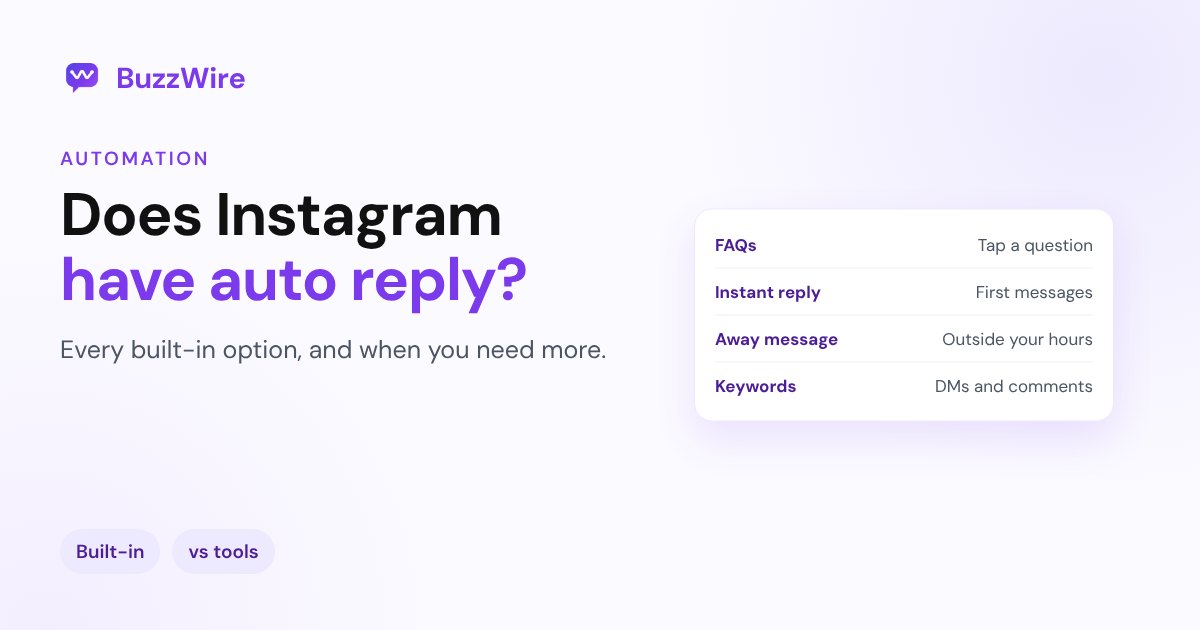
Does Instagram have auto reply? Yes, a few built-in options: FAQs, saved replies and Meta Business Suite automations. What each does, its limits and when to use a tool.
On this page
- Does Instagram have auto reply?
- Every built-in Instagram auto reply option
- Frequently asked questions
- Saved replies
- Instant reply and away message
- Keyword replies to DMs
- Comment to message
- What the built-in options don't cover well
- Built-in or a tool: which do you need?
- What to write in an auto reply
- FAQ
- Can you set an automatic reply on Instagram?
- Does Instagram have an away message?
- Can Instagram automatically reply to comments?
- Is Instagram auto reply free?
- Why isn't my Instagram auto reply working?
Sources: Instagram's Direct messaging FAQ, plus current setup guides from Kanal and Lilach Bullock. Meta renames and moves these options often. Checked 21 Nov 2026.
Does Instagram have auto reply?
Yes, but not as one feature. Instagram's automatic replies are split across two places:
- The Instagram app, for professional accounts (Business or Creator).
- Meta Business Suite, Meta's free inbox for Facebook and Instagram, on desktop and mobile.
Personal accounts don't get these tools. Switch under Settings → Account type and tools if you need them. See business vs creator account.
Every built-in Instagram auto reply option
| Option | Where | What triggers it | Automatic? |
|---|---|---|---|
| Frequently asked questions | Instagram app, Meta Business Suite | Person taps a question when opening a chat | Yes |
| Saved replies | Instagram app | You type a shortcut | No, you insert it |
| Instant reply | Meta Business Suite | Someone messages you for the first time | Yes |
| Away message | Meta Business Suite | A message arrives outside your set hours | Yes |
| Keyword replies | Meta Business Suite (desktop) | A DM contains your keyword | Yes |
| Comment to message | Meta Business Suite (desktop) | A comment contains your keyword | Yes |
| Location, contact info, hours | Meta Business Suite | A message asks for that detail | Yes |
Frequently asked questions
Up to a few short questions appear when someone opens a chat with you, such as "What are your prices?" When they tap one, your answer is sent. It's set up in the Instagram app's message tools or in Meta Business Suite. Good for: the same three questions every day.
Saved replies
Shortcuts for answers you type often. You still send them yourself, so they save time but aren't automatic.
Instant reply and away message
Meta Business Suite can greet anyone who messages you for the first time, and send an away message during the hours you choose. Good for: setting expectations ("We reply within a day").
Keyword replies to DMs
On desktop, Meta Business Suite can reply when a DM contains a keyword you set. Instagram's FAQ says keyword matches must be exact, so "price" and "prices" count as different words.
Comment to message
Meta Business Suite on desktop can send a DM when someone comments a keyword on your post. It's the closest built-in option to comment-to-DM.
What the built-in options don't cover well
Meta's tools are free and work well for simple inbox replies. Creators who run comment-to-DM on busy posts usually want more:
- A public reply and a DM together, so everyone in the comments sees that you answered.
- Varied wording, so a post with hundreds of comments doesn't send hundreds of identical messages.
- Story reply flows, for people who react to or answer your Story.
- Follow before link, asking people to follow you before the link arrives (the link always arrives either way, as Meta requires).
- Collecting emails inside the DM, and exporting them.
- Flexible keyword matching, catching "link!!" and "LINK 🙏" as well as "link."
Those are what dedicated comment-to-DM tools add on top of Meta's API.
Built-in or a tool: which do you need?
| You mainly want to... | Use |
|---|---|
| Greet first-time messages and share your hours | Built-in instant reply and away message |
| Answer the same 3 to 5 questions | Built-in FAQs |
| Send a link to everyone who comments a keyword | A comment-to-DM tool |
| Handle busy or viral posts safely | A comment-to-DM tool that sends within Instagram's limits |
| Grow followers and collect emails from comments | A comment-to-DM tool with follow gate and lead capture |
BuzzWire is a comment-to-DM tool built on Meta's official API. The free plan includes unlimited DMs and automations, comment, story reply and DM keyword triggers, public comment replies and message variation. Pro adds Follow Gate, In-DM lead capture and image-card DMs. Set one up with how to automatically DM Instagram comments, or see the Instagram auto reply guide.
What to write in an auto reply
- Answer first: the link, the price or the hours, in the first message.
- Sound like you: one short, friendly line beats a formal paragraph.
- One link per message.
- Set expectations: if a person will follow up, say when.
Ready-made wording: 24 Instagram auto reply templates and Instagram welcome message examples.
FAQ
Can you set an automatic reply on Instagram?
Yes, on professional accounts. In Meta Business Suite you can set an instant reply for first messages, an away message, keyword replies and FAQs. The Instagram app also has FAQs people can tap.
Does Instagram have an away message?
Yes, through Meta Business Suite. You choose your hours, and messages that arrive outside them get your away message.
Can Instagram automatically reply to comments?
Meta Business Suite on desktop can send a DM when a comment contains your keyword. For a public comment reply plus a DM, varied wording and busy posts, creators usually use a comment-to-DM tool built on Meta's API.
Is Instagram auto reply free?
Meta's built-in options are free. Third-party tools vary; BuzzWire's free plan includes unlimited DMs and automations.
Why isn't my Instagram auto reply working?
Check that the account is a professional account, that the automation is on, and that the keyword matches exactly. For connected tools, make sure access to messages is allowed under Connected tools. More in comment-to-DM not sending.
Cite this article
Quoting or referencing this page? Copy the citation or the link.
Vimal, R. (2026, November 21). Does Instagram Have Auto Reply? Built-In Options vs Tools. BuzzWire. https://buzzwire.io/blog/does-instagram-have-auto-reply
<a href="https://buzzwire.io/blog/does-instagram-have-auto-reply">Does Instagram Have Auto Reply? Built-In Options vs Tools</a> (BuzzWire)