Instagram business vs creator account: which should you pick?
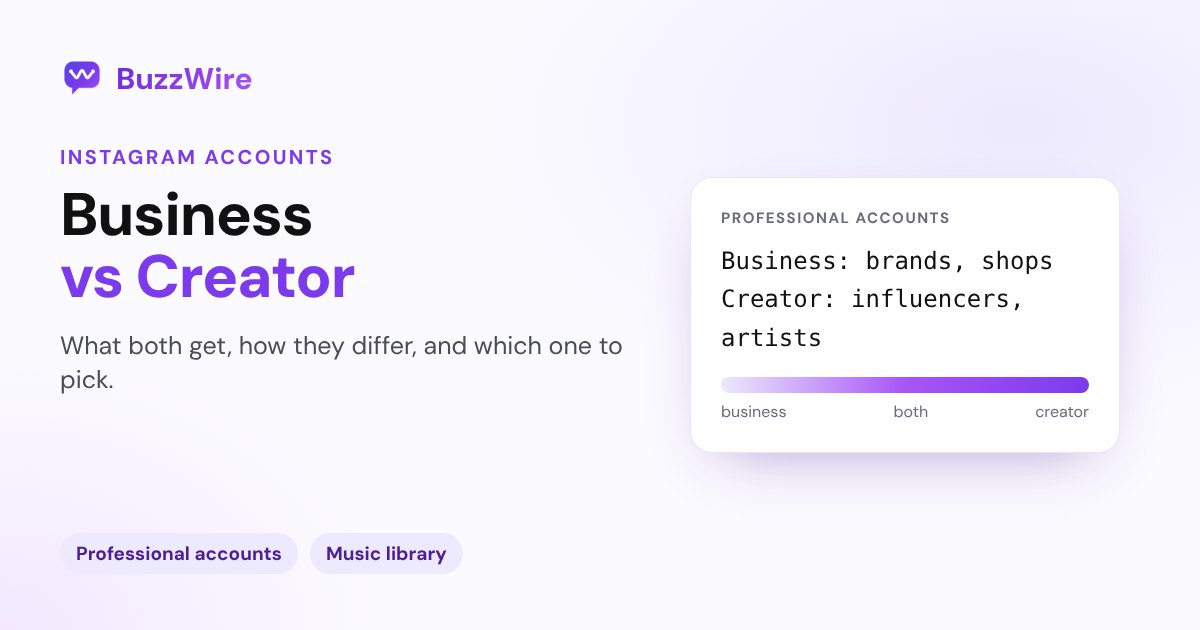
Business accounts suit brands and shops; creator accounts suit influencers and artists. What both get, how they differ, the music catch, and how to switch.
On this page
- What's the difference between a business and a creator account?
- What both account types get
- The music catch for business accounts
- Which one should you choose?
- What changes when you go professional
- How to switch to a business or creator account
- Business, creator and DM automation
- A tip for creators and brands
- FAQ
- What is the difference between an Instagram business and creator account?
- Is a creator or business account better for reach?
- Can a business account use trending music on Instagram?
- Can I switch from a creator to a business account?
- Can a professional Instagram account be private?
In short:
- Both are "professional accounts." They share Insights, the professional dashboard, ads, a contact button and the Primary/General/Requests inbox.
- Business is meant for retailers, local businesses, brands, organizations and service providers. Creator is meant for public figures, content producers, artists and influencers.
- The biggest practical difference: certain business accounts can't use Instagram's licensed music library, because it's for non-commercial use. They get Meta's royalty-free Sound Collection instead.
- Both are always public. You can switch between business, creator and personal at any time.
- Tools on Instagram's official API, like DM automation, work with either type.
Everything below comes from Instagram's Help Center pages About professional accounts, Set up a professional account, Access to the licensed music library and About trial reels, checked 5 Nov 2026.
What's the difference between a business and a creator account?
Instagram puts it in one line each:
- Business accounts are best for retailers, local businesses, brands, organizations and service providers.
- Creator accounts are best for public figures, content producers, artists and influencers.
Both are types of professional account, which Instagram says gives you features to grow your account, monetize, create ads, understand your growth and manage your messages. Instagram also notes the category you pick (say, "Fitness coach") "does not determine whether you'll set up a business or creator account." That's a separate choice.
What both account types get
| Feature | Business | Creator |
|---|---|---|
| Professional dashboard | ✓ | ✓ |
| Insights on followers and posts | ✓ | ✓ |
| Ads and boosted posts | ✓ | ✓ |
| Contact button (email, phone, directions) | ✓ | ✓ |
| Category label under your name | ✓ | ✓ |
| Primary, General and Requests inbox folders | ✓ | ✓ |
| Spam-follower review | ✓ | ✓ |
| Posts and reels can appear in search engines | ✓ | ✓ |
| Trial reels | ✓ | ✓ |
| Full licensed music library | Not for certain business accounts | ✓ |
The music catch for business accounts
This is the difference most people hit first. Instagram says the music in its licensed library "is intended for personal, non-commercial use," and that "certain business accounts and certain types of posts do not have access to the library."
If your account is affected, Meta's Sound Collection gives you "over 14,000 songs and sounds which are entirely royalty free," safe for commercial use including ads. You'll find it under the music sticker in Stories or Audio in the Reels camera.
If trending songs matter to your content, that's a reason to pick creator, as long as creator honestly fits what you do.
Which one should you choose?
- Choose business if you sell products or services: a shop, a restaurant, a salon, an agency, a SaaS or a local service. Connect your Facebook Page to get the most from Meta's business tools, such as ads and shopping.
- Choose creator if you are the brand: an influencer, coach, artist, writer or personal brand who earns from content, brand deals and affiliate links.
- Not sure? Start as creator if you're one person making content, and business if there's a company behind the account. You can switch any time.
What changes when you go professional
Instagram lists two trade-offs when you move from a personal account:
- No private mode. "Professional accounts can't be set to private." If your account was private, pending follow requests are accepted automatically when you switch.
- Facebook sharing goes through your Page. If you link a Facebook Page, you can only share Instagram posts to that Page, not to your personal Facebook profile.
How to switch to a business or creator account
- Go to your profile and tap More to open Settings and activity.
- Under For professionals, tap Account type and tools.
- Tap Switch to professional account.
- Pick the category that describes what you do.
- Choose Creator or Business, then tap Next.
- Add contact details or skip, and connect a Facebook Page if you want (optional).
The same menu lets you switch between creator and business, or back to a personal account, at any time.
Business, creator and DM automation
Instagram's messaging API, which DM automation tools use, works with professional accounts, both business and creator. It doesn't connect to personal accounts. BuzzWire connects through Instagram Login, so you don't need a Facebook Page, and it works the same on either account type. Here's how Instagram DM automation works.
A tip for creators and brands
Whichever you pick, use the extras you just unlocked. Read Insights weekly to see which posts reach non-followers, test ideas with trial reels, and keep the Requests folder in check so buyers' messages don't sit unanswered. See what Instagram Insights mean and how to grow on Instagram.
FAQ
What is the difference between an Instagram business and creator account?
Business accounts are meant for brands, shops, local businesses, organizations and service providers. Creator accounts are meant for public figures, content producers, artists and influencers. Both get Insights, ads, a contact button and the professional dashboard. The main practical difference is that certain business accounts can't use Instagram's licensed music library.
Is a creator or business account better for reach?
Instagram doesn't say either type gets more reach. Both are ranked by the same systems, which predict what each viewer will watch, like, share or skip. Pick the type that matches what you do, then focus on content people finish and share.
Can a business account use trending music on Instagram?
Not always. Instagram says certain business accounts don't have access to the licensed music library because it's for non-commercial use. Those accounts can use Meta's Sound Collection, with over 14,000 royalty-free songs and sounds that are safe for commercial use.
Can I switch from a creator to a business account?
Yes, at any time. Go to Settings → For professionals → Account type and tools and switch between creator, business or personal. Your posts and followers stay the same.
Can a professional Instagram account be private?
No. Instagram says professional accounts can't be set to private. If you switch a private personal account to professional, it becomes public and pending follow requests are accepted.
Put your professional account to work. Start free on BuzzWire and DM your link to everyone who comments your keyword.