What do Instagram Insights mean?
Instagram Insights are free stats for public accounts. What Views, Viewers, Interactions and Accounts engaged mean, and where to find them for each post.
On this page
- What do Instagram Insights mean?
- The main metrics, defined
- Views vs Viewers
- Interactions vs Accounts engaged
- How to see insights for one post
- When some numbers don't show
- A tip for creators and brands
- FAQ
- What do Instagram Insights mean?
- What's the difference between Views and Viewers on Instagram?
- What does Accounts engaged mean on Instagram?
- Why can't I see my audience demographics?
- Do I need a business account to see Instagram Insights?
In short:
- Instagram Insights are the free stats that show how your account and each post, reel, story and live perform.
- They're available to public accounts. You can look back over a preset or custom range within the past 90 days.
- Views counts every time your content was played or shown. Viewers counts the unique accounts that saw it.
- Interactions are likes, comments, saves and shares. Accounts engaged counts the unique accounts behind them.
- Tap the (i) on any insight to see Instagram's own definition.
Everything below comes from Instagram's Help Center page About Instagram insights, checked 5 Nov 2026. Instagram notes that several of these metrics "are estimated and in development."
What do Instagram Insights mean?
Insights are Instagram's built-in analytics. Instagram says that "If you have a public account on Instagram, you can use free insights to learn more about overall trends across your followers and your content's performance with your audience."
The overview in the app shows four headline numbers: Views, Interactions, New followers and Content you shared. Tap any of them for the detail, and use the menu at the top to pick a time frame within the past 90 days.
The main metrics, defined
| Metric | What it means |
|---|---|
| Views | "The number of times that your content was played or displayed," across reels, posts, stories, live videos and ads |
| Viewers | The number of unique accounts that saw your content on screen at least once |
| Interactions | Actions people take on your content, "such as likes, comments, saves and shares" |
| Accounts engaged | The number of unique accounts that interacted with your content |
| Total followers | Follower growth, top locations, age range and the times your followers are most active |
| Content you shared | How many stories, reels or posts you posted in the time frame |
Views vs Viewers
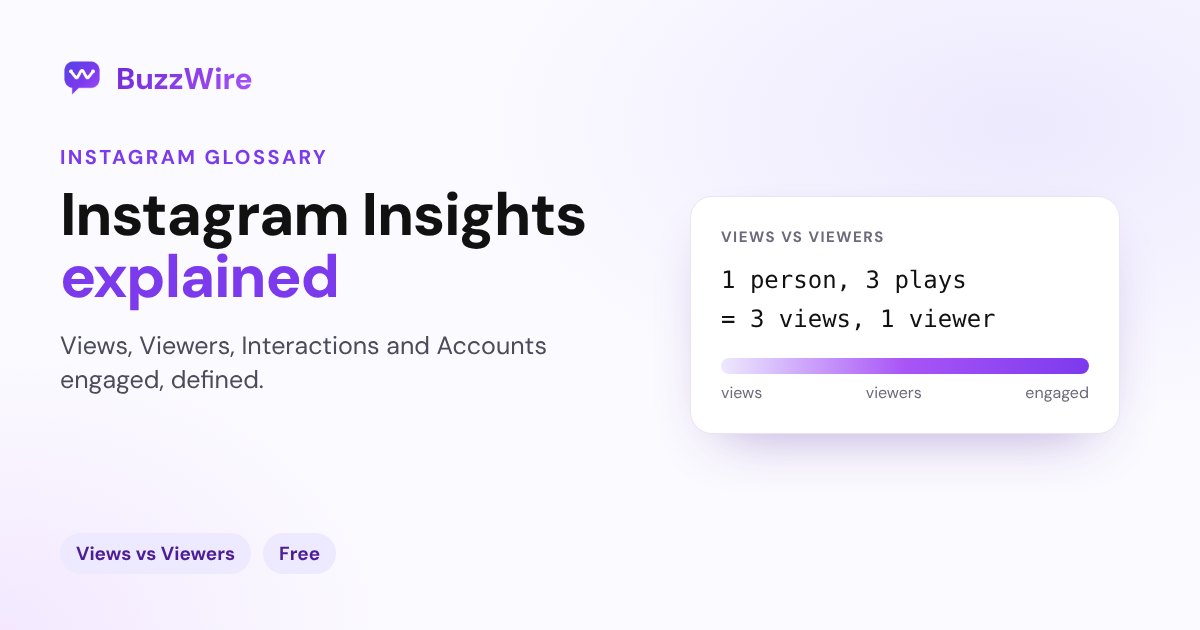
This is the pair people mix up most. Views counts plays, Viewers counts people. If one person watches your reel three times, that's three views and one viewer.
For reels, Instagram adds a detail: Viewers counts accounts that saw your reel on screen "whether or not your reel was played," while Views "may include multiple views of your reel by the same accounts." If you remember the older terms, impressions and accounts reached, Views and Viewers are the metrics Instagram's Help Center now defines. Instagram says Views is "being gradually introduced and may not be available to you yet."
Interactions vs Accounts engaged
Same idea. Interactions totals the actions: 100 likes plus 20 comments is 120 interactions. Accounts engaged counts the unique accounts that took those actions. For posts, stories and lives, Instagram splits accounts engaged into followers and non-followers, which shows whether a post is reaching new people.
How to see insights for one post
- Posts and reels: tap View insights under the post or reel.
- Stories and lives: open the story or live video and swipe up, or tap, to see its insights.
You'll see Views, Viewers, Interactions and Accounts engaged for that piece of content. If you boost a post, you also get ad insights such as results and spend. Instagram notes that boosting is only available to professional (business or creator) accounts.
When some numbers don't show
- Audience details (top countries, cities, ages and gender) need more than 100 accounts reached or engaged in the time frame. If Last 7 days shows nothing, try Last 30 days or Last 90 days.
- Follower trends appear once you have at least 100 followers.
Not sure which professional account to use? See Instagram business vs creator account.
A tip for creators and brands
Comments are part of Interactions, and they're the easiest one to grow on purpose. Ask people to comment a keyword for something useful, then send it to them by DM. Track the result in Insights, and compare posts with our free Instagram engagement rate calculator. For more on growing comments, see how to get more comments on Instagram.
FAQ
What do Instagram Insights mean?
Insights are Instagram's free analytics for public accounts. They show how your account and each post, reel, story and live video performed: how many times it was viewed, how many unique accounts saw it, and how people interacted with it, over a time frame within the past 90 days.
What's the difference between Views and Viewers on Instagram?
Views counts every time your content was played or shown, including repeat views by the same person. Viewers counts unique accounts that saw it at least once. One person watching a reel three times adds three views and one viewer.
What does Accounts engaged mean on Instagram?
It's the number of unique accounts that interacted with your content, for example by liking, commenting, saving or sharing it. For posts, stories and live videos, Instagram splits it into followers and non-followers.
Why can't I see my audience demographics?
Instagram shows audience details only when more than 100 accounts were reached or engaged in the selected time frame, using preset time frames. If Last 7 days is empty, choose a longer one such as Last 30 days or Last 90 days.
Do I need a business account to see Instagram Insights?
Instagram's Help Center says insights are free for public accounts. Some extras, such as ad insights from boosting a post, need a professional (business or creator) account.
Turn more of your viewers into conversations. Start free on BuzzWire and DM your link to everyone who comments your keyword.