Getting started
Getting started
Your dashboard
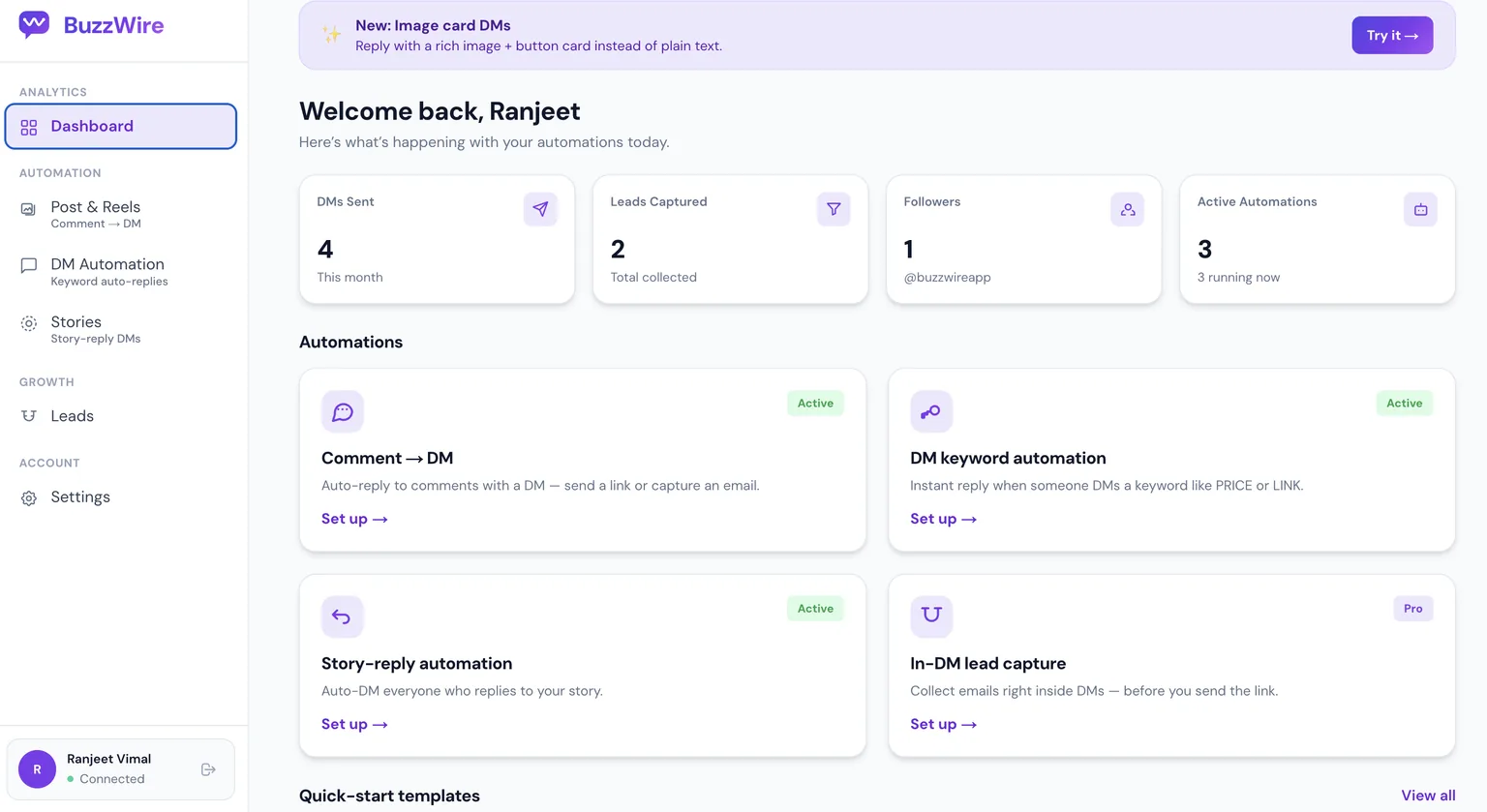
Your home base — DMs sent, leads captured, followers and active automations at a glance. The three automation types live in the left sidebar; start any flow from here.
DM keyword automation
DM keyword automation · Step 1
Add your keywords
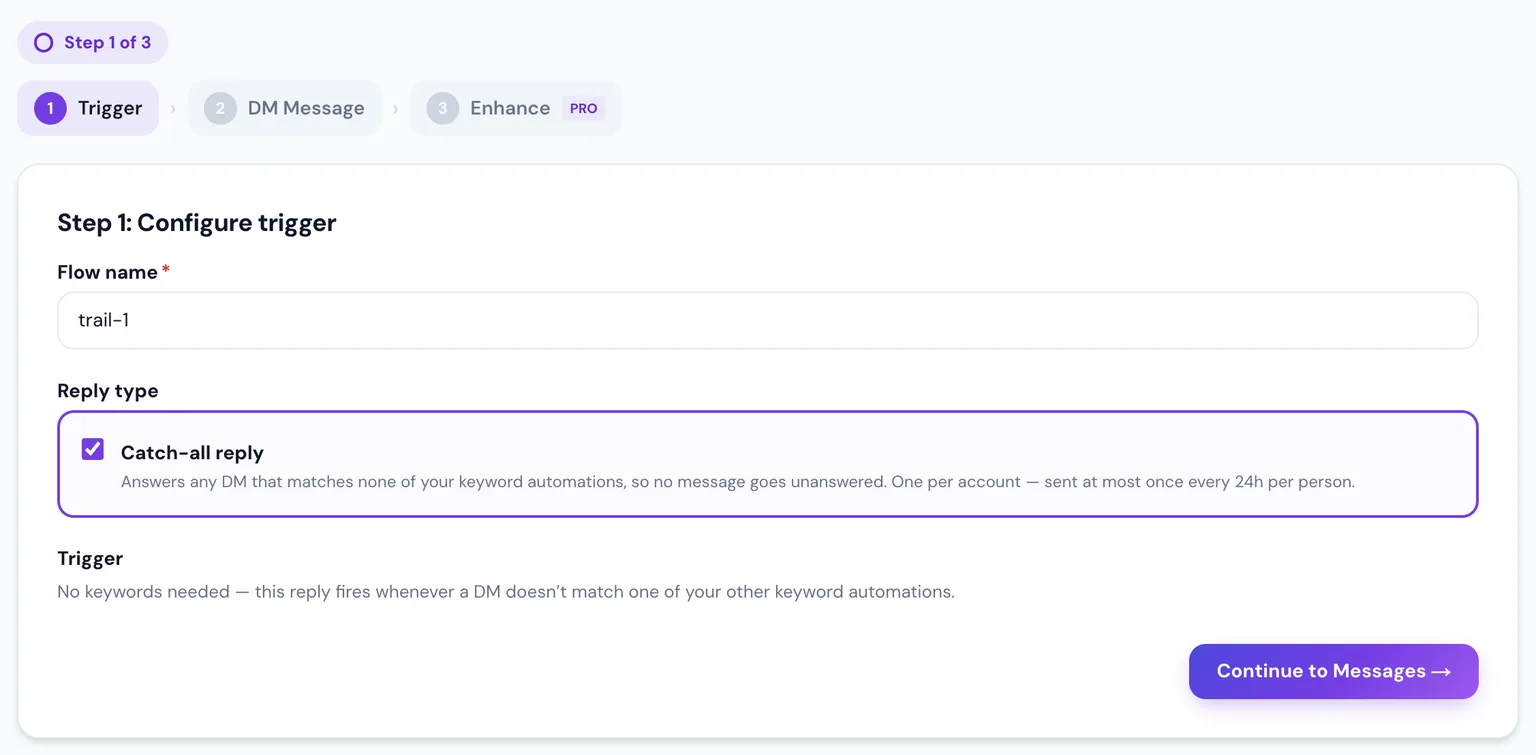
Under DM Automation, add keywords like PRICE. Add common misspellings as extra keywords so near-misses still get a reply.
DM keyword automation · Step 2
Write your DM
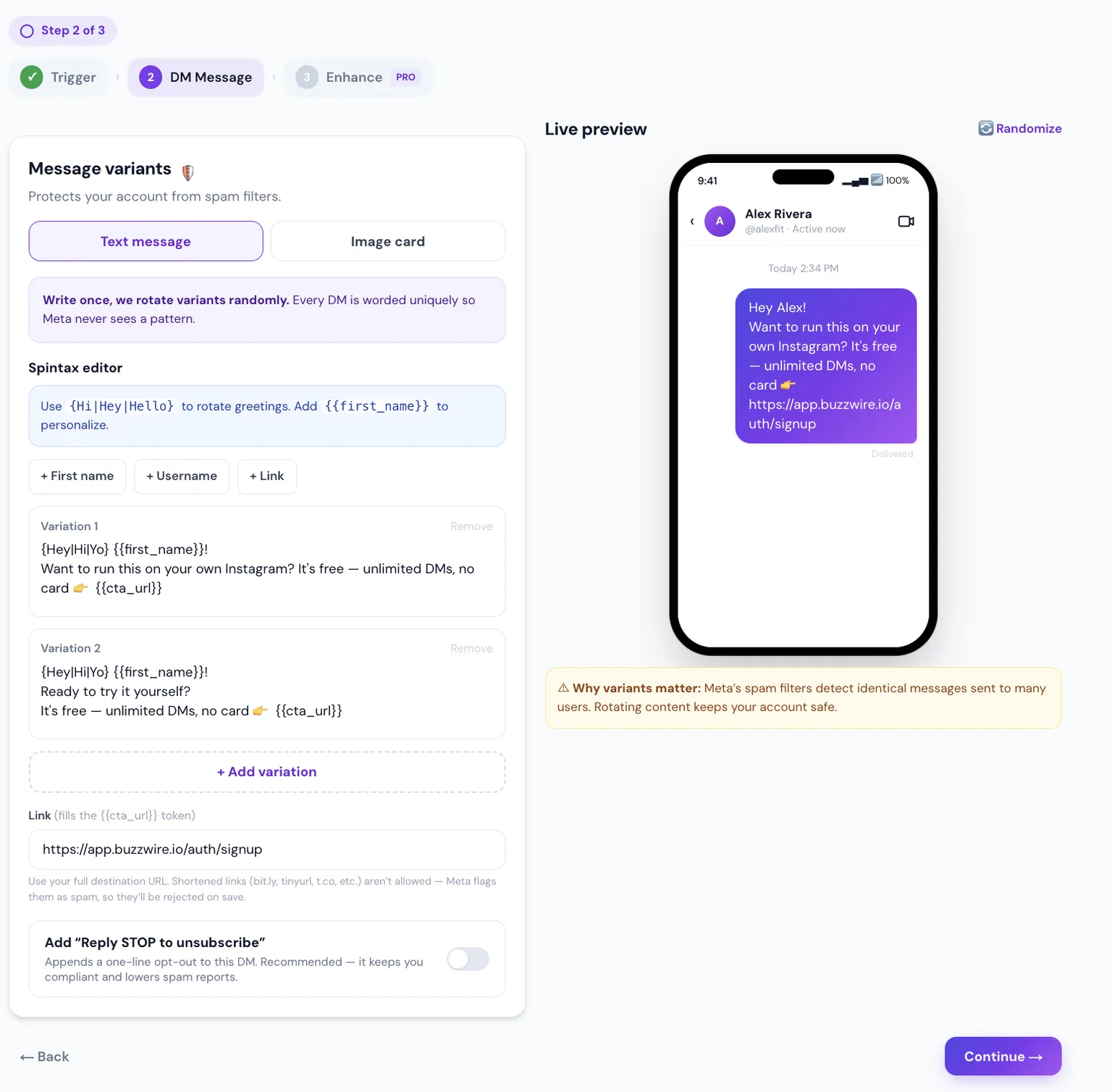
The same message step — variants, tokens and your link. Here two variations rotate so replies never look automated.
Story replies
Story replies · Step 1
Configure the trigger
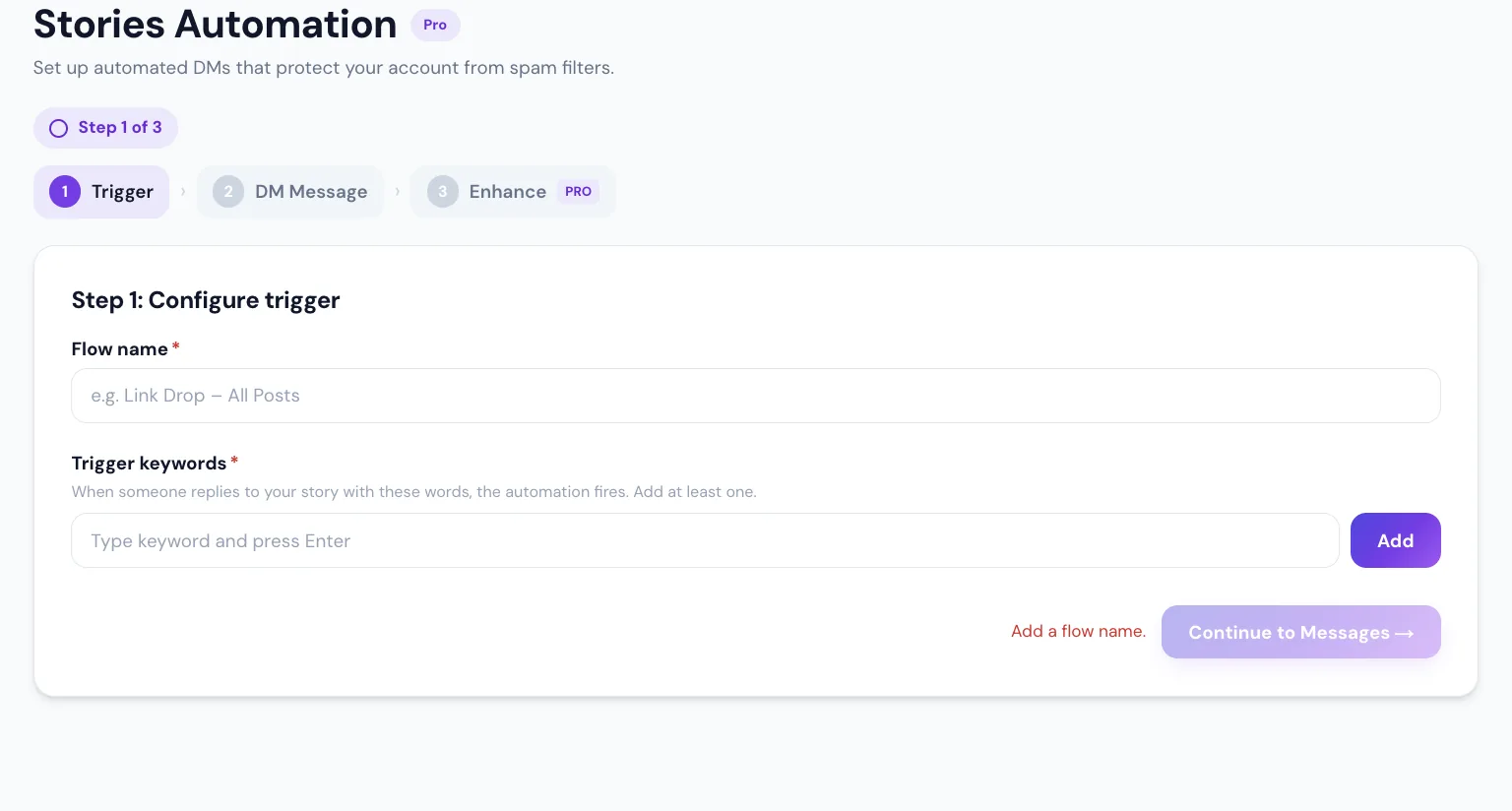
Add the keyword people reply to your story with — a separate set from your DM keywords. Name the flow, then continue. (BuzzWire reminds you if the name is missing.)
Story replies · Step 2
Write your DM
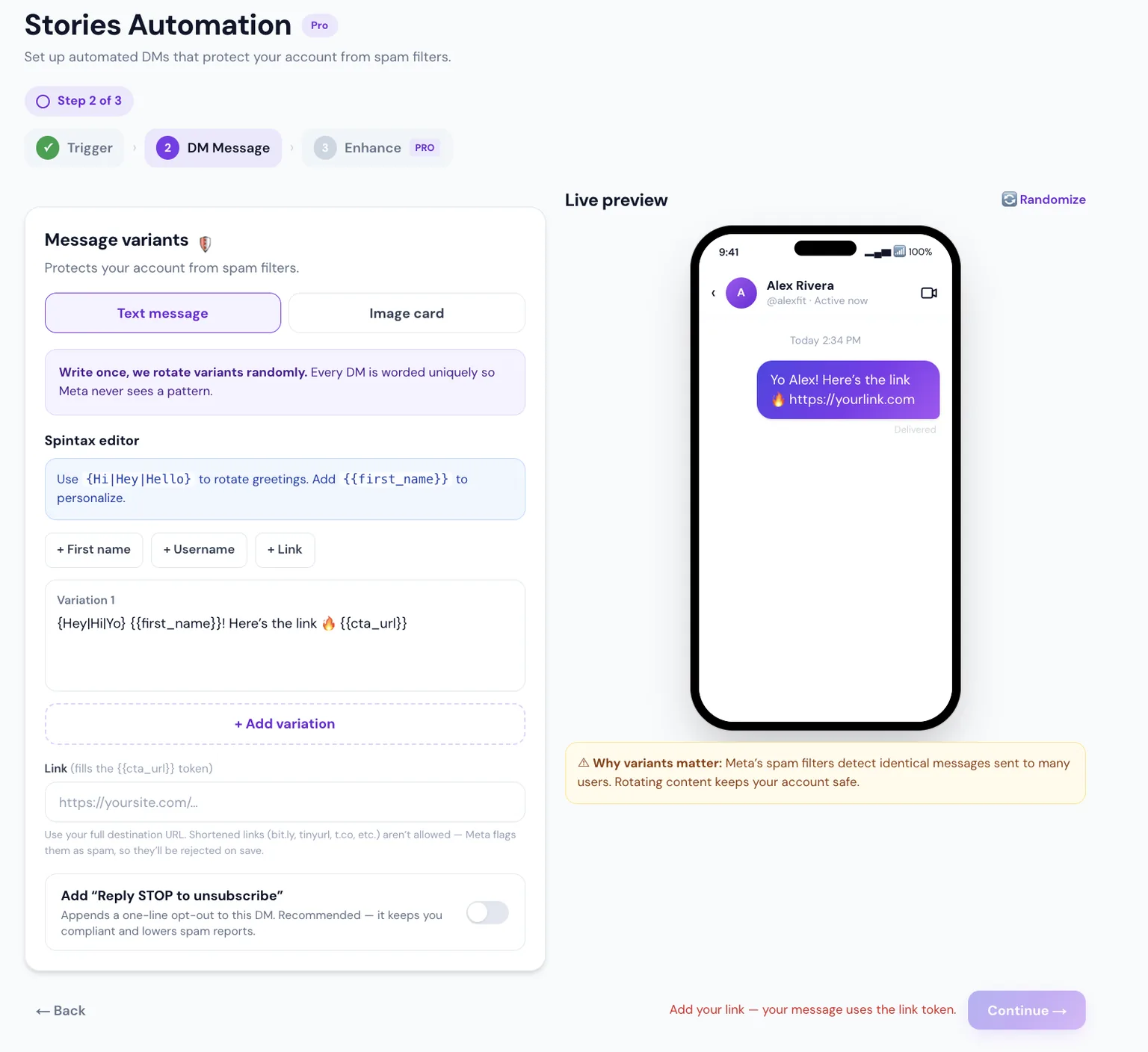
Write the DM and drop your link; the preview shows the story-reply DM. Publish, then post a story telling people which word to reply with.
Pro add-ons
Pro add-ons
Follow GatePro
Follow Gate asks people to follow first, then checks. The link always arrives, even if they don’t follow.
Results & account
Results & account
Your leads
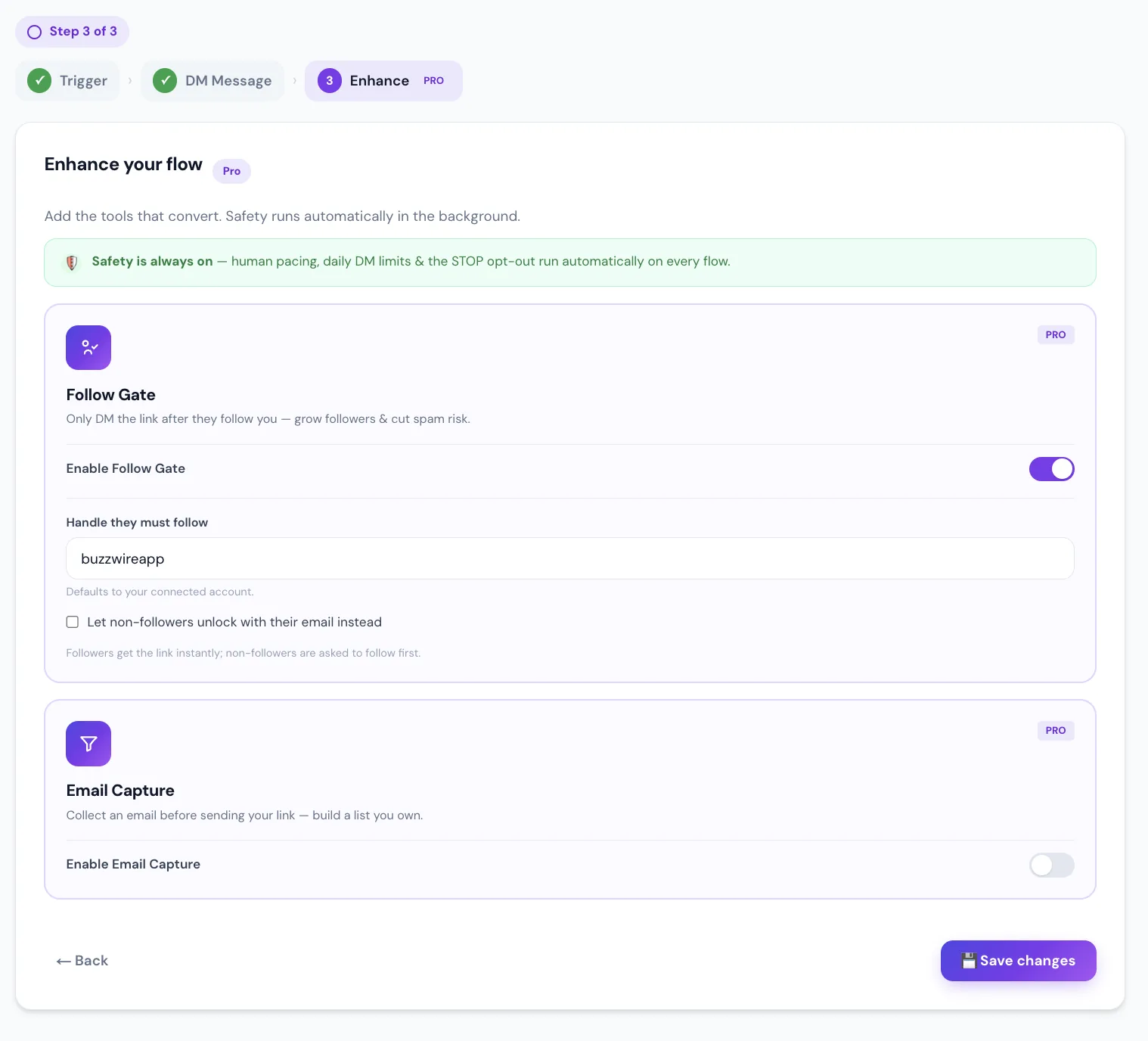
Every email captured in a DM lands here — searchable, with subscribe status and one-click Export CSV. The list is yours to keep.
Results & account
Connection & safety
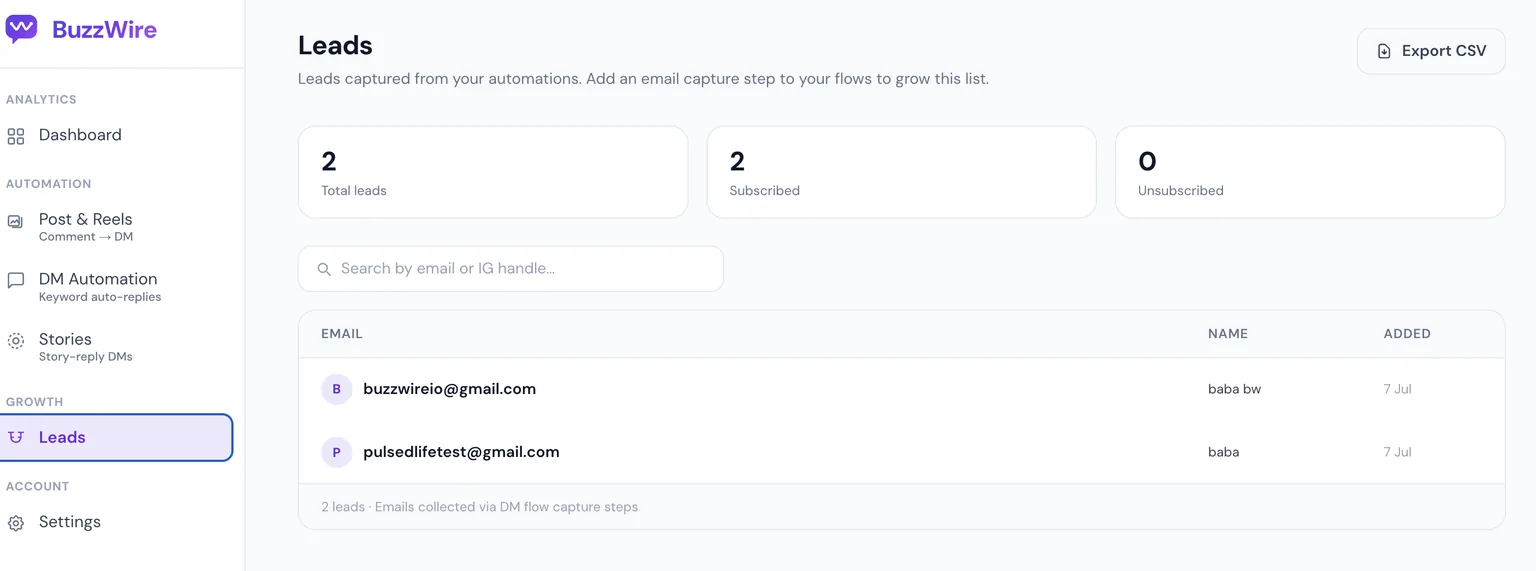
Your Instagram connection and account safety in one place. “Sending active” means DMs are flowing normally; “Pause sending” is a one-tap kill switch. Reconnect or disconnect anytime.
That’s it — you’re live 🎉
Build one flow, publish, and let it run. Test it from a second Instagram account with DMs open — you can’t privately reply to your own comment, so testing from your own account can look broken when it isn’t.
Comment → DM
Comment → DM
Your comment-to-DM flows
Every flow with its keyword(s), which posts it covers, how many times it fired, and an on/off switch. Tap “Create Flow” to add one.
Comment → DM · Step 1
Configure the trigger
Name the flow, then choose “Any post or reel” or pick specific posts (searchable). Add the keyword people will comment — e.g. FIT — and continue to Messages.
Comment → DM · Step 2
Write your DM
Write the reply once. Spintax {Hi|Hey|Hello} and tokens like {{first_name}} keep every DM unique — the live preview shows exactly what lands. Add variations for extra safety.
Comment → DM · Step 2
Add the link & opt-out
Paste your full destination link ({{cta_url}}). URL shorteners are blocked by design. Optionally append “Reply STOP to unsubscribe”, then continue.
Comment → DM · Step 2
Or send an image cardPro
Prefer visual? Switch to “Image card” — a cover image, title, subtitle and a tappable button. On desktop or Free it falls back to a text DM with the link.
Comment → DM · Step 3
Enhance the flow
Turn on the public comment reply — “Check your DMs 📩” (Free) — and set how often. Soft follow nudge and email capture are Pro. Safety runs automatically.
Comment → DM · Power tip
Many keywords, one post
Put several comment-to-DM flows on the same reel — each with its own keyword and reply. BuzzWire matches every comment to the right flow. One comment triggers one reply (highest priority, then the longest keyword wins), and each person gets one reply per keyword — someone who triggers two different keywords gets both, but the same automation never messages the same person twice.
One reel or post
LINK→ DM with your linkGUIDE→ DM with your lead magnetPRICE→ DM with your pricingOne comment → one reply · priority, then longest keyword wins · one reply per keyword, never repeated