Instagram DM Automation: Complete Guide (2026)
Learn how Instagram DM automation works in 2026: the three triggers, Meta's 7-day and 24-hour rules, five workflows that earn, and how to start free.
On this page
- What does Instagram DM automation actually do?
- Why do DMs convert better than a link in bio?
- Which DM automation workflows actually make money?
- 1. Comment-to-DM
- 2. Keyword replies in your inbox
- 3. Story-reply automation
- 4. In-DM email capture
- 5. Keyword offers and welcome replies
- How do you keep DM automation inside Meta's rules?
- What rules does Instagram set on automated replies?
- How do you write DMs that don't feel automated?
- How do you choose a compliant DM automation tool?
- What mistakes should you avoid?
- How do you set up your first DM automation?
- Instagram DM automation FAQ
- Is Instagram DM automation allowed?
- Will DM automation get my account banned?
- Do I need a big following to make it worth it?
- What's the difference between this and a chatbot?
- How much does it cost?
- Can I capture emails in the DM?
In short:
- Instagram DM automation sends a DM for you when someone comments a keyword, replies to your story or DMs you.
- It runs on Meta's official API and only answers people who acted first.
- Meta allows one private reply per comment, within 7 days.
- Follow-ups need their reply, then a 24-hour window applies (up to 7 days after Click-to-Direct ads).
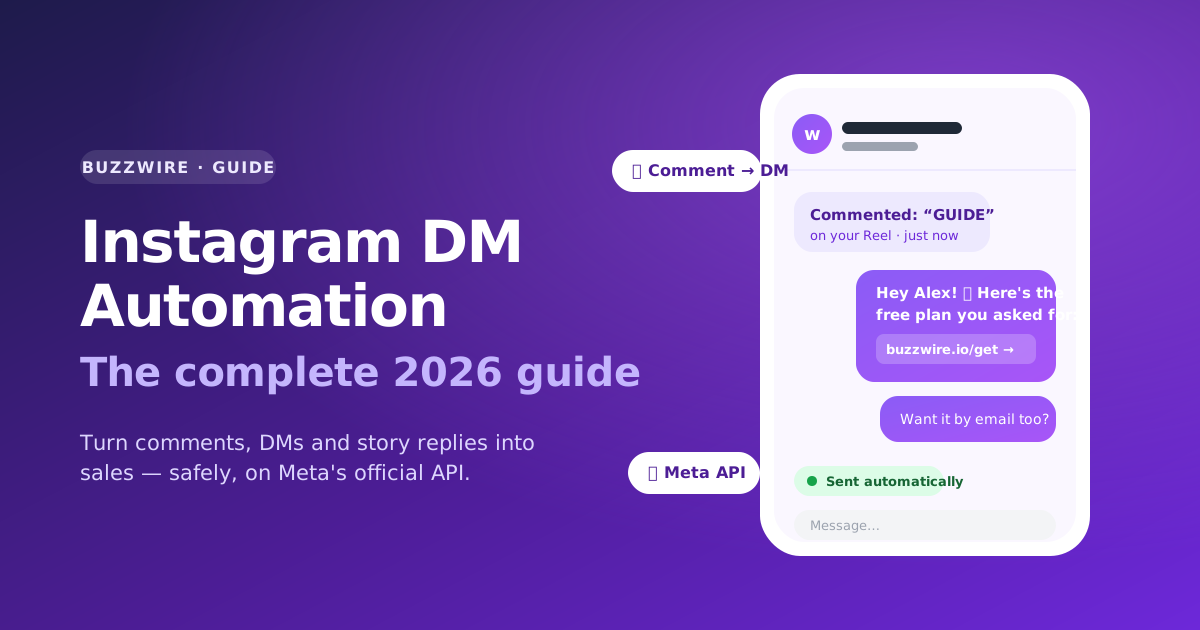
Instagram DM automation is software that sends a direct message when someone comments a keyword, replies to your story or messages you. It connects through Meta's official Instagram API, so it never needs your password. It only answers people who reached out first, and Meta's rules limit what it can send.
Here's a scene every creator knows. You post a Reel, it does numbers, and the comments fill up with the same three words: "link?", "where?", "how much?". You reply to a few.
You mean to get to the rest. Then life happens, the post cools off, and a hundred people who literally asked to buy from you never hear back.
That gap — between someone raising their hand and you actually answering — is what Instagram DM automation closes.
Done right, it turns every comment, story reply and inbound DM into an automatic, personal response that sends your link, asks for an email or shares a booking link. Done wrong, it's also a fast way to get your account restricted.
This guide covers both halves: how to make DM automation work, and how to do it without gambling the account your business runs on.
What does Instagram DM automation actually do?
It replies to people on Instagram for you, based on rules you set. Someone comments a keyword, you send them a DM. Someone messages you "PRICE," they get your pricing. Someone replies to your story, they get the link you promised.
The important word is replies. Good automation responds to people who reached out first — it doesn't go hunting for strangers to message. That distinction separates a tool that grows your business from one that puts your account at risk. We'll come back to it a lot.
Modern DM automation runs on Meta's official Instagram API. You connect your account once through Meta's own login screen, with no password sharing. From then on, the tool can read the comments and messages you're allowed to see. It sends replies inside the rules Meta sets.
Nothing logs in as you, and nothing scrapes. A solo creator can set it up in an afternoon.
For the definition on its own, with the three triggers and what Meta's documentation allows, read our plain-English explainer on DM automation.
Why do DMs convert better than a link in bio?
The link in your bio is a graveyard. It asks people to leave the app, hunt through a list of buttons, and self-serve — and most won't. A DM does the opposite. It shows up where attention already is, and it feels like a one-to-one conversation.
Three things make the DM special:
- It's already a conversation. People reply to messages. They ignore landing pages. Asking "what's the best email to send this to?" inside a chat asks for less effort than sending someone to a form.
- It's permission you can act on. When someone comments or messages you, Meta gives you a window to reply. You're not interrupting a stranger — you're finishing a conversation they started.
- It builds a list you own. Followers are rented; Instagram controls that relationship. An email captured in the DM is yours, whatever the algorithm does next.
Which DM automation workflows actually make money?
Five workflows cover most creators and small brands. You don't need twenty automations, just a few that match how you already earn.
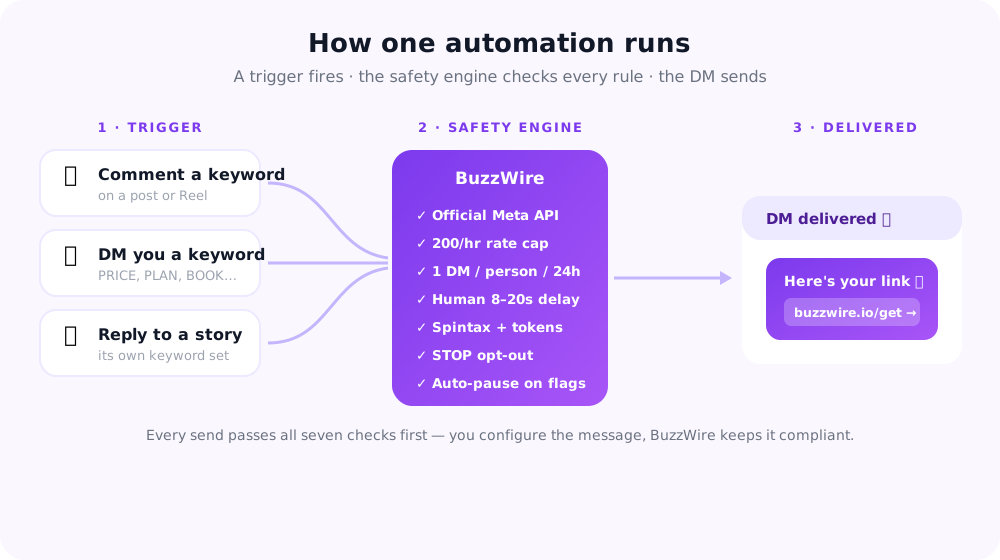
1. Comment-to-DM
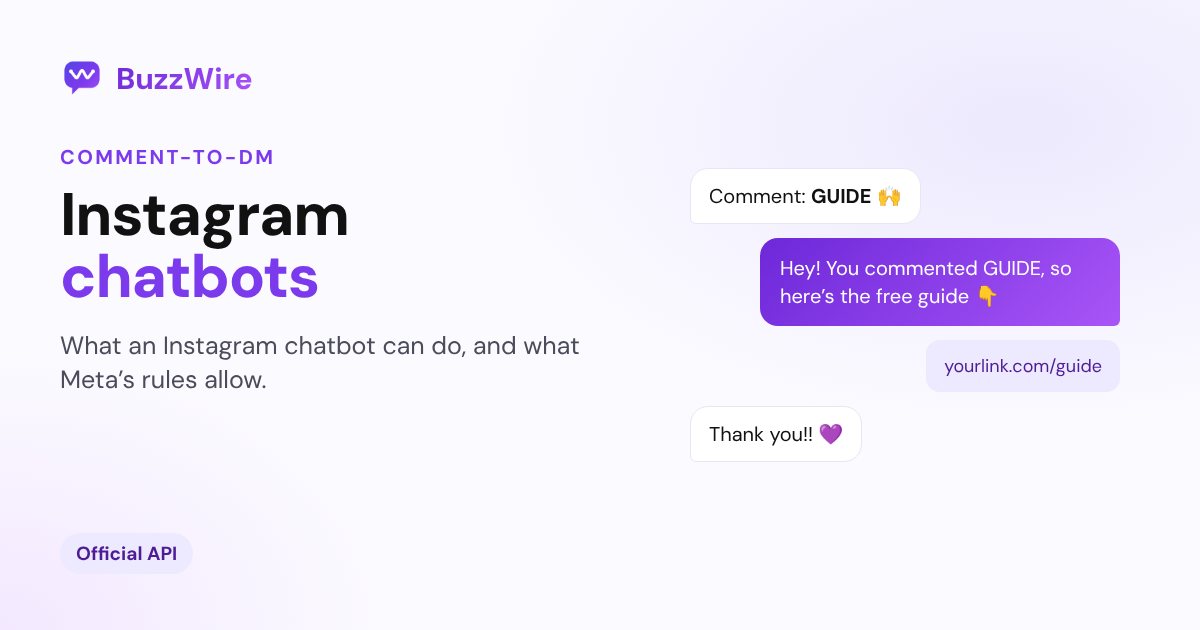
The workhorse. You add a line to your caption: "Comment GUIDE and I'll DM you the free plan." When someone comments that word, they get a DM with your link or offer a few seconds later.
Here's exactly how comment-to-DM triggers work. It works on every post and Reel at once. A single viral video can deliver hundreds of links while you sleep. To choose the word, our free comment keyword planner scores it and lists the misspellings to add.
The nice touch: a rotating public reply ("just sent it — check your DMs 🙌") nudges other people to comment too, so it compounds.
2. Keyword replies in your inbox
Not everything starts with a comment. People slide into your DMs asking "how much?", "do you ship to the UK?", "is the challenge still open?" Keyword automation answers them. Map words like PRICE, SHIP or BOOK to the right reply, and add common misspellings as extra keywords.
This is keyword matching in the inbox, separate from the comment trigger above. Good tools use whole-word matching, so "unlink" never trips "link."
3. Story-reply automation
Stories are pure intent. Put a "Reply LINK" sticker on a story during a launch, and every reply fires a DM with the drop, the code, or the waitlist.
Because story replies run on their own keywords, separate from your inbox, the copy can fit the moment without you rewiring anything.
4. In-DM email capture
This is the one most creators sleep on. Instead of sending people to a landing page, you ask for the email inside the DM they're already reading. Every extra click loses people.
On BuzzWire, capturing an email inside the conversation is a Pro feature. The address lands in a contacts list you export to CSV. BuzzWire doesn't send email; your email tool does.
5. Keyword offers and welcome replies
Give each offer its own keyword. A "SALE" keyword during a promo sends the discount code and the checkout link. A "Say HELLO" line in your bio can trigger a welcome reply with your most popular freebie.
Together they work as an Instagram auto reply that answers while you're offline.
How do you keep DM automation inside Meta's rules?
You keep it inside Meta's rules by copying how a person would reply. Instagram doesn't care that your automation is "for business." It cares about patterns, and the wrong patterns get accounts restricted.
The riskiest patterns are well known. Tools log in with your password, send identical messages to strangers, or run browser bots.
Compliant automation is the opposite, and it comes down to a handful of rules. On BuzzWire, the enforced mechanism behind this runs on every send. It isn't a setting you have to remember.
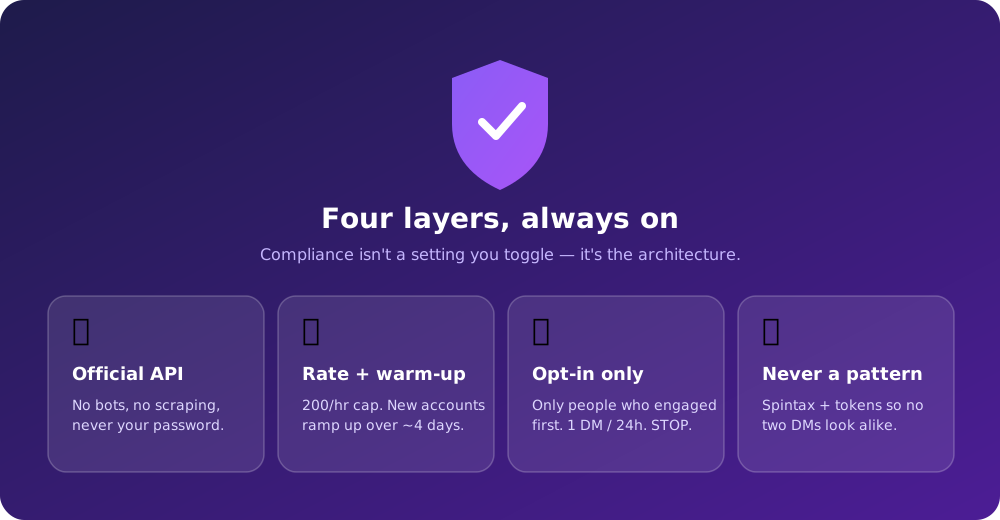
| Rule | Why it matters |
|---|---|
| Use the official Meta API | No browser bots, no scraping, no password sharing — this removes the riskiest pattern there is. |
| Only message people who engaged first | Reply to commenters, story-repliers and DMers. Never cold-DM strangers. |
| Respect the 24-hour window | You get 24 hours to send a promotional reply after someone messages you — the window opens with their reply, not your first DM. See the rules below. |
| Pace your volume | Keep sending well within Instagram's own API rate limits, and ease new accounts in gradually rather than starting at full speed. |
| Vary every message | Identical copy at machine speed trips spam-similarity detection. Rotate wording and personalize. |
| Honor opt-outs, always | Support STOP/UNSUBSCRIBE, and don't send the same automation to the same person more than once. |
These habits keep your automation inside Meta's documented rules. No tool, ours included, can guarantee how Meta enforces them. Ignoring them makes account action far more likely.
What rules does Instagram set on automated replies?
Three of Meta's documented rules decide what an automated reply can be, plus one exception for ads. They aren't tool limitations, and no vendor can widen them.
How many automated DMs can you send per comment? One. Meta's private replies documentation allows a single message to the person who commented — not a sequence, not a drip.
So the thing they asked for goes in message one. A first DM that only asks "want the guide?" has spent the one message you get.
How long do you have to send it? Seven days from when the comment was made, on a post, an ad or a Reel. An automation switched on after a post has been live a week can't rescue the comments it already collected, so build the flow before you publish.
Instagram Live is tighter still: replies to Live comments can only go out during the broadcast, not once it ends.
How long is the messaging window? 24 hours — but the detail most guides get wrong is what opens it. Meta's messaging policy gives you up to 24 hours to respond after a person messages you, and messages inside that window can carry promotional content.
The window is opened by their reply, not by your first DM. That's why a good automated message ends with a small ask, like "reply SIZE" or "reply PRICE." Their answer earns you the second message, where qualifying and email capture happen.
Is there an exception for ads? Yes, for ad conversations. Since 28 Sep 2026, Meta's Instagram Messaging changelog says "the standard messaging window may extend up to 7 days for conversations that start from Click-to-Messenger or Click-to-Direct ads." Organic comments and DMs keep the 24-hour window.
Sources:
- Meta for Developers, Instagram private replies (one reply, 7 days), checked 21 Oct 2026.
- Meta for Developers, Instagram Messaging changelog, entry dated 28 Sep 2026, checked 19 Oct 2026.
Every published limit, with its source, is on the Instagram DM limits reference. Every copy-paste template pack is written to fit these rules.
How do you write DMs that don't feel automated?
You write them the way you'd type them, then let the tool vary the wording. The giveaway of a bad bot is that it's obvious. Every message is word-for-word identical. You fix that with two things.
Spintax. Write one line with a few interchangeable options, like {Hey|Hi|Hello} {{username}}!, and every send comes out a little different. To the person reading, it looks like you typed it.
If you'd rather not start from scratch, these 25 worked examples with spintax — or the pack built for coaches — show the pattern in full.
Personalization tokens. Dropping in someone's username costs you nothing and changes
the whole feel of the message. Hey {{username}}, here's that guide 👇 reads like a human, because you did write it, just once.
Keep it short, sound like yourself, use one clear call to action, and lead with the thing they asked for. You're finishing a conversation, not delivering a pitch — and if a blank box is the hard part, more pre-built flows in the packs above give you a running start.
How do you choose a compliant DM automation tool?
Ask four questions before you connect any tool. You can also see how BuzzWire compares with ManyChat directly.
- Does it use the official Meta API, or does it want my password? If it asks for your login, close the tab. The official flow never needs it.
- Is safety on by default, or is it a setting? Rate caps, cooldowns, warm-up and opt-outs should be baked in and impossible to switch off — not a checkbox you're trusted to find.
- Can it vary messages? Spintax and personalization tokens stop every message being word-for-word identical.
- Is the company a Verified Meta Tech Provider? That means Meta verified the business and its API access. It isn't an endorsement. (BuzzWire is one, and is not endorsed by or affiliated with Meta or Instagram.)
A landing page can claim anything; a verification is checkable. For the full picture, here's BuzzWire side-by-side against every major tool.
What mistakes should you avoid?
Five small mistakes cause most problems. Every one is avoidable, and they're also exactly what gets accounts flagged when a funnel is built the wrong way.
- Cold-DMing strangers. The single fastest way to get flagged. Automation is for responses, not outreach.
- One keyword for everything. Use one clear keyword per offer. GUIDE for the freebie, PRICE for pricing — don't make people guess.
- Sending three links in one DM. Multi-link, shortened messages look like spam because they usually are. One clean link per DM.
- Forgetting the email capture. If you're only sending a link, you're leaving your best asset — the email list — on the table.
- Ignoring misspellings. Someone types a near-miss of your keyword and gets silence. Add common misspellings as extra keywords.
How do you set up your first DM automation?
Start with one offer and one keyword. You don't need a grand strategy, or even the full feature set. Here's the whole thing:
- Connect your Instagram through the tool's official Meta login.
- Pick one offer and one keyword — say,
GUIDEfor a free resource. - Write the DM: a warm line, the link, and one question that asks for their email.
- Turn on a rotating public reply so commenters nudge each other.
- Post a Reel with a caption that tells people exactly what to comment.
That's a complete funnel: comment → DM → email captured → list grows. Watch it run on your next post. Then add keyword replies and a story sticker once you trust it. Browse flows built for your niche when you want ideas beyond the first one.
Instagram DM automation FAQ
Is Instagram DM automation allowed?
Yes, within Meta's rules. The official API lets you reply to people who comment on your posts or message you, inside set windows. Cold-messaging strangers, scraping and password-based bots aren't allowed. Stay on the official side, though no tool can guarantee how Meta enforces its rules.
Will DM automation get my account banned?
No tool can guarantee how Meta enforces its rules, but done properly the risk is far lower. Restrictions tend to follow risky patterns: password-based bots, identical mass messages and cold outreach. Official-API tools that reply only to people who engaged, pace volume and honor opt-outs are built around the rules.
Do I need a big following to make it worth it?
No. DM automation converts a share of the people who engage, so it pays off at any size. Engagement matters more than follower count. It's exactly what micro-influencers do with this. If people comment on your posts and DM you at all, you have enough to start.
What's the difference between this and a chatbot?
A generic chatbot answers questions on a website. Instagram DM automation is built for Instagram's triggers: comments, story replies and inbound keywords. It's also built around Instagram's rules, like one private reply per comment and the 24-hour window. Most setups send messages you wrote in advance.
How much does it cost?
It can cost nothing. BuzzWire Free includes unlimited automations and DMs, sent within Instagram's limits, on every automation type. Pro costs $9.99/mo or $79/yr (Founding Member price). It adds Follow Gate, email capture with CSV export and image-card DMs, and removes branding. See the free and Pro plans.
Can I capture emails in the DM?
Yes. On BuzzWire Pro, in-DM email capture asks for an email, with name optional, right in the conversation. It saves each address to a contacts list you export to CSV. BuzzWire doesn't send email itself. It's the difference between renting an audience and owning one.
The takeaway is boring and it's true: automate the response, not the outreach. Stay inside the window, keep your volume sane, vary your copy and always honor opt-outs. Do that, and DM automation becomes far lower-risk and one of the most reliable parts of your funnel.
Weighing which tool to start with? Compare what each free plan actually gives you in Free Instagram DM Automation Tools.
BuzzWire builds the rules in this guide into the product: comment-to-DM, keyword replies, story replies and in-DM email capture (Pro), all on Meta's official API and free to start. BuzzWire is a Verified Meta Tech Provider, not endorsed by or affiliated with Meta or Instagram. Start free →