Instagram auto DM: free, with unlimited DMs
In short: An Instagram auto DM is a direct message sent automatically when someone comments a keyword on your post or Reel, replies to your story, or sends you a keyword. BuzzWire, the Instagram DM automation tool, sends it through Instagram's official API. The free plan has unlimited DMs and automations on one account.
You post a Reel and ask people to comment GUIDE. Two hundred people do. Answering each one by hand takes an evening, and the people who commented at midnight wait until morning. An auto DM sends your message and link to every one of them, while the post is still fresh.
This page shows what BuzzWire does, feature by feature, with screenshots from the app. It also covers what's free, what Pro adds, and what Instagram doesn't allow any tool to do.
How an Instagram auto DM works
It always starts with the other person. They comment, reply to a story or message you, and Instagram passes that to the tool you connected. The tool then sends the message you wrote. Nothing is sent to people who haven't interacted with you.
The three auto DM triggers
These timing rules come from Meta, not from BuzzWire, and they're the same for every tool:
- A comment allows one private reply, sent within 7 days of the comment. That's the DM a commenter receives.
- A DM or story reply opens a 24-hour window. You can keep replying until 24 hours after their last message.
- A DM's text can be up to 1,000 bytes. That's about 1,000 characters in plain English, fewer with emoji.
Source: Meta for Developers, Instagram Platform messaging and private replies documentation, checked 25 October 2026. More detail on Instagram DM limits.
Every feature, with screenshots
Comment-to-DM on posts and Reels (Free)
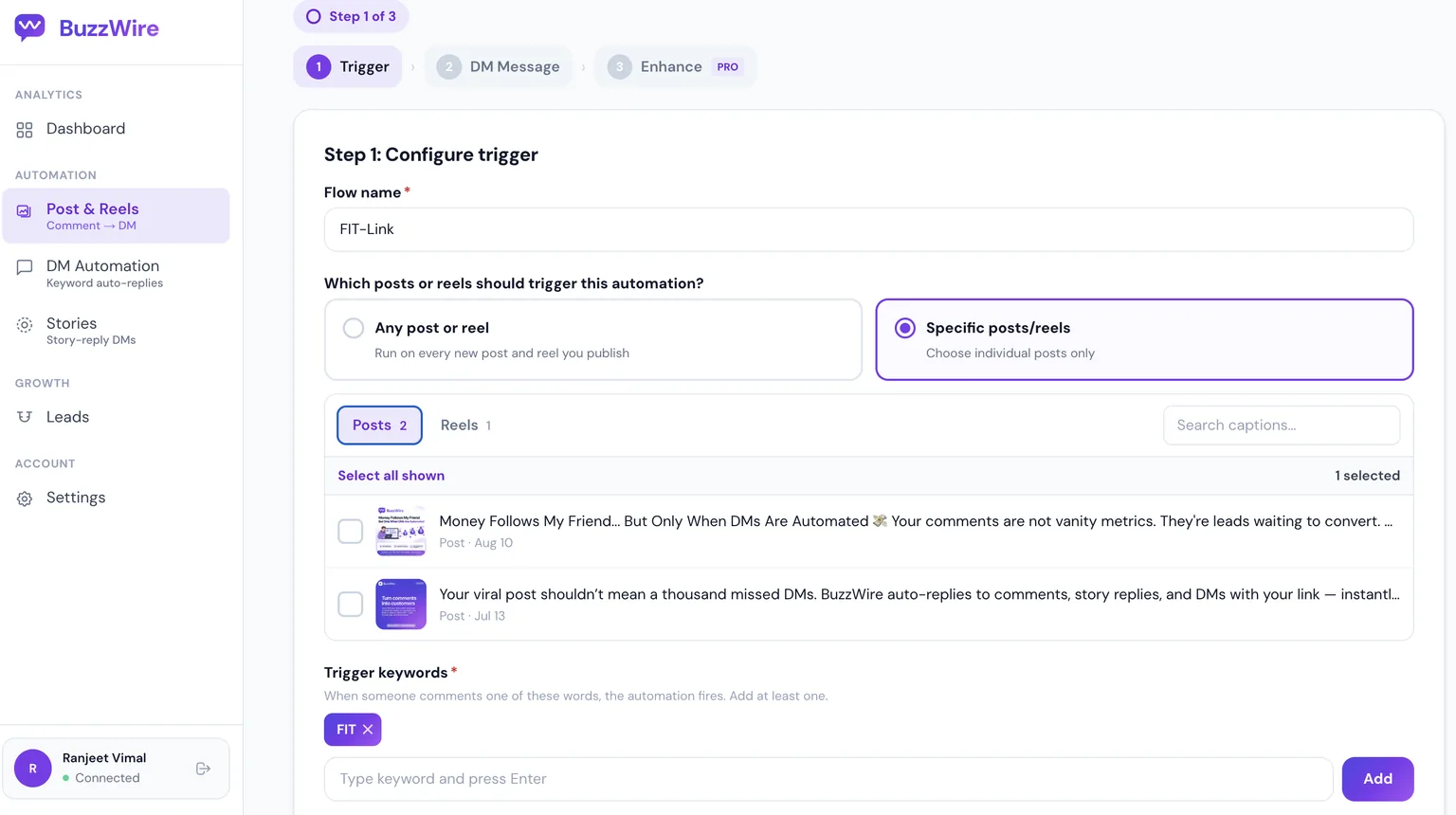
Pick one post, several posts or every post and Reel, then add the keyword people will comment. When someone comments it, they get your DM.
Write the DM once, with variations (Free)
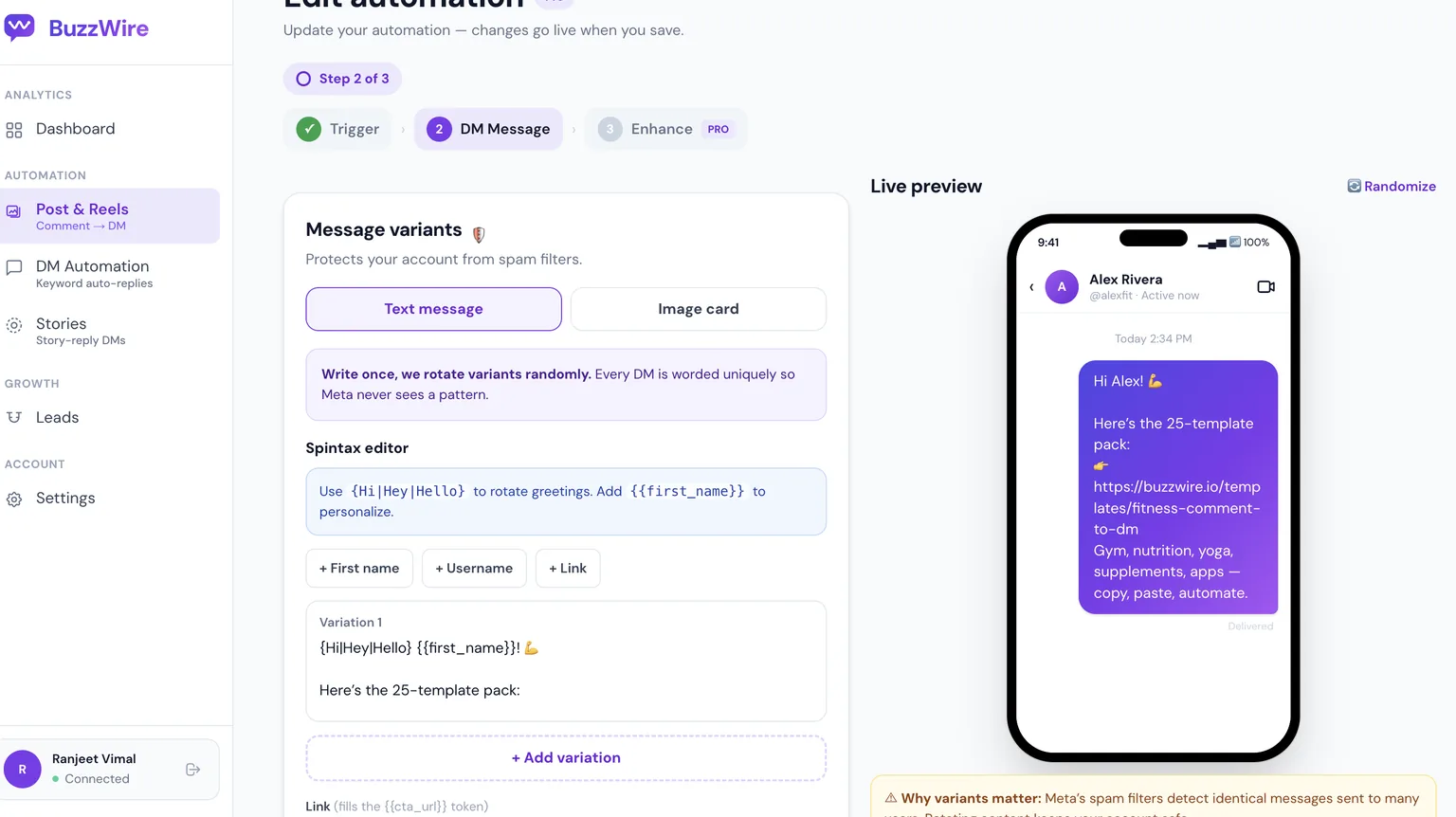
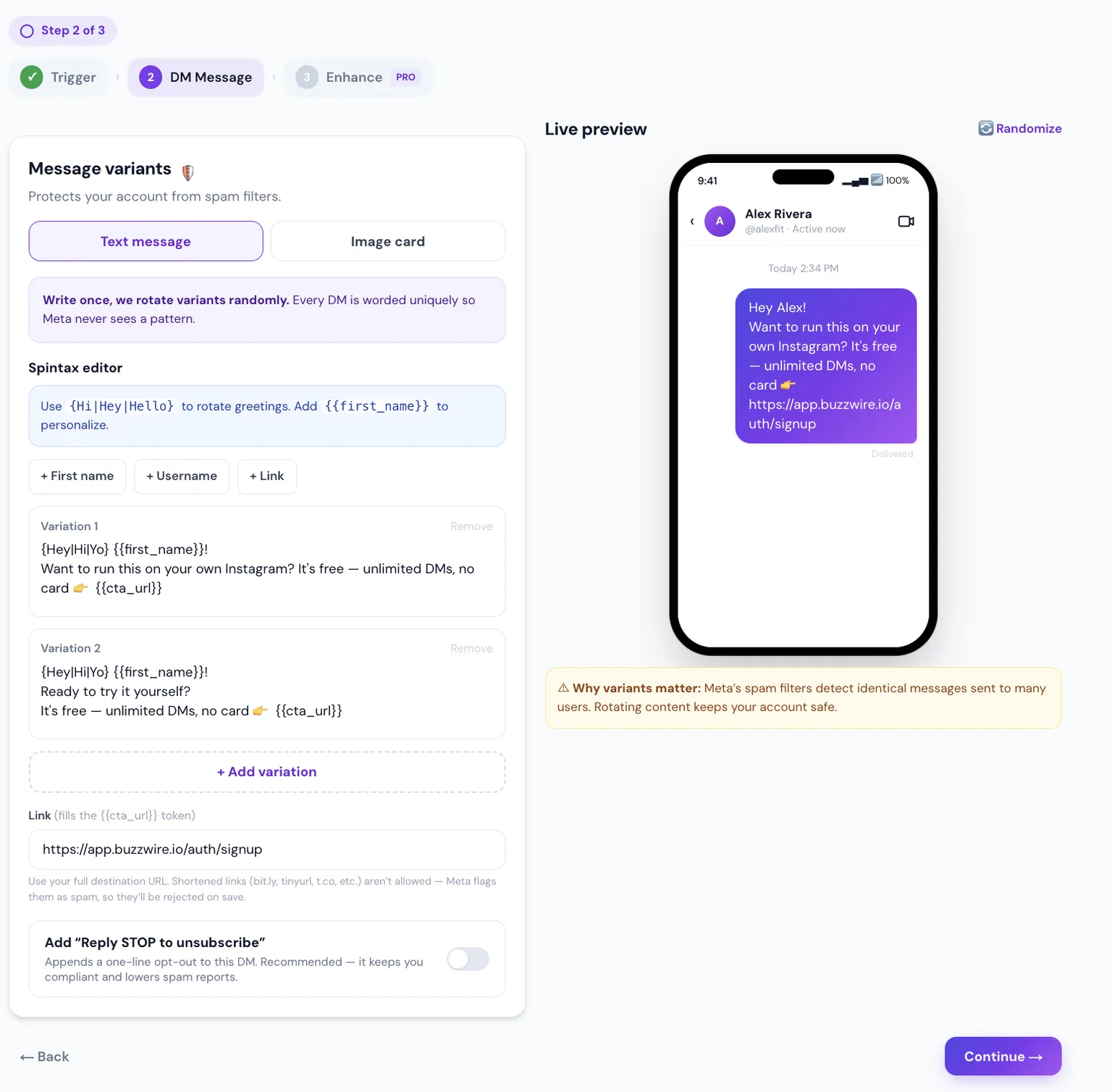
Write the message once and add a few variations. BuzzWire rotates them, and spintax such as {Hi|Hey|Hello} changes words inside a message, so 200 people don't all get identical text. The {{username}} token adds the person's handle.
Then add your link. BuzzWire blocks URL shorteners, and you can add "Reply STOP to unsubscribe" to the end of the message.
A public reply under the comment (Free)
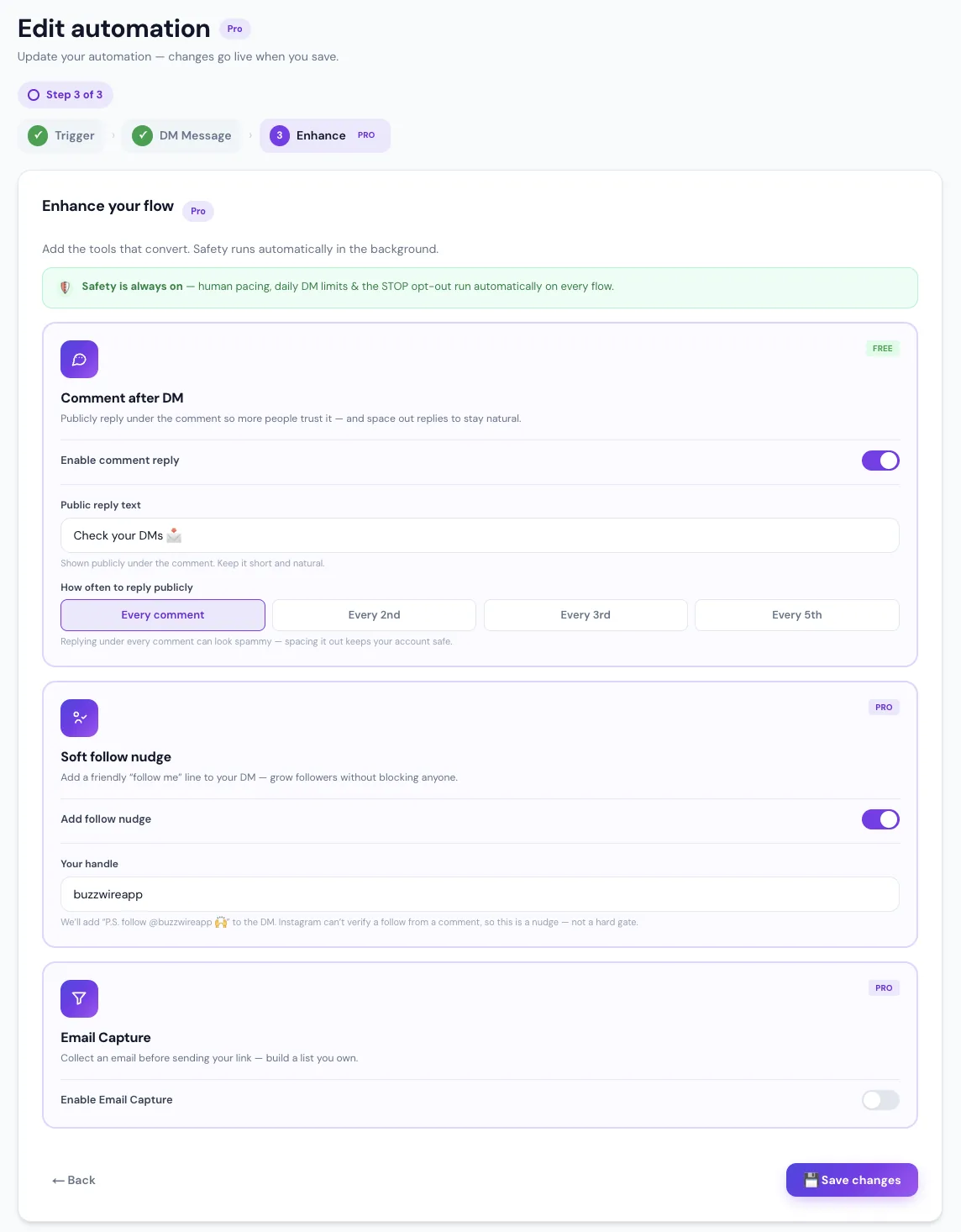
BuzzWire can also reply publicly under the comment, for example "Check your DMs 📩", so other people see that commenting works. You choose how often: every comment, or every few.
DM keyword replies (Free)
When someone sends you a keyword in a DM, such as PRICE or LINK, BuzzWire replies with the message you set for it. Add common misspellings as extra keywords so near-misses still get an answer. BuzzWire replies only when a keyword matches, so messages that need a person are left for you.
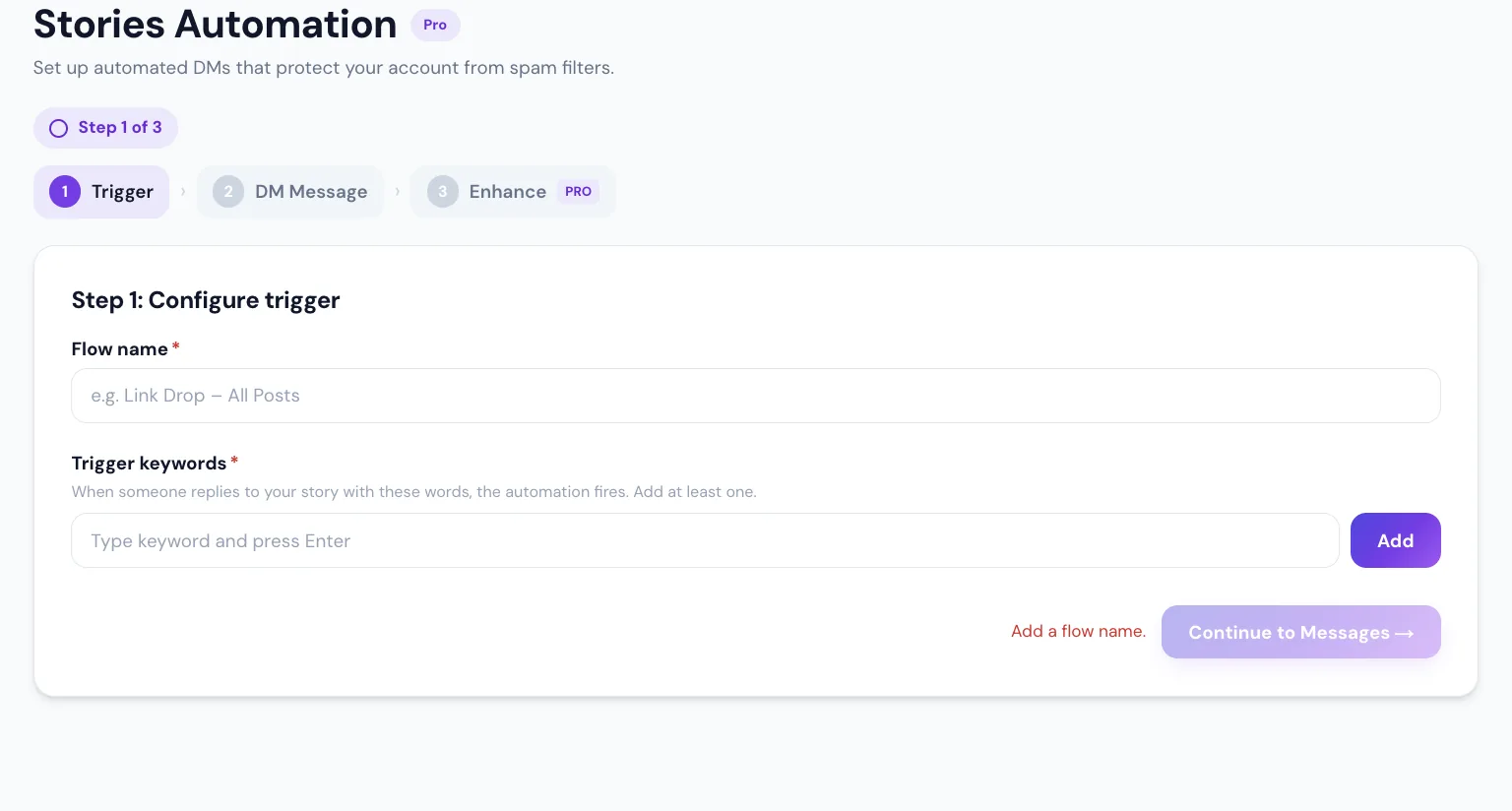
Story-reply automation (Free)
Post a story that says "Reply GUIDE for the link." Everyone who replies with the word gets your DM. Story keywords are kept separate from your DM keywords, so the two never clash.
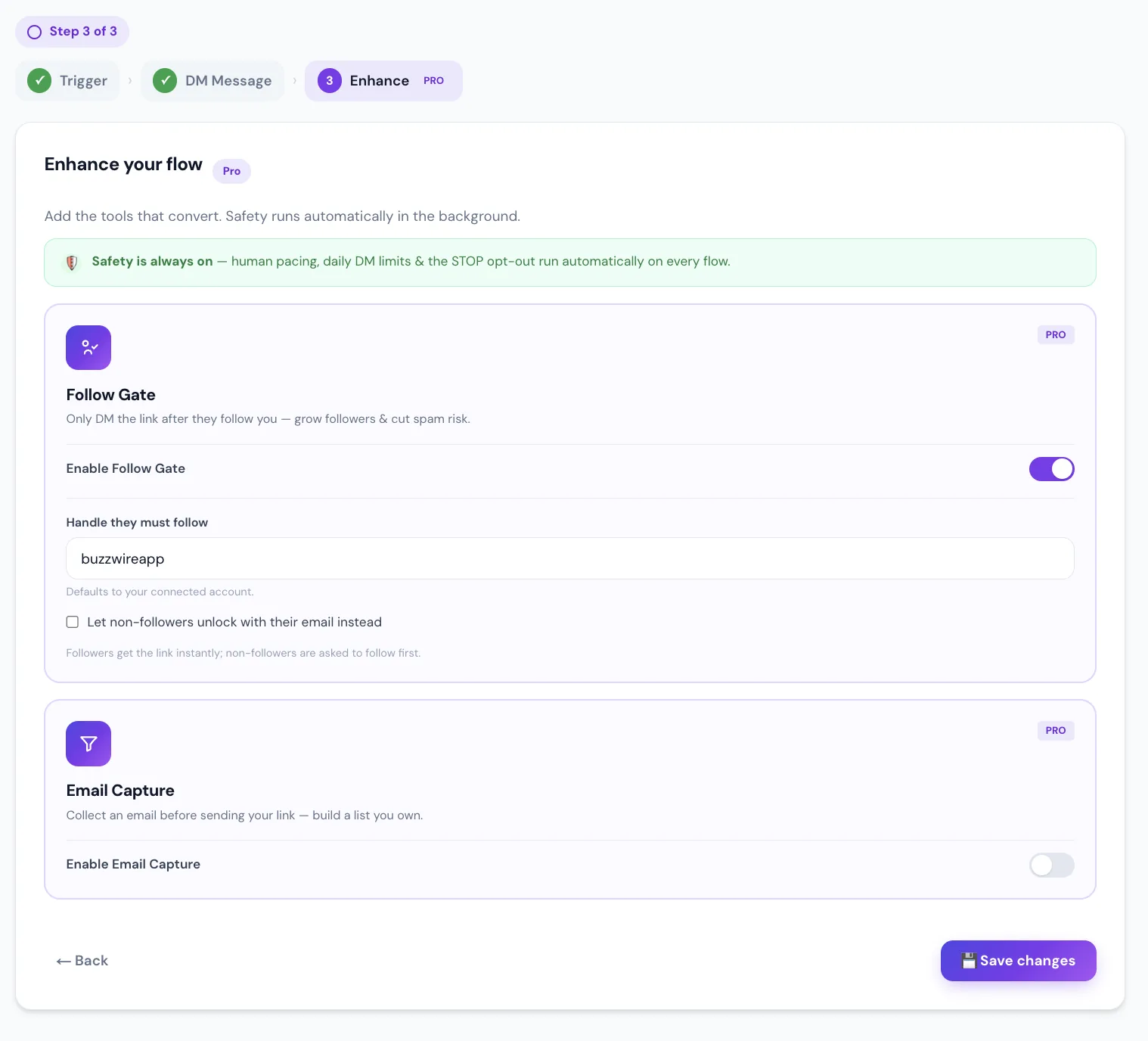
Follow Gate and Follow Nudge (Pro)
Follow Gate asks people to follow you before the link. Followers get it right away, and the link always arrives, whether they follow or not. Follow Nudge adds a friendly "follow me" line to the DM, with no check.
Email Capture (Pro)
The DM asks for an email address first (a name is optional), then sends the link. Every address lands in your Leads list, ready to export as a CSV. BuzzWire collects addresses; it doesn't send email.
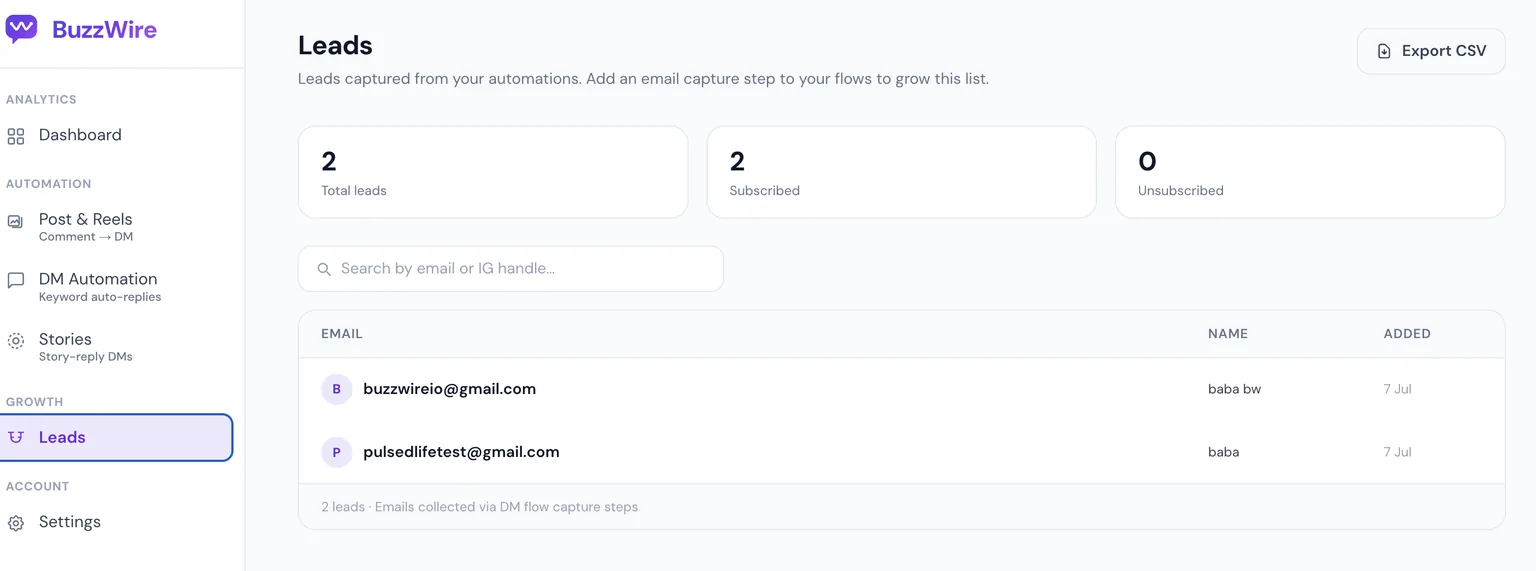
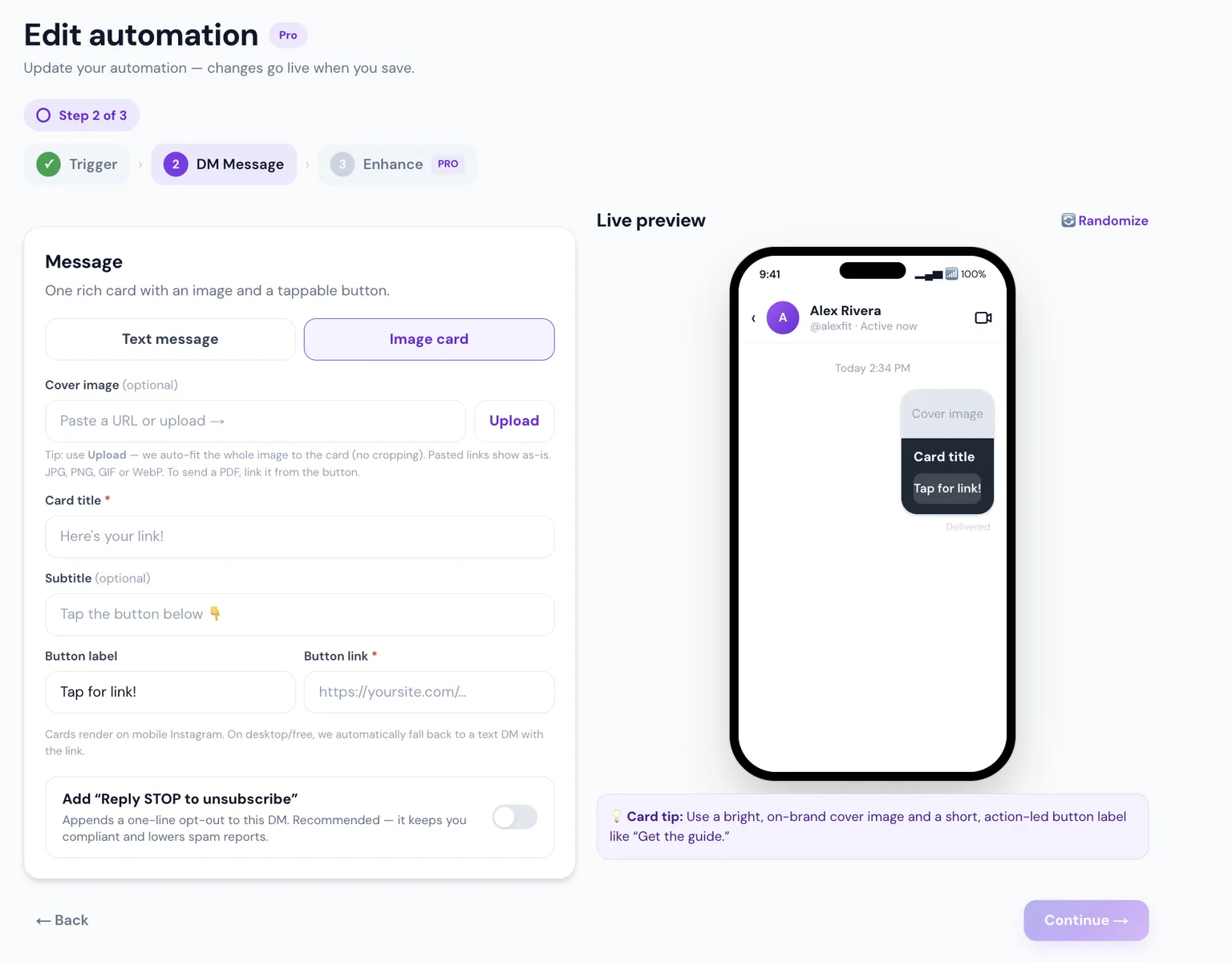
Image-card DMs (Pro)
Send a card instead of plain text: a photo, a title and a tappable button. Where a card can't display, such as on desktop, the person gets a text DM with the link instead.
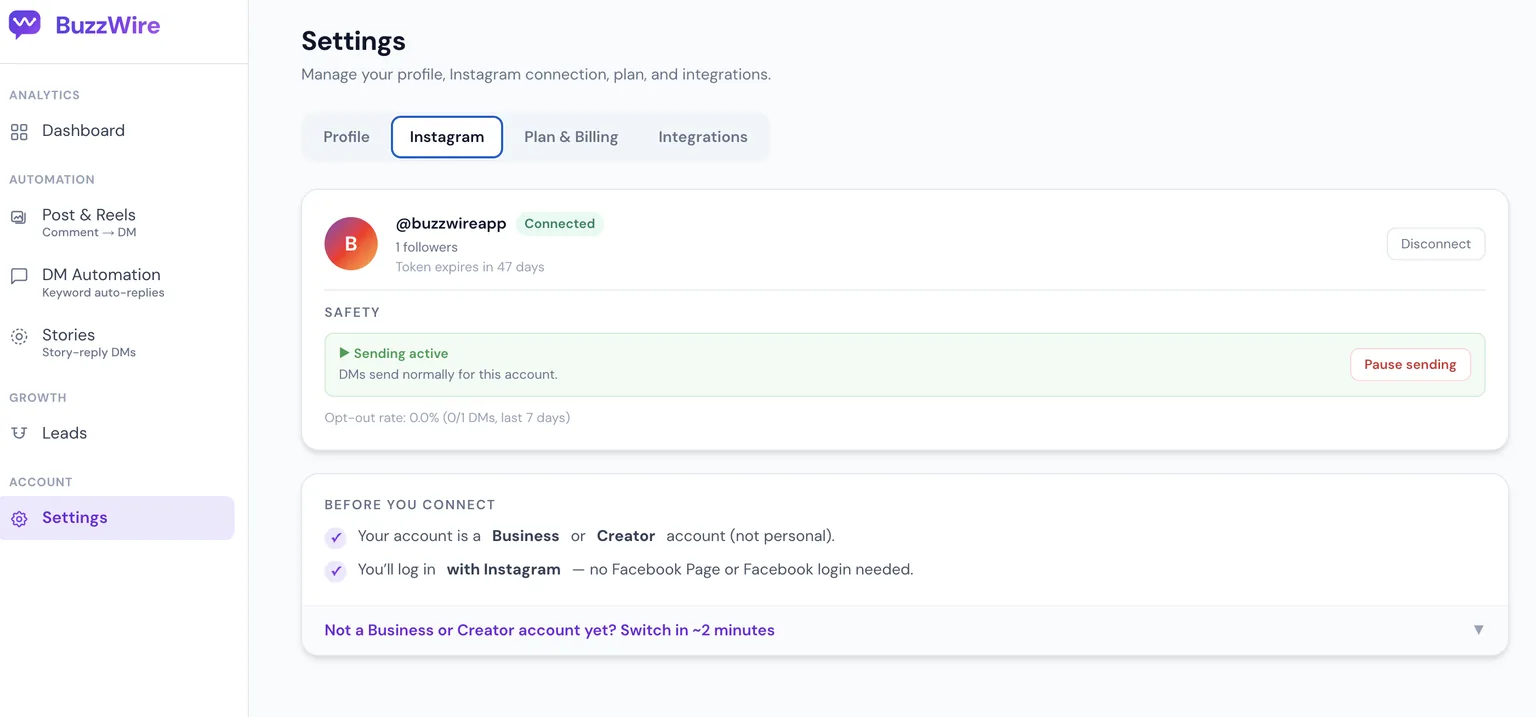
Pacing and a pause switch (Free)
New automations start with a gradual warm-up, sends have human-like delays, and STOP or UNSUBSCRIBE is always honoured. If something looks wrong, one tap on "Pause sending" stops everything.
What's free and what Pro adds
| Free | Pro | |
|---|---|---|
| Price | $0, forever | $9.99/mo or $79/yr (founding-member price) |
| DMs and automations | Unlimited, within Instagram's limits | Unlimited, within Instagram's limits |
| Instagram accounts | 1 | 1 |
| Comment-to-DM on posts and Reels | ✓ | ✓ |
| DM keyword and story-reply automation | ✓ | ✓ |
| Public comment reply | ✓ | ✓ |
Message variations and {{username}} | ✓ | ✓ |
| Follow Gate and Follow Nudge | ✓ | |
| Email Capture with CSV export | ✓ | |
| Image-card DMs | ✓ | |
| "⚡ Automated with BuzzWire.io" line on DMs | Yes | Removed |
Pro comes with a 14-day trial, and no card is needed. Full details are on BuzzWire pricing.
How to set up an Instagram auto DM
- Sign up for BuzzWire free with Google. No card is needed.
- Connect your Instagram professional account (Business or Creator) with Instagram's own login. No Facebook Page is needed.
- Create a flow: choose the post, Reel, story or DM keyword, then write your message and add your link.
- Turn it on and test it by commenting the keyword from a second account.
- Tell people the keyword in your caption or story, for example "Comment GUIDE and I'll DM you the link."
For a longer walkthrough with Meta's rules at each step, see how to set up automatic DMs on Instagram.
What an auto DM can't do
Honest limits, so nothing surprises you later:
- No DMs to people who haven't contacted you. Every message answers a comment, story reply or DM.
- No DMs to new followers. Meta's public API has no "new follower" event. ManyChat runs a follow-to-DM beta that Meta approves account by account; BuzzWire can't offer it. Our welcome message guide covers what works instead.
- One DM per comment. If someone comments five times, the rules still allow one private reply per comment, and BuzzWire avoids repeating the same automation to the same person.
- No reply to every DM. BuzzWire answers DMs that match a keyword, and leaves the rest for you.
- No AI-written replies. BuzzWire sends the messages you write, with your variations.
- Instagram only, one account per plan. No Facebook, WhatsApp or TikTok.
No tool can promise that Instagram will never restrict an account. Using the official API and messaging only people who asked is how you stay within the rules.
How BuzzWire compares with other tools
Plenty of tools send Instagram auto DMs, and their free plans are measured differently: some count DMs, some count contacts, some count credits. Our list of 30 Instagram automation tools compares free plans and prices, checked on each vendor's site. For one-to-one comparisons, see BuzzWire vs other tools.
FAQ
What is an auto DM on Instagram?
An auto DM is a direct message sent automatically when someone comments a keyword, replies to your story or sends you a keyword. It runs through a tool connected to Instagram's official API, and it only goes to people who interacted with you first.
Is Instagram auto DM free?
Yes. BuzzWire's free plan has unlimited DMs and automations on one Instagram account, sent within Instagram's limits, with a small BuzzWire line on each DM. Pro is $9.99 a month or $79 a year and adds Follow Gate, Email Capture and image-card DMs.
Is auto DM allowed on Instagram?
Yes, when it uses Meta's official API. Meta publishes the rules: one private reply per comment within 7 days, and a 24-hour window to reply to messages. Tools that ask for your password, or message people who never contacted you, work outside those rules.
Can I auto DM new followers on Instagram?
Not with most tools. Meta's public API has no new-follower event, and a follow doesn't open a conversation. ManyChat runs a follow-to-DM beta that Meta approves account by account, and says accounts under 1,000 followers are likely ineligible. Everyone else can welcome people who comment, reply to a story or send a DM.
How many auto DMs can I send?
BuzzWire doesn't cap DMs on the free or Pro plan. Instagram has its own limits for every app, and BuzzWire paces sending to stay within them. Meta allows one private reply per comment, so each comment gets one DM.
Do I need a business account?
You need an Instagram professional account: Business or Creator. Switching is free in Instagram's settings and keeps your followers and posts. Personal accounts can't connect to Instagram's messaging API.
What's the difference between auto DM and auto reply?
They overlap. "Auto reply" usually means answering messages people send you. "Auto DM" usually means sending a DM when someone comments on a post or Reel. BuzzWire does both, plus story replies, on the free plan.
Can automated DMs get my account banned?
No tool can promise that, because Instagram enforces its own rules. You lower the risk by using a tool on the official API, sending only to people who asked, and varying your messages. BuzzWire is a Verified Meta Tech Provider (not endorsed by or affiliated with Meta).
Set up your first auto DM free
Unlimited DMs and automations on one Instagram account. No card needed.