How Instagram DM automation works, step by step
How Instagram DM automation works: Meta's login, webhooks, private replies, the 24-hour window and rate limits, each linked to Meta's own docs.
On this page
- How does Instagram DM automation work?
- Step 1: Connecting your account through Meta's API
- Step 2: Webhooks, the trigger
- Step 3: Keyword matching
- Step 4: Sending the DM
- Replying to a comment: the private reply
- Replying to a DM or story reply: the 24-hour window
- The public reply
- The limits Meta sets
- What Instagram DM automation can't do
- What a compliant tool adds on top
- FAQ
- How does Instagram auto DM work?
- Does Instagram DM automation need my password?
- Can automation DM people who don't follow me?
- Why can a tool only send one DM per comment?
- Can Instagram DM automation send a welcome message to new followers?
- How fast does an automated DM arrive?
In short:
- Instagram DM automation runs on Meta's official Instagram API. You connect your professional account through Meta's login screen, never by sharing your password.
- Instagram sends the tool a webhook (a real-time notification) when someone comments, replies to your story or DMs you.
- The tool checks the text for your keyword, then replies through the API: a private reply for a comment, or a message inside the 24-hour window for a DM or story reply.
- Meta's rules set the limits: one private reply per comment within 7 days, a 24-hour window after someone messages you, and published API rate limits.
- Automation can only answer people who contacted you first. It can't cold-DM strangers or welcome new followers.
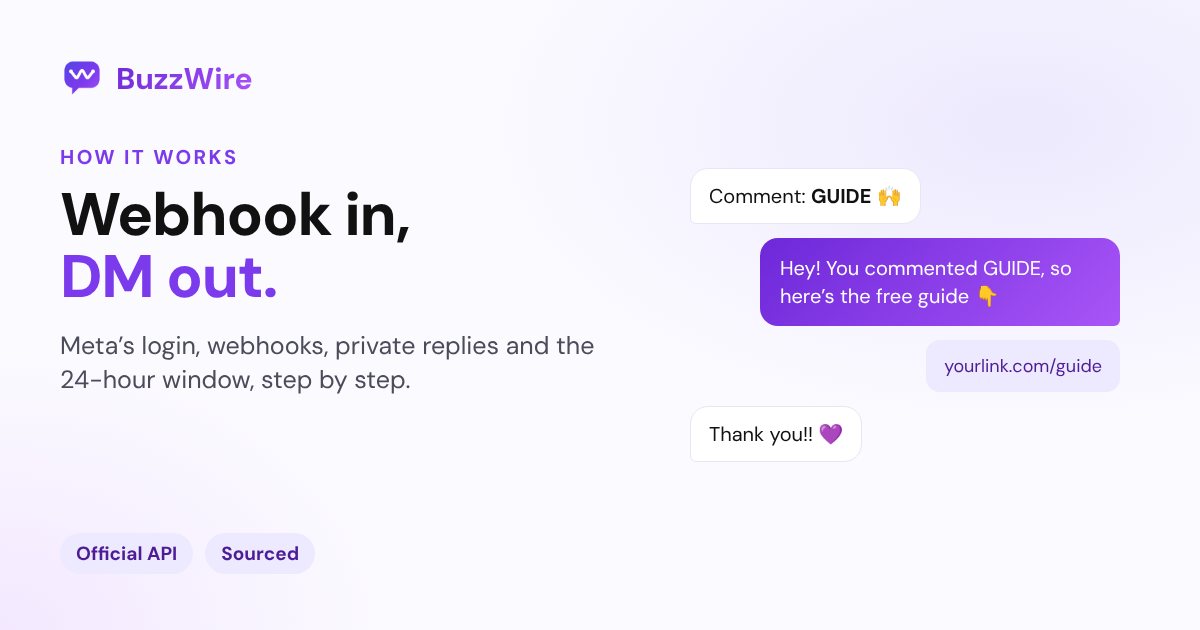
New to the idea? Start with what Instagram DM automation is. This page is the mechanics: what happens between someone typing "GUIDE" under your Reel and the DM landing in their inbox.
How does Instagram DM automation work?
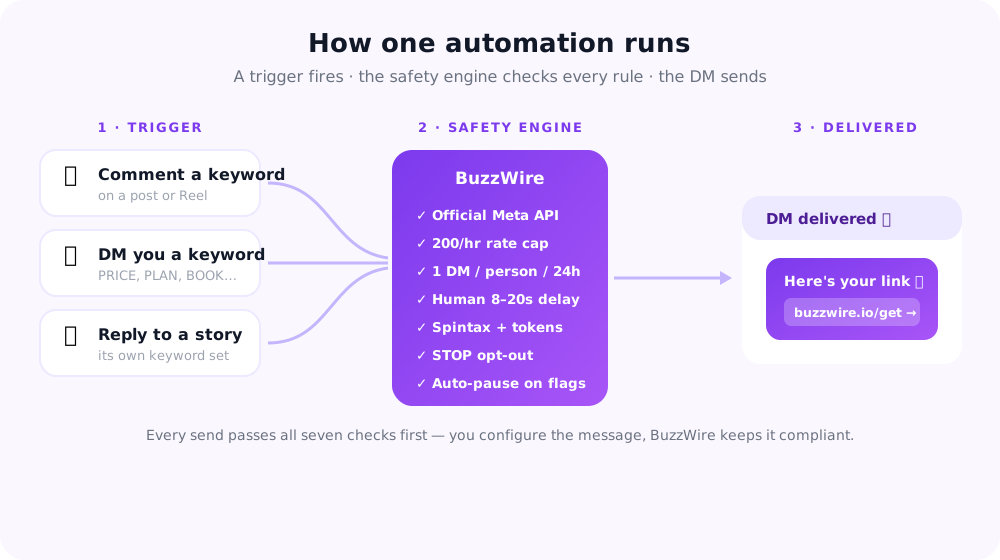
A DM automation tool listens for activity on your Instagram account, matches it against rules you set, and replies through Meta's API. Every step happens on Meta's systems, under Meta's rules.
There are four parts:
- Connection: you authorise the tool through Meta's login screen.
- Trigger: Instagram notifies the tool when something happens, such as a comment.
- Match: the tool checks the comment or message against your keyword rules.
- Reply: the tool sends the DM through Meta's API, within Meta's limits.
Step 1: Connecting your account through Meta's API
You connect an Instagram professional account (creator or business) by logging in on Meta's own screen and approving the permissions the tool asks for. The tool gets a token from Meta, not your password.
For messaging, Meta's Send Messages documentation lists two permissions: instagram_business_basic and instagram_business_manage_messages. Replying to comments also needs permission to manage comments.
What this means for you:
- Personal accounts can't be automated. Switch to a free professional account first.
- You can revoke access at any time from your Instagram settings, without changing your password.
- A tool that asks for your password isn't using this API. That's the clearest red flag in this market.
Apps that use these permissions go through Meta's App Review before they can serve other people's accounts.
Step 2: Webhooks, the trigger
A webhook is a real-time notification Instagram sends to the tool's server when something happens on your account. Meta's Instagram Webhooks documentation (updated 16 Sep 2026) says notifications can describe "comments, mentions, story insights, messages, and other activity".
The three triggers creators use:
| Trigger | What happens | Webhook it arrives as |
|---|---|---|
| Comment on a post or Reel | Someone comments under your post | Comments |
| Story reply | Someone replies to your story | Messages |
| Direct message | Someone sends you a DM | Messages |
There's no webhook for a new follower. That's why no compliant tool can send an automatic welcome DM when someone follows you; our welcome message examples explain what to do instead.
Step 3: Keyword matching
The tool reads the comment or message and checks it against your keyword rules. If someone comments "GUIDE" and your rule says GUIDE, the automation fires. If not, nothing happens.
Good matching is stricter than it sounds:
- Whole-word matching, so "unlink" doesn't trigger a rule for "link".
- Misspellings as extra keywords, such as GIUDE or GUDE, because people type fast.
- Separate rules per post, so the same word can send different links on different Reels.
- Separate keyword sets for DMs and story replies, so an inbox keyword doesn't fire on a story.
Our free comment keyword planner scores a keyword and lists the misspellings to add.
Step 4: Sending the DM
How the tool replies depends on the trigger, because Meta has different rules for comments and messages.
Replying to a comment: the private reply
A comment doesn't open a conversation by itself. Meta lets a business send a private reply: one DM to the person who commented. Meta's private replies documentation allows exactly one private reply per comment, within 7 days of the comment. On Instagram Live, private replies only work during the broadcast.
That's why a good comment-to-DM message puts the link in that first DM. There may not be a second one.
Replying to a DM or story reply: the 24-hour window
When someone messages you, or replies to your story, a messaging window opens. Meta's Send Messages page says: "For most user actions, it lasts 24 hours." Inside it, the tool can reply with text, links, images and buttons.
If the person replies to your private reply, that also opens a 24-hour window, so the conversation can continue.
Two exceptions run up to 7 days: a chat that starts when someone messages you after tapping a Click-to-Instagram-Direct ad, and Meta's human-agent tag for support that a standard window can't resolve. The human-agent tag isn't for marketing.
The public reply
Many tools also post a short public reply under the comment, such as "Sent, check your DMs". It shows others that commenting works. It isn't required, and it uses the comment API, not messaging.
The limits Meta sets
Meta publishes per-account API rate limits, and those are ceilings, not targets. From Meta's documentation, summarised on our Instagram DM limits page:
| Limit | Figure |
|---|---|
| Private replies to comments on posts, ads and Reels | 750 calls per hour |
| Private replies on Instagram Live | 100 calls per second |
| Send API (text, links, reactions, stickers) | 100 calls per second |
| Private replies per comment | Exactly 1, within 7 days |
| Message text | 1,000 bytes (UTF-8) |
A widely repeated "200 DMs per hour" figure doesn't appear in Meta's rate-limit docs.
Rate limits are separate from spam detection. A tool that sends identical messages at the ceiling all day still looks like spam. That's why good tools pace sends, vary the wording, limit links and honour STOP.
What Instagram DM automation can't do
The API is built for replying, not prospecting. On the official API, automation can't:
- DM people who never contacted you. No cold outreach, no imported lists.
- Welcome new followers automatically. There's no new-follower webhook.
- Send more than one private reply per comment.
- Message someone after the window closes without a new message from them.
- Promise your account won't be restricted. Meta makes every enforcement decision.
Tools that claim to do these things work outside the API, usually with your password. Our guide to whether DM automation is safe covers the risks.
What a compliant tool adds on top
Meta's rules are the floor. A careful tool adds:
- Pacing so sends are spread out, and new accounts ease in gradually.
- Message variation so repeated DMs aren't word-for-word identical.
- One link per DM and no URL shorteners.
- Opt-outs: anyone who replies STOP stops hearing from your automations.
- Repeat-contact rules so the same automation doesn't message one person twice.
BuzzWire does all five on every plan, including the free one, which has unlimited DMs on one account. Start free
To set one up yourself, follow how to automatically DM Instagram comments. For the strategy behind comment-to-DM, see our comment-to-DM guide.
FAQ
How does Instagram auto DM work?
You set a keyword on a post. When someone comments that keyword, Instagram notifies your automation tool through a webhook. The tool sends that person one private reply, a DM, through Meta's API. If they reply, a 24-hour window opens for the conversation to continue.
Does Instagram DM automation need my password?
No. Tools on Meta's official API connect through Meta's own login screen and get a token, not your password. You can revoke access in your Instagram settings. A tool that asks for your Instagram password isn't using the official API.
Can automation DM people who don't follow me?
Yes, if they contacted you first. Automation replies to anyone who comments, replies to your story or DMs you, follower or not. What it can't do is message people who never contacted you.
Why can a tool only send one DM per comment?
Because Meta allows exactly one private reply per comment, within 7 days of the comment. If the person replies, a 24-hour messaging window opens and the conversation can continue. That's why the first DM should contain the link.
Can Instagram DM automation send a welcome message to new followers?
Not on the official API. Meta's webhooks cover comments, messages and mentions, but there's no notification for a new follower. You can automate a welcome reply when someone DMs you for the first time.
How fast does an automated DM arrive?
Usually within seconds to a few minutes, depending on the tool's pacing and how many people commented at once. Careful tools spread sends out rather than firing them all at the same moment.