Is Instagram DM automation safe? It depends on how you automate
Is Instagram DM automation safe? It depends on how you automate. What Meta's API allows, what gets accounts restricted, and a checklist, all sourced.
On this page
- Is Instagram DM automation safe?
- What does Meta allow for Instagram DM automation?
- The official Instagram messaging API
- Private replies to comments
- The 24-hour messaging window
- The two 7-day rules for Instagram ads
- Rate limits Meta publishes
- What gets Instagram accounts restricted?
- Third-party apps that ask for your password
- Cold DMs and mass DMs
- Identical messages
- Link spam and URL shorteners
- How to automate Instagram DMs responsibly
- How do you recognize a compliant Instagram DM tool?
- What should you do if your Instagram account gets restricted?
- FAQ
- Can Instagram ban you for using DM automation?
- Is automating Instagram DMs against Instagram's terms?
- Why is a tool that asks for my Instagram password risky?
- How many automated DMs can I send per day on Instagram?
- Can DM automation message people who haven't contacted me?
- Does "Verified Meta Tech Provider" mean Meta approves the tool?
In short:
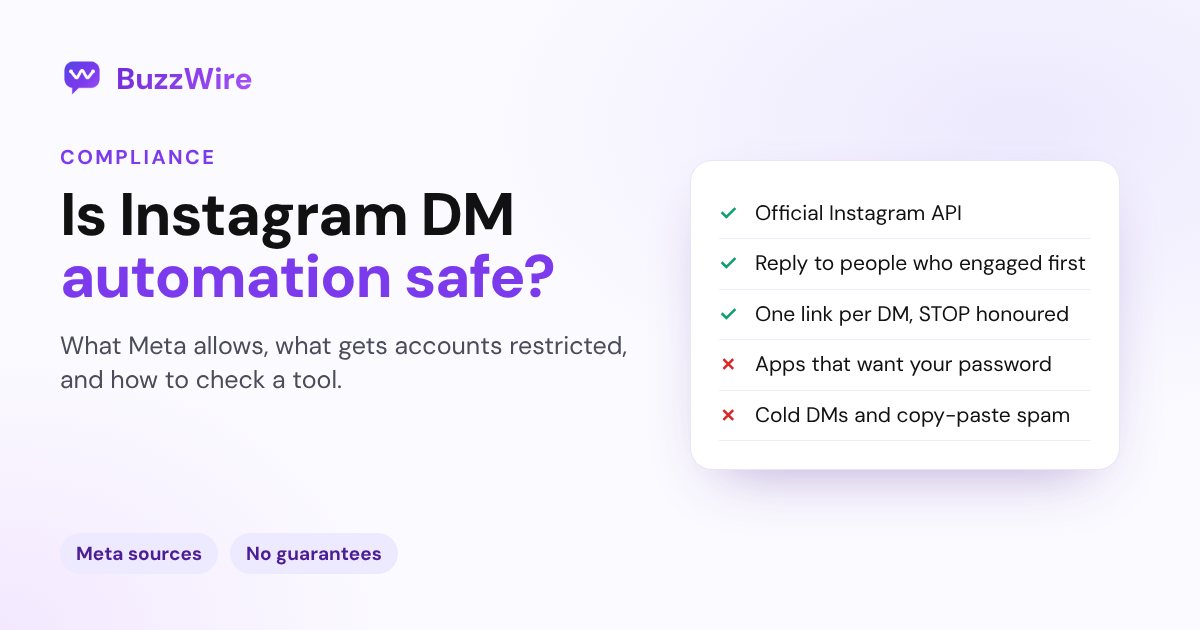
- Instagram DM automation is a documented use of Instagram when it runs on Meta's official messaging API.
- On that API, an app can only message people who contacted the account first: a comment, a story reply or a DM.
- Tools that ask for your Instagram password, scrape, or DM strangers work outside the API. That is where most account risk sits.
- Meta's core rules: one private reply per comment, within 7 days, and a 24-hour window after someone messages you.
- No tool can guarantee your account won't be restricted. Meta writes the rules and makes every enforcement decision.
The useful question is not whether automation is risky. It is which kind of automation you are using.
This guide covers what Meta allows, what gets accounts restricted, and how to vet a tool before you connect it. Every rule links to Meta's own documentation.
New to the mechanism? Our Instagram DM automation guide explains how comment-to-DM works first.
Is Instagram DM automation safe?
Instagram DM automation is a permitted use of Instagram when it runs on Meta's official API and only answers people who reached out first. It is risky when a tool logs in with your password or messages people who never contacted you.
Nobody can guarantee against Meta enforcement. Meta sets the rules, runs the detection and decides the outcome. A vendor that promises "no bans" is promising something it does not control.
The two ways to automate look alike and work very differently:
| Official Instagram API | Bots, scrapers and password tools | |
|---|---|---|
| How it connects | Meta's own login screen | Your Instagram username and password |
| Who it can message | People who messaged, commented or replied to a story | Anyone, including strangers |
| Rules it runs under | Meta's documented windows and rate limits | No documented rules; it works around them |
| What Meta and Instagram say | Meta publishes the API and its rules | Instagram has warned about apps that take passwords |
Sources for this table are linked in the sections below.
What does Meta allow for Instagram DM automation?
Meta allows automated messages through its Instagram messaging API, inside a short set of documented rules. Here they are at a glance:
- Account type: an Instagram professional account (Creator or Business).
- Who starts: the other person, by messaging, commenting or replying to a story.
- Comment replies: one private reply per comment, within 7 days.
- Messaging window: usually 24 hours from the person's message.
- Ad chats: up to 7 days when the chat starts from a Click-to-Instagram-Direct ad.
- Volume: per-account API rate limits, published by Meta.
The full rule-by-rule breakdown is in our Instagram DM automation rules for 2026.
The official Instagram messaging API
The Instagram messaging API lets an app send messages from an Instagram professional account, but only after the other person writes first.
Meta's wording is direct: "Only after an Instagram user has sent your app user's Instagram professional account a message" can the app send one back. New conversations from people who don't follow you land in the Requests folder.
Meta's Developer Policies add a consent rule on top, in section 5.2.a.
"Don't contact people in Messenger or Instagram Messaging unless you … have obtained legally sufficient consent, permission, and/or opt-in."
- Source: Meta, Instagram API with Instagram Login: Messaging API, checked 22 Oct 2026
- Source: Meta, Developer Policies, section 5.2, checked 22 Oct 2026
Private replies to comments
A private reply is the one DM a professional account may send to someone who commented on its post, Reel or ad. It is the API behind every comment-to-DM tool.
Meta sets three limits on it:
- One message: "Only one message can be sent to the Instagram user who commented."
- 7 days: "The message must be sent within 7 days from when the comment was created for comments on a post, ads post, or reel."
- Live: private replies on Live comments "can only be sent during the live broadcast."
So one comment buys one message. Put the link in it. A follow-up only becomes possible if the person replies, which opens the messaging window. That is how comment-to-DM automation is built to work.
Source: Meta, Private Replies, checked 22 Oct 2026
The 24-hour messaging window
The standard messaging window is the time an app has to reply after someone interacts with your account, and for most actions it is 24 hours.
Meta's Developer Policies define it in section 5.6.1.a. "The standard messaging window opens when a person interacts with your Facebook Page, Instagram account or messaging App". The messaging API docs add: "For most user actions, it lasts 24 hours."
The clock runs from their message, not from your reply. Each new message from them restarts it.
There is also a separate 7-day Human Agent window, for replies written by a person who needs more time.
It is not a marketing channel. Meta's policies also bar promotion through message tags: "Do not use Message Tags or utility messages to send promotional content or other advertising, marketing, or solicitations".
Source: Meta, Developer Policies, section 5.6, and the messaging API page, both linked above and checked 22 Oct 2026.
The two 7-day rules for Instagram ads
Two different 7-day rules touch Instagram ads, and they are easy to mix up.
- Comments on an ad post: the private-reply rule applies. One reply per comment, within 7 days, like any post.
- Chats started from a Click-to-Instagram-Direct ad: the messaging window may run up to 7 days instead of 24 hours.
Section 5.6.1.a gives 24 hours, "except when the interaction is a person clicking on your Click-to-Messenger or Click-to-Instagram-Direct ad and then sending you a message". In that case, "it may last up to 7 days."
The messaging API docs confirm when the 7 days start. After a person's first message following a Click-to-Direct ad, "the window may last up to 7 days from that message."
Meta's pages give no effective date. Spur, a messaging platform, reports the change applies to chats started since 28 Sep 2026.
- Source: Meta, Developer Policies, section 5.6.1.a (linked above), checked 22 Oct 2026
- Third-party report: Spur, the 7-day messaging window for ads, published 7 Oct 2026, checked 22 Oct 2026
Rate limits Meta publishes
Meta publishes five Instagram messaging rate limits, each per Instagram professional account.
| API | Published limit | Applies to |
|---|---|---|
| Private Replies | 750 calls per hour | Comments on posts and Reels |
| Private Replies | 100 calls per second | Comments on Instagram Live |
| Send API | 100 calls per second | Text, links, reactions, stickers |
| Send API | 10 calls per second | Audio or video |
| Conversations API | 2 calls per second | Reading conversations |
Source: Meta, Instagram Platform overview, checked 22 Oct 2026
These are API ceilings, not sending targets. We found no daily DM cap on that page. The numbers you see quoted elsewhere, and which ones are documented, are sorted on our Instagram DM limits reference.
What gets Instagram accounts restricted?
Accounts get into trouble through patterns that look like spam or unofficial access. Five patterns stand out:
- Password-based apps that log in as you.
- Cold and mass DMs to people who never contacted you.
- Identical messages sent to many people.
- Link spam, especially deceptive links.
- URL shorteners that hide where a link goes.
Meta's and Instagram's documents cover password apps, cold DMs and deceptive links directly. Identical messages and shorteners are widely reported practice rather than written rules.
Third-party apps that ask for your password
A tool that needs your Instagram password is not using the official API. The official route uses Meta's login screen and never sees your password.
Instagram flagged this pattern in 2018. It wrote that people using growth apps "share their username and password" with them. It added that accounts it identifies "will receive an in-app message alerting them." Its advice: "simply change your password to revoke their access to your account."
Instagram's Help Center keeps a page on the same theme: "You shouldn't use apps that offer likes and followers." It adds: "If you use one of these apps to gain likes or followers, your account may be disabled or terminated."
- Source: Instagram, "Reducing Inauthentic Activity on Instagram", 19 Nov 2018, checked 22 Oct 2026
- Source: Instagram Help Centre, "Why you should not use apps that offer likes and followers on Instagram", checked 22 Oct 2026
Cold DMs and mass DMs
Messaging people who never contacted you breaks Meta's opt-in rule, and the official API won't send it. There is no open window to send into.
Instagram's help article on message limits opens with its purpose: "Instagram has limits in place to stop direct messages that people may not want to get, such as spam."
A tool that offers to DM lists of strangers has to reach Instagram some other way. That is the real risk, more than the volume.
Source: Instagram Help Center, "Why there are limits for sending messages on Instagram", checked 22 Oct 2026
Identical messages
Sending the same text to hundreds of people is the pattern spam filters exist to catch. Meta's Developer Policies, section 1.4: "Don't confuse, deceive, defraud, mislead, spam or surprise anyone."
Meta does not publish how its systems score repeated text. Varying the wording is widely reported practice, not a documented rule. It costs little, so it is worth doing.
Link spam and URL shorteners
Links in DMs are allowed, but deceptive links are not. Meta's Send API lists links as a supported content type. Its Developer Policies, section 5.6.2.b, rule out "directing users off Facebook or Instagram via deceptive or malicious URLs."
Shorteners are not named in Meta's rules. A shortened link hides its destination, which is what a spam filter looks for. One full link per message is the cautious default.
Source: Meta, Developer Policies, sections 1.4 and 5.6.2.b, and the Instagram Platform overview, both linked above and checked 22 Oct 2026.
How to automate Instagram DMs responsibly
- Connect through Meta's official login. Never type your Instagram password into a third-party tool.
- Use a professional account. The messaging API works with Creator and Business accounts only.
- Only reply to people who acted first. A comment, a story reply or a DM, never a cold list.
- Make the first private reply complete. You get one per comment, so put the link in it.
- Send within 7 days of the comment. On Instagram Live, only during the broadcast.
- Count the 24-hour window from their message. Up to 7 days only for chats started from a Click-to-Instagram-Direct ad.
- Vary your wording. Use spintax or rotating variants so no two DMs are identical.
- Send one link per DM, unshortened. Check the full message length with our Instagram DM character counter.
- Honor every opt-out right away. Meta's policy says to "Immediately respect all requests" to opt out.
- Run one automation tool per account. Two tools answering the same comments double the sends.
- Ease a new account in. Start with one automation, then add more as it settles.
- Pause on any restriction notice. Don't retry against it.
How do you recognize a compliant Instagram DM tool?
A compliant tool connects through Meta's login, only answers people who contacted you, and can show you the Meta rules it follows. Ask any vendor these questions before you connect:
- "Do you ever need my Instagram password?" The only acceptable answer is no.
- "Can your tool message people who never contacted me?" If yes, it is not on the official API.
- "Which Meta limits do you follow, and can you link them?" A good vendor links Meta's docs, not its own blog.
- "How do you handle STOP and opt-outs?" They should be honored every time.
- "Do you vary message text and limit links?" Identical blasts with several links are the risky pattern.
- "Do you guarantee I won't be banned?" A yes is a red flag. Meta decides enforcement.
- "What does your Meta badge mean?" Ask what exactly was verified, and by whom.
One example: BuzzWire, which is our product, so read this as a description, not a ranking.
BuzzWire is a free Instagram DM automation tool built on the official Instagram API, with Instagram Login. It never asks for your password. BuzzWire is a Verified Meta Tech Provider (not endorsed by or affiliated with Meta or Instagram).
It allows one external link per DM, blocks URL shorteners, eases new accounts in and always honors STOP. None of that is a guarantee, because Meta still decides enforcement. The full list is on our compliance page.
What should you do if your Instagram account gets restricted?
Stop all automation, read the notice, check Account Status, and request a review once if you think it's a mistake.
- Pause every automation. Retrying against a restriction repeats the pattern that caused it.
- Read the notice closely. Note which feature is limited and whether an end date is given.
- Check Account Status. Instagram says: "You can now see when some features on your account may be restricted."
- Request a review once. From Account Status, Instagram lets you "request a review" of a decision to remove content or limit a feature.
- Change your password if a third-party app ever had it. That cuts off its access.
- Disconnect extra tools. Keep one automation tool on the account at most.
- Fix the pattern before you resume. Change identical text, cold sends or extra links first.
Account Status sits in your Instagram settings. To open it on the web: More → Settings → Account Status. Instagram's Help Centre says it shows whether something you posted "goes against our Community Standards and if it may lead to account restrictions and limitations".
Source: Instagram Help Centre, "Check your Account Status on Instagram", checked 22 Oct 2026
Meta also publishes a troubleshooting article on business-messaging restrictions. We walk through it, and how to tell a restriction from an outage, in Instagram DMs not working.
If you want to try a tool built on the official API, BuzzWire's free plan has unlimited DMs, sent within Instagram's limits, on one account. Start free
FAQ
Can Instagram ban you for using DM automation?
Instagram can restrict messaging or disable an account when activity breaks its rules, and no tool can promise otherwise. Automation on the official API, replying only to people who contacted you, is a documented use. The risk rises with password-based tools, cold DMs, identical text and link spam. Meta decides every enforcement action.
Is automating Instagram DMs against Instagram's terms?
Not when it uses Meta's official messaging API. Meta publishes that API for professional accounts and sets rules for it: the person must contact you first, one private reply per comment, and a limited window to reply. Automation that logs in with your password or messages strangers sits outside those documented routes.
Why is a tool that asks for my Instagram password risky?
A tool that needs your password logs in as you instead of using Meta's API, so none of the API's rules apply to it. Instagram has warned about apps that collect usernames and passwords, and it alerts accounts it finds using them. Changing your password revokes that kind of app's access.
How many automated DMs can I send per day on Instagram?
Meta publishes no daily DM cap in its Instagram Platform rate limits. It publishes per-account API ceilings instead, such as 750 private-reply calls per hour for comments on posts and Reels. Those are ceilings, not targets. Spam detection sits separately, so pacing well below them is the cautious approach.
Can DM automation message people who haven't contacted me?
Not through the official API. Meta's messaging API only lets an app message someone after that person has messaged the account, and a private reply needs a comment. A tool that offers to DM strangers or imported lists is reaching Instagram another way, which is where the account risk sits.
Does "Verified Meta Tech Provider" mean Meta approves the tool?
No. Verified Meta Tech Provider is a business and API-access verification, not an endorsement of a product. A verified company is still not endorsed by or affiliated with Meta. The practical check is simpler: does the tool connect through Meta's own login screen, and does it never ask for your password?