Instagram DMs not working: how to find the real cause
Instagram DMs not working can mean three things: an outage, a messaging rule, or a restriction on your account. How to tell which one you have.
On this page
- Instagram DM not working: three problems that look identical
- Instagram message not sending: rule out an outage first
- Instagram DM glitch, or something on your account?
- What Meta documents about restricted business messaging
- "Instagram we restrict certain activity": what the notice means
- Instagram action blocked: what to do next
- Can't send message on Instagram to one person only
- How to fix Instagram DMs not working
- When your automation stops but your own DMs work fine
- FAQ
- Why are my Instagram DMs not sending?
- How do I know if Instagram DMs are down or just broken for me?
- What does "we restrict certain activity" mean on Instagram?
- How long does an Instagram messaging restriction last?
- Will reinstalling Instagram fix DMs not working?
- Why did my comment-to-DM automation stop sending?
- Can automation get my Instagram DMs restricted?
- Does Instagram DM automation work on a personal account?
- What this costs
In short:
- Instagram DMs not working has three common causes: a platform outage, a messaging rule you hit, or a restriction on your account.
- An outage hits thousands of people at once, so the first check is whether other people are reporting it right now.
- Instagram messages not sending for you alone, on one account, points at the account rather than the app.
- Meta documents a state in which a business account is "temporarily unable to send messages from Messenger or Instagram".
- Meta's article spells out how that works on Messenger — a stated length and a 48-hour review target — and gives 30 days to appeal a disabled Instagram profile.
- An automation that stops while your own DMs still work is a fourth thing, and it is usually a messaging rule rather than a fault.
Instagram DM not working is usually blamed on the phone. Clear the cache, reinstall the app, log out and back in.
Sometimes that is right. Often the real cause sits in a Meta policy document that most guides skip. This page separates the three causes.
If you automate replies, the Instagram DM automation guide covers the triggers, and what Instagram DM automation is covers the mechanism.
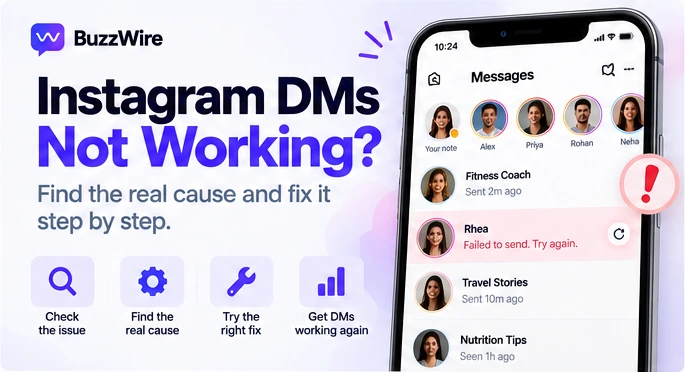
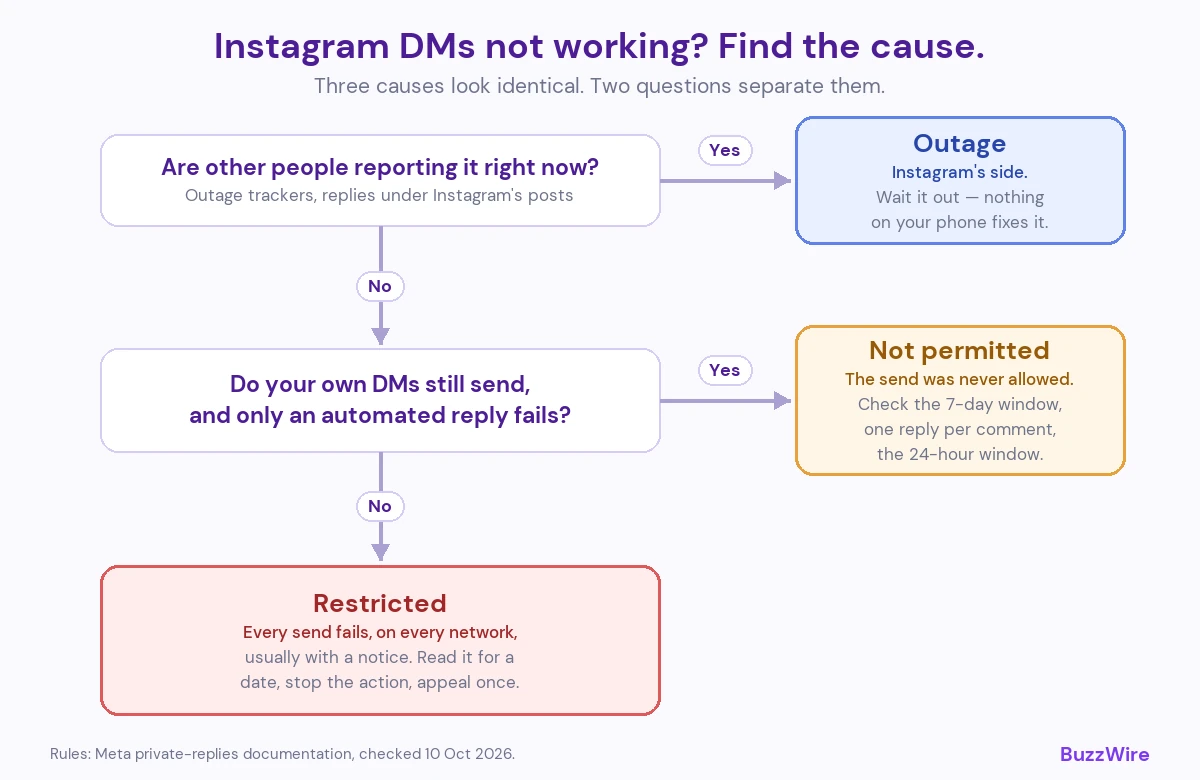
Instagram DM not working: three problems that look identical
The symptom is the same every time. The message sits there, or the thread will not load, or a grey error appears and vanishes.
The causes are not the same, and they need different responses.
A platform outage is Instagram's fault and nothing you do fixes it. A messaging rule means the send was never allowed. An account restriction means Meta has limited your account on purpose, and it has a review path.
Work through them in that order.
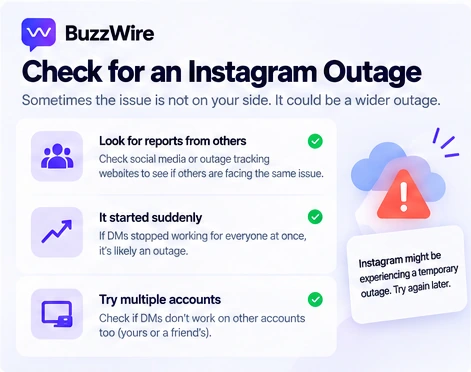
Instagram message not sending: rule out an outage first
Check for an outage first: it is the easiest to confirm and the only one you cannot fix.
Three signals, in order of reliability:
- Other people are reporting it. Outage trackers and the replies under Instagram's own posts move within minutes.
- It started suddenly, with no warning and no error. Restrictions usually arrive with a notice. Outages do not.
- It affects more than one account. Try a second account on a different network.
If all three point the same way, stop troubleshooting. Nothing on your phone caused it and nothing on your phone will fix it.
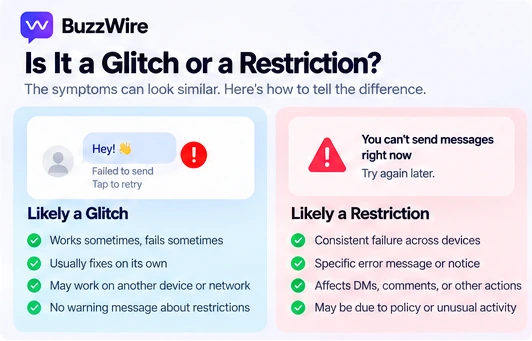
Instagram DM glitch, or something on your account?
An Instagram DM glitch and an account problem feel the same and are not.
A glitch is usually visual. Threads load empty, messages arrive out of order, the unread badge lies, a message sends and then vanishes.
An account problem is usually absolute. The send fails every time, on every network, to every recipient.
The test is repetition. Try once, wait a minute, try again from a different network. A glitch is inconsistent. A restriction is consistent, and that consistency is the tell.
What Meta documents about restricted business messaging
Meta publishes the thing most guides on this skip: a documented state in which a professional account cannot send messages, on purpose.
The article is called Troubleshoot restrictions for business messaging on Facebook and Instagram. It lists three levels of consequence: "temporary restrictions on sending messages", unpublishing your Page, and disabling your Instagram profile.
On the first level it says: "For some policy violations, you may be temporarily unable to send messages from Messenger or Instagram."
On escalation it says: "If you continue to send messages that go against our policies or commit a more severe violation, you may be restricted for longer periods of time."
The troubleshooting steps are written for Messenger. There, the restriction has a stated length: "We'll tell you how many days you're restricted from sending messages." And there is a review: "We aim to review and provide a decision within 48 hours." The article does not spell out the same steps for Instagram messaging.
For Instagram it describes the harshest step. If your profile is disabled: "You'll have 30 days after we suspended your profile to disagree with the decision, or your profile will be permanently disabled."
One scope note is worth reading carefully. Meta says these restrictions "only apply to content in messaging conversations with your customers". Click-to-message ads go through ad review instead. The trigger is message content that goes against Meta's Community Standards.
Source: Meta, Troubleshoot restrictions for business messaging on Facebook and Instagram, checked 10 October 2026.
"Instagram we restrict certain activity": what the notice means
People search that exact phrase about 210 times a month in the US. They are reading it on a screen and looking for a translation.
Here is the translation. It is a restriction notice rather than an error, so the app is working and the send was refused.
What it does not tell you is which rule you hit. Meta's business-messaging article is the nearest published description of that state, and it is the document to read next.
Do not keep sending. Repeating a refused action is the behavior the restriction exists to stop.
Instagram action blocked: what to do next
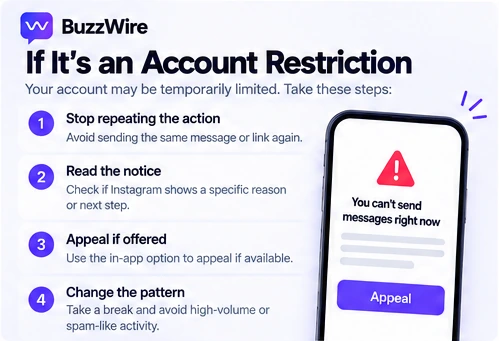
"Action blocked" is the older, broader version of the same message, and it covers follows and comments as well as messages.
Four things to do, in order:
- Stop the action completely for at least 24 hours.
- Read the notice for a date. A stated end date means it expires on its own.
- Use the review or appeal if the notice offers one, and use it once.
- Change the behavior that triggered it, not just the timing.
What not to do: switch accounts and repeat the action, or use a tool that asks for your Instagram password. Both make the pattern worse. The Instagram DM automation rules post covers what tends to trigger blocks, sourced to Meta's own documentation.
Can't send message on Instagram to one person only
If everything works except one thread, the problem is almost never your account.
The usual causes are on the other side. They blocked you, they deactivated, they restricted messages from people they do not follow, or their account was removed.
The quick check: open their profile from a different account. If it loads there and not for you, that is a block rather than a fault.
One automation case is worth knowing. Through Instagram's messaging API, which every automation tool uses, a professional account can only reply to people who contacted it first — by DM, comment or story reply. From the Instagram app itself, a message to someone new usually lands in their message requests, depending on their settings.
How to fix Instagram DMs not working
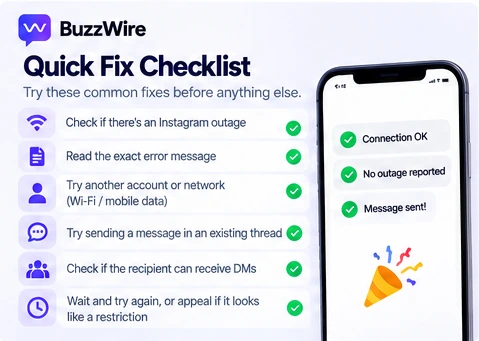
- Check for an outage before you change anything. Thirty seconds, and it rules out the most common cause of a total failure.
- Read the exact wording on screen. "Restricted" and "couldn't send" are different problems, and the words decide what you do next.
- Test from a second account on a different network. This separates your account from your device.
- Try one message to a thread that already exists. An existing conversation removes the permission question entirely.
- Check whether the recipient still exists. One dead thread is a block or a deleted account, not a bug.
- Look for a stated end date on any restriction, and wait it out rather than retrying.
- Appeal if the notice offers it, and do it once rather than repeatedly.
- Change the pattern that caused it before you resume — same message to many people, links to strangers, or volume that arrived suddenly.
Steps 1 to 5 take about five minutes. If all five come back clean and messages still fail, an account restriction is the likeliest cause.
When your automation stops but your own DMs work fine
This is the case that sends people to the wrong answer, because the app is healthy and nothing is restricted.
An automated reply to a comment is a specific API action with its own rules. Meta calls it a private reply: the single message a professional account may send to someone who commented on a post or Reel.
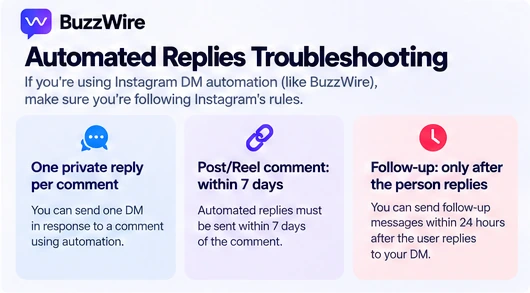
The rules decide whether your automation could have sent at all. Meta's documentation states: "Only one message can be sent to the Instagram user who commented."
The window is "within 7 days from when the comment was created" on a post, an ads post or a Reel. On Live, private replies "can only be sent during the live broadcast."
And the conversation only continues if they answer: "Only when the Instagram user responds to the private message can you continue the conversation within the 24-hour messaging window."
So three ordinary situations look like a broken automation and are not. The comment is older than 7 days. The person already got their one private reply. Or you are sending a second message into a window that never opened.
Story replies behave differently again, because a story comment is not a message at all — we wrote that up in are Instagram story replies public. Why no follow-up sequence exists is covered in Instagram DM marketing.
The rest of the published limits sit on our Instagram DM limits reference. The trigger itself is on the comment-to-DM automation page, and wording for the first message is in our welcome message examples.
Source: Meta, Instagram private replies, checked 10 October 2026.
FAQ
Why are my Instagram DMs not sending?
Three causes cover most cases. Instagram is down, which affects many people at once and resolves on its own. The send was not permitted, which is common with automated replies to old comments. Or your account is restricted from sending messages, which Meta documents as a temporary state that can escalate if violations continue.
How do I know if Instagram DMs are down or just broken for me?
Test from a second account on a different network, and check whether other people are reporting it right now. An outage is widespread, sudden, and arrives with no notice. A problem specific to your account is consistent across networks and devices, and usually comes with wording that names a restriction.
What does "we restrict certain activity" mean on Instagram?
It means the action was refused rather than failed. Instagram's own wording does not say which rule you hit. Meta's business messaging article describes the closest documented state: a temporary restriction on sending messages, applied when message content goes against its Community Standards, which can escalate if it continues.
How long does an Instagram messaging restriction last?
Meta's article is specific for Messenger: it says it tells you how many days you are restricted, and aims to decide a review within 48 hours. It does not spell out the same steps for Instagram messaging. For a disabled Instagram profile, you have 30 days to disagree with the decision before it becomes permanent.
Will reinstalling Instagram fix DMs not working?
Only if the cause is on your device, which is the least likely of the three. Reinstalling clears a corrupted local cache and nothing else. It does not shorten an account restriction, it does not end an outage, and it does not change whether the message was permitted.
Why did my comment-to-DM automation stop sending?
Usually because the send was never allowed. A private reply is one message per comment, within seven days on posts and Reels. If the comment is older, or that person already received their one reply, there is nothing left to send. The full rules sit on our DM limits reference.
Can automation get my Instagram DMs restricted?
Meta restricts accounts over message content that breaks its policies, and no tool can promise how enforcement will be applied, because Meta decides it. What you control is method: message only people who contacted you first, vary the wording, and never hand your password to a tool.
Does Instagram DM automation work on a personal account?
No. Instagram's messaging API connects only to professional accounts, so a Creator or Business account is required for any automated reply. Switching is free and takes about a minute in Instagram settings. Manual messages work on any account type, but nothing automated does.
What this costs
BuzzWire runs comment-triggered replies, keyword replies in DMs, story-reply automation and Instagram autoresponder flows on Instagram's official Graph API. The free plan is the full product, on one account, with no contact caps.
Pro is from $9.99/mo, or $79/year — about $6.58/mo. It removes the "Powered by BuzzWire" badge and adds in-DM lead capture with CSV export. The feature list, the pricing page and the ManyChat alternative breakdown have the detail.
No tool can guarantee against account action by Meta, because Meta controls enforcement. Our compliance page sets out the mechanisms we do enforce.