Instagram comment-to-DM: how to plan, write and run it
Instagram comment-to-DM sends your link by DM when someone comments a keyword. What to offer, how to pick the keyword, what to write and how to measure it.
On this page
- What is Instagram comment-to-DM?
- Why comment-to-DM works better than "link in bio"
- Step 1: Choose an offer worth commenting for
- Step 2: Pick one keyword people will actually type
- Step 3: Write the caption call to action
- Step 4: Write a DM that delivers in the first message
- Step 5: Add a public reply and share the post
- Step 6: Measure what happened
- Common comment-to-DM mistakes
- Comment-to-DM examples by niche
- FAQ
- How do I set up comment-to-DM on Instagram?
- Is comment-to-DM allowed on Instagram?
- Can I send more than one DM after a comment?
- Does comment-to-DM work on Reels and carousels?
- Does comment-to-DM work for people who don't follow me?
- Is there a free comment-to-DM tool?
In short:
- Comment-to-DM means: someone comments a keyword on your post or Reel, and they get a DM with what you promised, automatically.
- It works because it asks for one word instead of a trip to your bio, and every comment starts a private conversation.
- The plan has five parts: an offer worth a comment, one easy keyword, a caption that says it plainly, a DM that delivers in the first message, and a way to measure clicks.
- Meta allows one private reply per comment, within 7 days, so the first DM must contain the link.
- It only reaches people who commented. It can't DM people who just viewed or followed.
This is the strategy guide. For the click-by-click setup, see how to automatically DM Instagram comments. For the technical side, see how Instagram DM automation works.
What is Instagram comment-to-DM?
Instagram comment-to-DM is an automation that sends a direct message to anyone who comments a chosen keyword on your post or Reel. You write "Comment GUIDE and I'll send it to you", and everyone who types GUIDE gets a DM with the link.
It runs on Meta's official API as a private reply: one DM to the person who commented. Meta allows exactly one private reply per comment, within 7 days of the comment (Meta's private replies documentation). For how BuzzWire handles it, see the comment-to-DM feature.
Why comment-to-DM works better than "link in bio"
Each extra step between your post and your link loses people. "Link in bio" asks someone to leave the post, open your profile, find the right link and tap it. A comment asks for one word, and the link arrives in their inbox.
It also helps in three other ways:
- Comments are a signal. A post that collects comments shows Instagram that people care about it.
- Every DM starts a conversation. If someone replies, you have a 24-hour window to answer questions and sell.
- The public reply nudges others. A short "Sent, check your DMs" under each comment shows everyone else that it works.
Captions and comments don't make links tappable, but a DM does. Our guide to adding links on Instagram compares every option.
Step 1: Choose an offer worth commenting for
People comment for something specific and useful, delivered right away. The offer is the biggest factor in how many people comment.
| Niche | Offers that work | Example keyword |
|---|---|---|
| Fitness | Free 7-day plan, workout PDF, program link | PLAN |
| Nutrition | Meal-prep guide, recipe pack, grocery list | MEALS |
| Beauty | Product list, routine, affiliate links | GLOW |
| Coaching | Checklist, free training, booking link | START |
| Ecommerce | Early access, discount code, product page | DROP |
| Real estate | Buyer checklist, listing details | HOMES |
Good offers have three things in common:
- Tied to the post. A Reel about meal prep should offer the meal-prep guide, not your newsletter.
- Quick to use. A one-page checklist beats a 40-page ebook for a first contact.
- Free, or clearly priced. If it's a paid product, say so in the caption so nobody feels tricked.
Step 2: Pick one keyword people will actually type
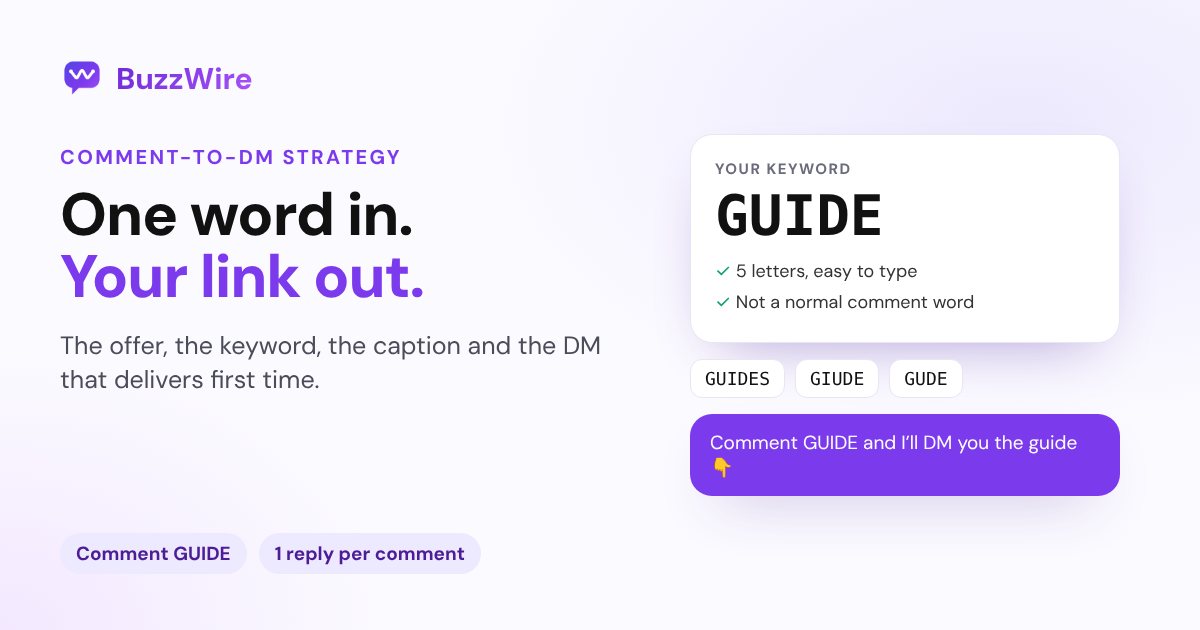
A good keyword is short, specific to the offer, and unlikely to appear in ordinary comments.
- Use one word, in capitals in the caption: PLAN, GUIDE, RECIPE.
- Avoid everyday words. "Yes", "link" or "love" fire on comments that weren't asking for anything.
- Add common misspellings as extra keywords, because people type fast on phones.
- Use a different keyword per offer, so you can tell which post worked.
Check your word before you post with our free comment keyword planner. It scores the keyword and lists the misspellings to add.
Step 3: Write the caption call to action
Say the keyword and the reward in the same sentence, and say it early. Many people never tap "more", so a call to action buried at the end can be missed.
Strong patterns:
- "Comment PLAN and I'll DM you the free 7-day plan."
- "Want the full recipe? Comment RECIPE 👇"
- "Comment GUIDE for the checklist. It's free."
Say it in the video too, and add it as on-screen text on Reels. Our free caption generator writes comment-keyword captions with a hook and up to five hashtags.
Step 4: Write a DM that delivers in the first message
Meta allows one private reply per comment, so the first DM must contain everything. Don't ask people to reply before you send the link. Some won't, and you can't follow up without a reply.
A good comment-to-DM message has four parts:
- A short greeting that matches your voice.
- The link, only one, in full. No URL shorteners.
- One line on what's inside or why to open it now.
- An optional question that invites a reply, which opens a 24-hour window for a real conversation.
Example:
{Hey|Hi} {{username}}! Here's the free 7-day plan: https://example.com/plan. Day 1 takes 20 minutes. Which day are you starting?
Vary the wording with spintax, such as {Hey|Hi}, so repeated DMs aren't identical. Meta caps message text at 1,000 bytes, and emoji take 4 bytes each; check yours with the DM character counter.
For 36 more messages you can copy, see our Instagram DM templates.
Step 5: Add a public reply and share the post
A public reply under each comment tells other viewers the DM is real. Rotate a few versions, such as "Sent! Check your DMs" and "On its way 📩", so they don't look automated.
Then give the post a second push:
- Share it to your Story with a line like "Comment PLAN on my latest Reel".
- Pin a comment that repeats the keyword.
- Mention it in your bio while the offer is live.
Remember that some people's DMs go to message requests if they don't follow you. Our guide to Instagram message requests explains where those messages land.
Step 6: Measure what happened
Track four numbers per post:
| Metric | Where to find it |
|---|---|
| Comments with the keyword | Your automation tool's activity log |
| DMs sent | Your automation tool |
| Link clicks | Your link's analytics, using UTM tags |
| Sign-ups or sales | Your email tool or checkout |
BuzzWire doesn't track link clicks, so add UTM tags to your link (for example ?utm_source=instagram&utm_medium=dm&utm_campaign=plan) and read them in your own analytics.
Compare posts by comments per 1,000 views and clicks per DM. If comments are high but clicks are low, the DM is the problem. If views are high but comments are low, the offer or the call to action is.
Common comment-to-DM mistakes
- Making people reply before they get the link. Deliver in the first message.
- Using a keyword people type anyway, so the automation fires on "love this".
- Two offers on one post. People don't know which word to type.
- Several links in one DM, or shortened links, which look like spam.
- Identical DMs at volume. Vary the wording.
- Promising a DM to people who only viewed. Automation can only answer people who commented.
- Ignoring replies. If someone answers your question, a real reply within 24 hours is where sales happen.
Comment-to-DM examples by niche
- Fitness coach: Reel of a 10-minute workout. "Comment PLAN for the full 7-day plan." DM: plan link plus "Which day are you starting?"
- Recipe creator: carousel of a meal-prep Sunday. "Comment MEALS for the shopping list." DM: list link.
- Beauty creator: Reel of a 5-minute look. "Comment GLOW for every product I used." DM: affiliate links page.
- Business coach: post about finding first clients. "Comment START for my client checklist." DM: checklist plus a booking link question.
- Small brand: teaser Reel for a new drop. "Comment DROP for early access." DM: product page with an early-access code.
More by niche, ready to load, in our comment-to-DM templates.
FAQ
How do I set up comment-to-DM on Instagram?
Connect your Instagram professional account to a comment-to-DM tool through Meta's login screen, choose a post, set a keyword, write the DM with your link, and turn it on. Test it by commenting from a second account. Our step-by-step setup guide walks through it.
Is comment-to-DM allowed on Instagram?
Yes, when it runs on Meta's official API. Meta lets a business send one private reply to each comment, within 7 days. Tools that ask for your password or DM people who didn't comment work outside the API.
Can I send more than one DM after a comment?
Only if the person replies. A comment allows one private reply. When the person answers, a 24-hour messaging window opens and you can continue the conversation.
Does comment-to-DM work on Reels and carousels?
Yes. It works on comments on posts, carousels and Reels. On Instagram Live, private replies can only be sent during the broadcast.
Does comment-to-DM work for people who don't follow me?
Yes. Anyone who comments can get the DM. If they don't follow you, it may land in their message requests rather than their main inbox.
Is there a free comment-to-DM tool?
Several tools have free plans, with limits counted in contacts, DMs or credits. BuzzWire's free plan has unlimited DMs on one Instagram account, sent within Instagram's limits. Compare them in our best Instagram DM automation tools roundup.