Instagram DM Templates: 36 Copy-Paste Direct Messages for Creators
36 Instagram DM templates for comments, story replies, lead magnets, pricing questions, brand collabs and follow-ups. Copy one, add your details, send.
On this page
- What makes an Instagram direct message template work?
- Which messages are you allowed to send?
- Which Instagram DM template should you use for each situation?
- Comment-to-DM link delivery templates
- 1. The plain link drop
- 2. Link plus one line of context
- 3. Spintax version
- 4. Handle version
- 5. Image-card DM (Pro)
- 6. Public comment reply
- 7. Public reply that invites more comments
- Story reply templates
- 8. Reply LINK
- 9. Link with a question back
- 10. Launch waitlist
- 11. Spintax story reply
- Welcome templates for a first DM
- 12. Keyword welcome
- 13. Manual first reply
- 14. Away note
- Lead magnet and email templates
- 15. Lead magnet from a DM keyword
- 16. Follow Gate version (Pro)
- 17. Email ask (Pro)
- 18. Thank-you with the link
- Pricing and sales question templates
- 19. PRICE keyword
- 20. Which option fits?
- 21. Product drop
- 22. Restock answer
- 23. Course cart open
- Brand collaboration DM templates
- 24. Short pitch to a brand you use
- 25. Pitch with a media kit
- 26. One follow-up, then stop
- 27. A brand DMs you: ask for the brief
- 28. Sharing your rates
- 29. Countering a low offer
- 30. Usage rights and disclosure
- 31. Declining politely
- Follow-up templates inside the 24-hour window
- 32. Did the link work?
- 33. Answer their question
- 34. Last helpful nudge
- Opt-out lines
- 35. Footer for automated DMs
- 36. When someone asks you to stop
- How to send these templates automatically
- FAQ
- Are Instagram DM templates against Instagram's rules?
- How long can an Instagram DM template be?
- Can I send a DM template to someone who never messaged me?
- Can I put more than one link in an automated DM?
- Can an Instagram message template use someone's first name?
- What's the difference between DM templates and comment to DM templates?
In short:
- These 36 Instagram DM templates are grouped by what started the chat: a comment, a story reply, a DM, or your own pitch.
- Automated templates only go to people who engaged with you first, because Instagram's messaging rules require it.
- A comment allows one private reply within 7 days, so put the link in that one message.
- Keep one link per DM, and add an opt-out line to automated messages.
- The
{{username}}token inserts the person's Instagram handle, not their first name.
Each template uses square brackets for your real details. Each one is tagged manual or automated, with its link count.
New to automation? The Instagram DM automation guide explains the triggers. This page is the copy.
What makes an Instagram direct message template work?
A good Instagram direct message template makes one ask, carries at most one link, and reads like you wrote it today.
- One goal. Deliver the link, answer the question, or ask for one thing. Not all three.
- One link. Use the full URL. BuzzWire allows one external link per DM and blocks URL shorteners.
- Real facts only. Brackets like [your real avg Reel views] are for your own numbers. Never fill them with guesses.
- An easy way out. On automated messages, "Reply STOP to opt out" costs five words.
- Short. Aim for one phone screen. Check long ones with the Instagram DM character counter.
Two placeholders repeat below. [link] is your full URL. {Hi|Hey} is spintax: the tool picks one option per send, so no two messages read the same.
Which messages are you allowed to send?
Instagram lets you message people who engaged with you first, and how they engaged sets how many messages you get.
- A comment allows one private reply. Meta: "Private replies are currently allowed within 7 days of the referenced user action."
- A DM or story reply opens the standard messaging window. Meta: "For most user actions, it lasts 24 hours."
- A Click-to-Direct ad chat is the exception: "the window may last up to 7 days from that message."
- A new follow opens nothing. No tool can automate a DM to new followers.
Source: Meta, "Messenger Platform and IG Messaging API policy", checked 22 Oct 2026
Every number, including Meta's API rate limits, is on our Instagram DM limits reference.
Which Instagram DM template should you use for each situation?
Pick the group that matches what the other person just did. That decides whether the message can run on a trigger.
| Situation | Who acts first | Can it be automated? | Templates |
|---|---|---|---|
| Someone comments your keyword | They comment | Yes | 1–7 |
| Someone replies to your story | They reply | Yes | 8–11 |
| Someone DMs you for the first time | They DM | Yes, with a keyword | 12–14 |
| You give away a lead magnet | They comment or DM | Yes | 15–18 |
| Someone asks about price or a product | They DM or comment | Yes, with a keyword | 19–23 |
| You pitch a brand, or a brand pitches you | You or the brand | No, send by hand | 24–31 |
| You follow up on a chat | They messaged recently | No, send by hand | 32–34 |
| Someone wants you to stop | Either side | Line yes, reply by hand | 35–36 |
Comment-to-DM link delivery templates
When someone comments your keyword, send one DM with the link and a reason to open it. You only get one message, so make it complete.
The trigger itself is covered on our comment-to-DM automation page.
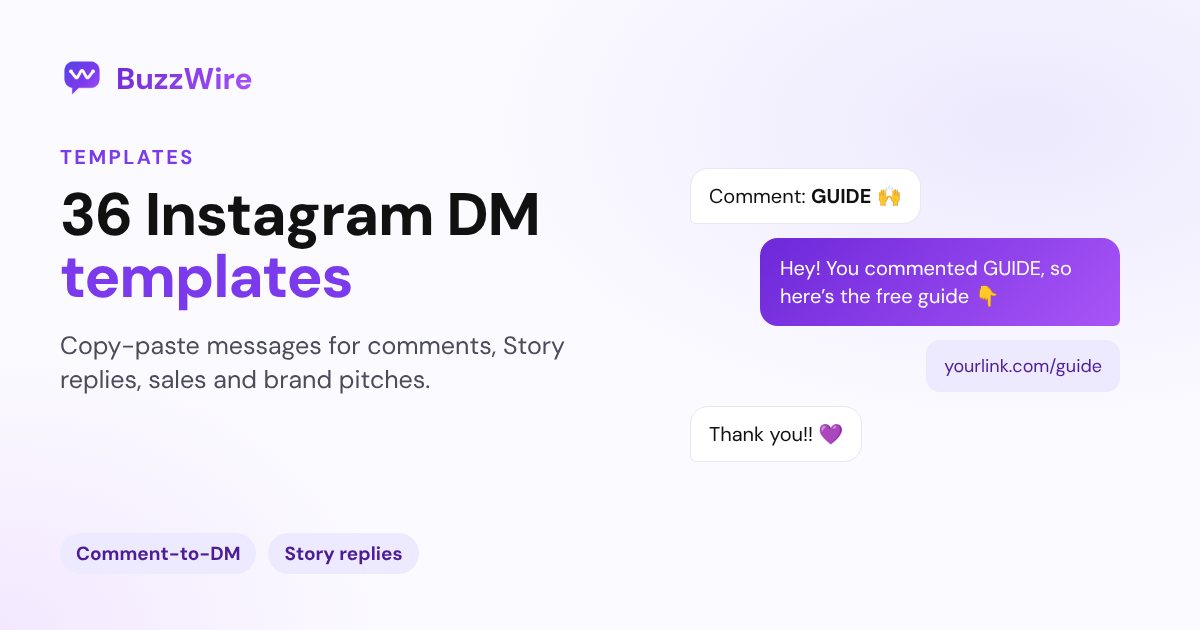
1. The plain link drop
Use when: a Reel promises a freebie and the keyword asks for it. Automated (comment) · 1 link
Here's the [guide] you asked for: [link]
2. Link plus one line of context
Use when: the freebie needs a hint on where to start. Automated (comment) · 1 link
Thanks for commenting! Here's the [checklist]: [link]. Start with step 2, it's the one most people skip.
3. Spintax version
Use when: a post takes off and you want each send to read a little differently. Automated (comment) · 1 link
{Here it is|As promised|Got you}! The [guide] is right here: [link] {Enjoy|Hope it helps}
4. Handle version
Use when: you want a personal touch. {{username}} prints their Instagram handle. Automated (comment) · 1 link
Hey {{username}}, thanks for the comment. Your [template] is here: [link]
5. Image-card DM (Pro)
Use when: a photo sells the freebie better than text. The card has a photo, a title and a button. Automated (comment) · 1 link
Title: [Your free guide name]·Button: Get the guide
6. Public comment reply
Use when: you want people reading the thread to know the DM went out. Automated (public reply) · 0 links
{Sent!|Check your DMs|Just sent it} {📩|🙌}
7. Public reply that invites more comments
Use when: the post is early and you want more people to comment the keyword. Automated (public reply) · 0 links
{Sent it your way|Check your DMs}! Anyone else, comment [KEYWORD] and I'll send it over.
BuzzWire posts public replies with variations, and can reply to every Nth comment so the thread isn't all you.
Want these ready-built by niche, with keywords set? Open the comment to DM templates. To pick the keyword itself, use the free comment keyword planner.
Story reply templates
A story reply is a message, so it opens a 24-hour window. Ask people to reply with a word, then send the link back.
These run on story-reply automation, which keeps its own keyword set.
8. Reply LINK
Use when: your story says "Reply LINK". Automated (story reply) · 1 link
Here's the link from my story: [link]
9. Link with a question back
Use when: you want the chat to keep going. Their answer restarts the window. Automated (story reply) · 1 link
Glad that one landed! The full breakdown is here: [link]. Are you doing this for [goal A] or [goal B]?
10. Launch waitlist
Use when: you tease a launch on stories. Automated (story reply) · 1 link
Thanks for replying! The waitlist is here: [link]. I'll post the launch date on my stories first.
11. Spintax story reply
Use when: you post the same story prompt every week. Automated (story reply) · 1 link
{Yes!|Love that you replied!|Here you go!} {{username}}, the [recipe] is here: [link]
Welcome templates for a first DM
Instagram has no welcome DM for new followers, so a welcome message is your reply to someone's first DM.
BuzzWire only answers the keywords you set; it doesn't reply to every message. For more first-message copy, see these more welcome message examples.
12. Keyword welcome
Use when: your bio says "DM me HI for [the starter guide]". Automated (DM keyword) · 1 link
{Hi|Hey} {{username}}, welcome in! Here's the [starter guide]: [link]. What brought you here?
13. Manual first reply
Use when: someone writes to you without a keyword. Manual · 0 links
Thanks for messaging! What are you working on right now? I'll point you to the right thing.
14. Away note
Use when: you're offline. Save it as a saved reply in the Instagram app. Manual · 1 link
Thanks for the message! I reply between [your real hours and time zone]. Meanwhile, the common questions are answered here: [link]
Lead magnet and email templates
Deliver the freebie in the first message. If you want an email, ask for it before the link and say what they'll get.
15. Lead magnet from a DM keyword
Use when: your caption says "DM me GUIDE". Automated (DM keyword) · 1 link
{Here's|Sending} your free [guide]: [link]. Reply here if you get stuck on any step.
16. Follow Gate version (Pro)
Use when: you'd like new people to follow you. Follow Gate asks people to follow you before the link. Followers get it right away, and the link always arrives. Automated · 1 link
Thanks for asking! If you want more posts like this, tap follow, then tap the button below for the [guide].
Follow Gate isn't for giveaways. Never make a follow a condition of entering or winning.
17. Email ask (Pro)
Use when: you're building an email list from the DM. Automated · 0 links
Happy to send it! Which email should I use? I'll add you to [your newsletter name]. The link follows right here.
18. Thank-you with the link
Use when: they've replied with their email. Automated · 1 link
Thanks, you're on the list! Here's the [guide]: [link]. Reply STOP anytime if you'd rather not hear from me here.
Email Capture asks for the email first, with name optional, and exports to CSV. BuzzWire doesn't send email, so your newsletter goes out from your own email tool. The full setup is in how to collect emails on Instagram.
Pricing and sales question templates
Answer the price in the first line, link to the page that explains it, and ask one question that helps them choose.
Keyword replies use DM keyword automation with whole-word matching, so "PRICE" won't fire on "priceless".
19. PRICE keyword
Use when: people keep asking "how much?". Automated (DM keyword) · 1 link
{Hi|Hey}! [Product] is [your real price]. Everything it includes is here: [link]
20. Which option fits?
Use when: you sell more than one tier. Manual · 0 links
Good question! It depends on [one deciding factor]. Are you [situation A] or [situation B]? I'll tell you which one fits.
21. Product drop
Use when: your drop-day post says "comment DROP". Automated (comment) · 1 link
It's live! Here's the drop: [link]. [Real stock or timing detail, if you have one.]
22. Restock answer
Use when: people DM "RESTOCK" while you're sold out. Automated (DM keyword) · 0 links
Thanks for asking! [Product] is back on [real date]. Turn on post notifications and you'll see it first.
23. Course cart open
Use when: your launch post says "comment ENROLL". Automated (comment) · 1 link
Doors are open! Enroll here: [link]. Enrollment closes [real close date].
No fake scarcity. If you name a deadline, keep it.
Brand collaboration DM templates
A brand collaboration DM template names a product you already use, one idea, and one proof point you can show.
These are manual. Automation tools, BuzzWire included, only reply to people who engaged first. A cold pitch from you may land in the brand's message requests.
24. Short pitch to a brand you use
Use when: you already use and post the product. Manual · 0 links
Hi [Brand] team! I've used [product] for [real time] and featured it in [post or Reel]. I have an idea for [one concept]. My Reels average [your real avg Reel views] views. Who's the right person to talk to?
25. Pitch with a media kit
Use when: the brand runs creator campaigns and you have a kit ready. Manual · 1 link
Hi [name], I'm [your name], a [niche] creator. [Real audience fact from Insights, like your top countries.] My media kit is here: [link]. Would [one idea] fit your [season or launch]?
26. One follow-up, then stop
Use when: 5–7 days have passed with no reply. Manual · 0 links
Hi again! Just checking this reached the right person. If the timing's off, no worries, I won't follow up again.
27. A brand DMs you: ask for the brief
Use when: a brand messages you first. Reply within a day and ask before you quote. Manual · 0 links
Thanks for reaching out, I'd love to hear more! Could you send the brief: deliverables, timeline and usage rights? I'll come back with a quote.
28. Sharing your rates
Use when: you have the brief. Put rates in writing. Manual · 0 links
Thanks for the brief! For [deliverables], my rate is [your rate]. That includes [what's included]. Happy to shape the package around your budget.
29. Countering a low offer
Use when: the offer is below your rate. Manual · 0 links
Thanks for the offer! For [deliverables], my rate is [your rate]. If the budget is fixed at [their number], I could do [smaller package] instead. Would that work?
30. Usage rights and disclosure
Use when: the deal is close and the terms are vague. Manual · 0 links
Before I confirm: how long would you use the content, and on which channels? Is there an exclusivity period? I'll label the post as a paid partnership and add #ad.
Disclosure is your job as the creator. The FTC says: "Disclose when you have any financial, employment, personal, or family relationship with a brand." It also warns: "Don't assume that a platform's disclosure tool is good enough."
Source: FTC, "Disclosures 101 for Social Media Influencers", checked 22 Oct 2026
31. Declining politely
Use when: the brand or the pay isn't right. Manual · 0 links
Thanks so much for thinking of me! This one isn't the right fit for my audience right now, but I'd love to stay in touch for future [type] campaigns.
Follow-up templates inside the 24-hour window
You can follow up freely for 24 hours after someone's last message. After that, wait for them to write again.
BuzzWire doesn't run multi-step follow-up sequences, so these are sent by hand.
32. Did the link work?
Use when: they asked for something a few hours ago and went quiet. Manual · 0 links
Hey! Did the [guide] link open ok for you? Happy to resend it.
33. Answer their question
Use when: they replied with a question. Manual · 0 links
Great question about [topic]. Short answer: [your answer]. The longer version is on page [X] of the [guide].
34. Last helpful nudge
Use when: you offered a next step and heard nothing. Send it once. Manual · 0 links
Last one from me on this! If you want [the thing], just reply YES. If not, no reply needed.
Opt-out lines
Give people a one-word way out, and honor it.
35. Footer for automated DMs
Use when: any automated DM that isn't a one-off reply. Automated · 0 links
Reply STOP anytime and I won't message you again.
BuzzWire honors STOP and UNSUBSCRIBE replies on every plan. The footer line itself is optional, and you add it to your message.
36. When someone asks you to stop
Use when: someone says "stop" or "not interested" in a chat you run by hand. Manual · 0 links
Got it, you won't hear from me here again. Thanks for letting me know!
How to send these templates automatically
Paste a template into an automation that fires on a comment keyword, a story-reply keyword or a DM keyword.
BuzzWire is our product. BuzzWire is a free Instagram DM automation tool that sends a DM with your link when someone comments a keyword, replies to a story or DMs you. It runs on the official Instagram API and BuzzWire is a Verified Meta Tech Provider (not endorsed by or affiliated with Meta).
- Sign up free and log in with Instagram. No Facebook Page is needed.
- Pick a trigger: comment, DM keyword or story reply.
- Paste the template, then add
{{username}}and spintax if you want them. - Add one full URL.
- Check the live preview, then turn it on.
Automated DMs go out after a short, random, human-like delay.
- Free: $0 forever. Unlimited DMs and automations, sent within Instagram's limits, on 1 account. Free DMs carry a small "⚡ Automated with BuzzWire.io" line.
- Pro: $9.99/mo or $79/yr, a Founding Member price. Adds Follow Gate, Email Capture and image-card DMs, and removes the line.
- Trial: 14 days of Pro, no card. It moves to Free on its own.
Plan details are on the pricing page. How BuzzWire paces sends is on the compliance page.
FAQ
Are Instagram DM templates against Instagram's rules?
No. What matters is who you message, not the wording. Automated messages must answer someone who engaged first: a comment, a story reply or a DM. Meta allows one private reply per comment within 7 days, and a 24-hour window after most messages.
How long can an Instagram DM template be?
Meta's Instagram Platform overview lists no text-length limit for DMs, as of 22 Oct 2026. Third-party sites disagree on a number, so don't plan around one. Keep templates to one phone screen, with the link near the top. A character counter that handles emoji helps you check before you paste.
Source: Meta, Instagram Platform overview, checked 22 Oct 2026
Can I send a DM template to someone who never messaged me?
By hand, yes: you can DM anyone your settings and theirs allow, and it may land in their message requests. Automation, no. Tools on the official API, BuzzWire included, can only reply to people who commented, replied to a story or sent a DM first.
Can I put more than one link in an automated DM?
Not in BuzzWire. Each automated DM carries one external link, and URL shorteners are blocked. One link also gives the reader one clear thing to tap. If you have two resources, link a single page that lists both, or use a different keyword for each.
Can an Instagram message template use someone's first name?
Not reliably. The {{username}} token inserts the person's Instagram handle, which is the name you can count on having. Real first names aren't available through the messaging tools. Write templates so they read naturally with a handle, like Hey {{username}}, or skip the token entirely.
What's the difference between DM templates and comment to DM templates?
DM templates are message text you copy and send anywhere, by hand or inside an automation. Comment to DM templates on BuzzWire are automation packs by niche, with the keyword, DM and public reply already set. Use this page for wording, and the packs for a fast setup.
Copy a template and send it by hand today, or set it to send for you on a trigger. Start free.