How to collect emails on Instagram through DMs
How to collect emails on Instagram through DMs: a 9-step setup, the Meta rules that allow it, and consent basics (GDPR, CAN-SPAM) for an opt-in list.
On this page
- Why the email is the only audience you own
- The Meta rules that make in-DM email capture possible
- How to collect emails through Instagram DMs
- Consent and privacy basics for an Instagram email list
- GDPR (EU and UK)
- CAN-SPAM (US)
- Lead magnets that earn an email in a DM
- Collected versus scraped, and why it decides what your list is worth
- Where the email goes
- What it costs to collect emails this way
- The mistakes that cost you the list
- FAQ
- How do you collect emails on Instagram?
- Can you get someone's email address from Instagram automatically?
- Is collecting emails through Instagram DMs allowed?
- How many DMs can I send from one comment?
- What lead magnet works in Instagram DMs?
- How do I send emails to the people I capture?
- Do I need a business or creator account?
- What about buying an Instagram email list?
In short:
- Instagram doesn't give you your followers' email addresses. The compliant way to get one is for the person to type it to you.
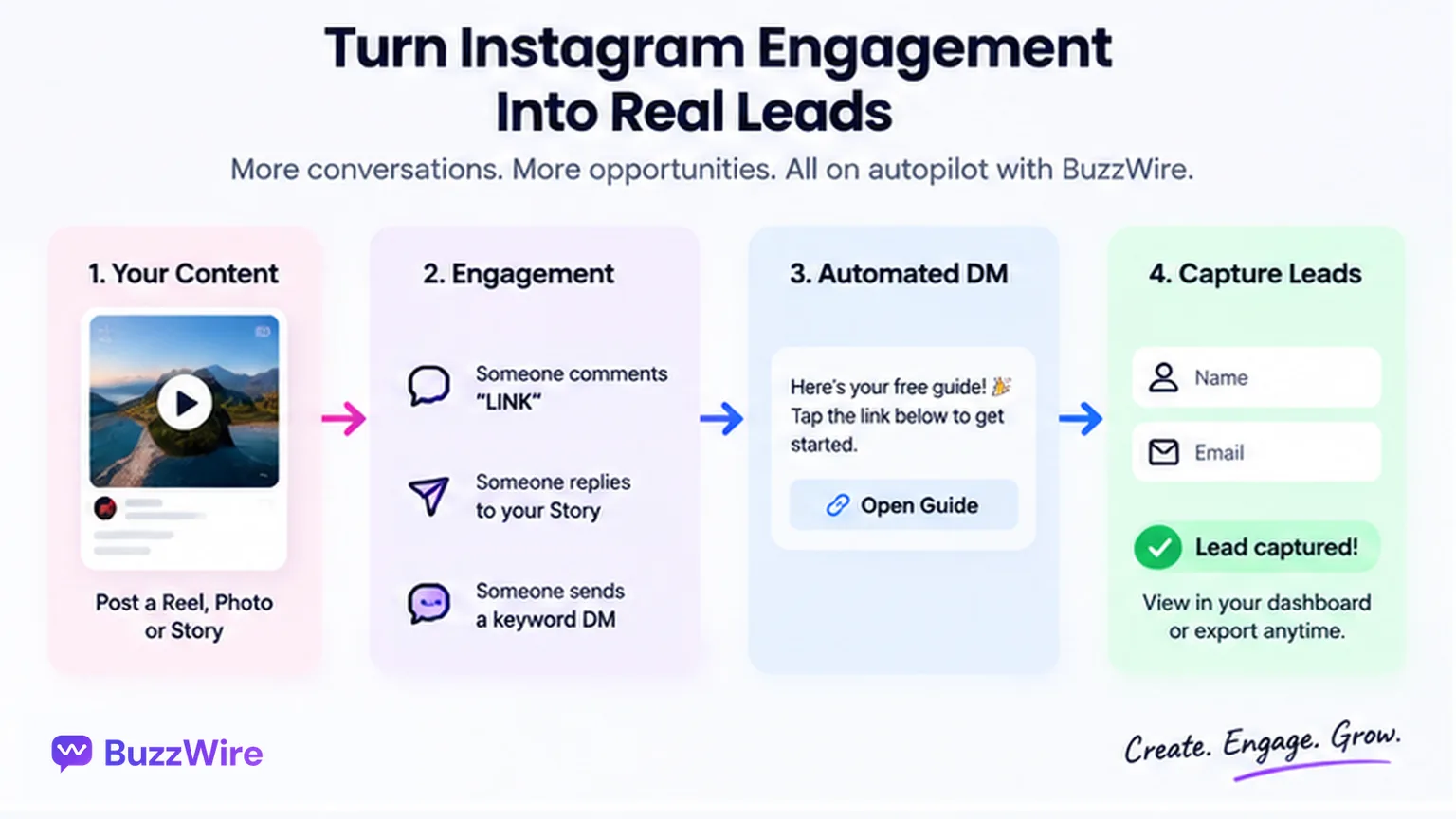
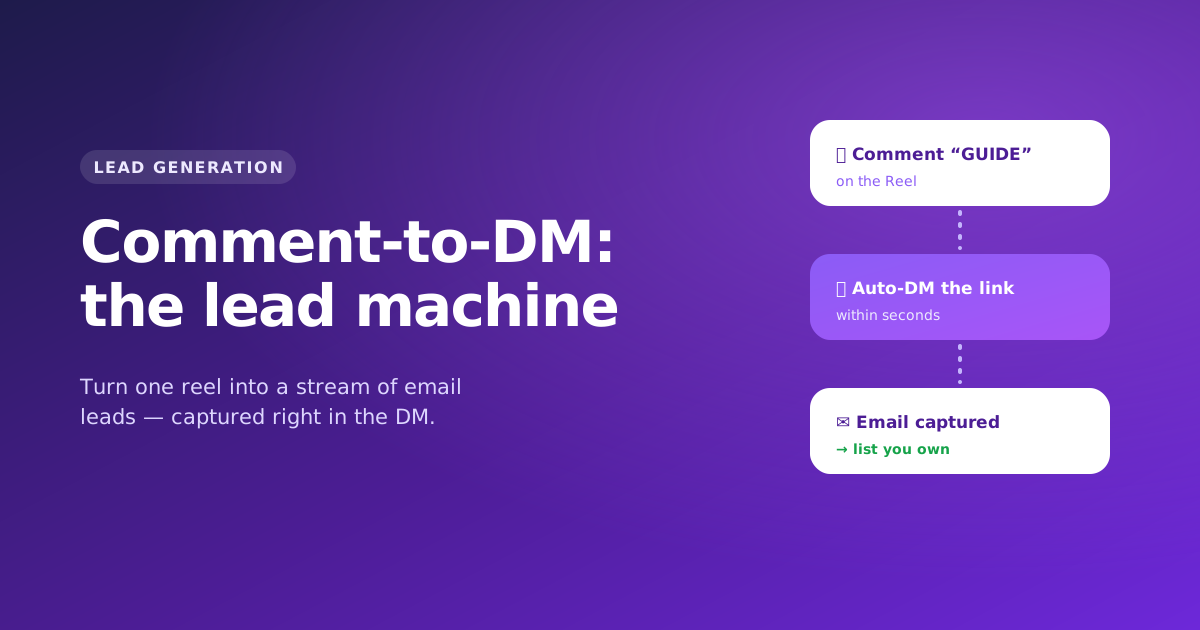
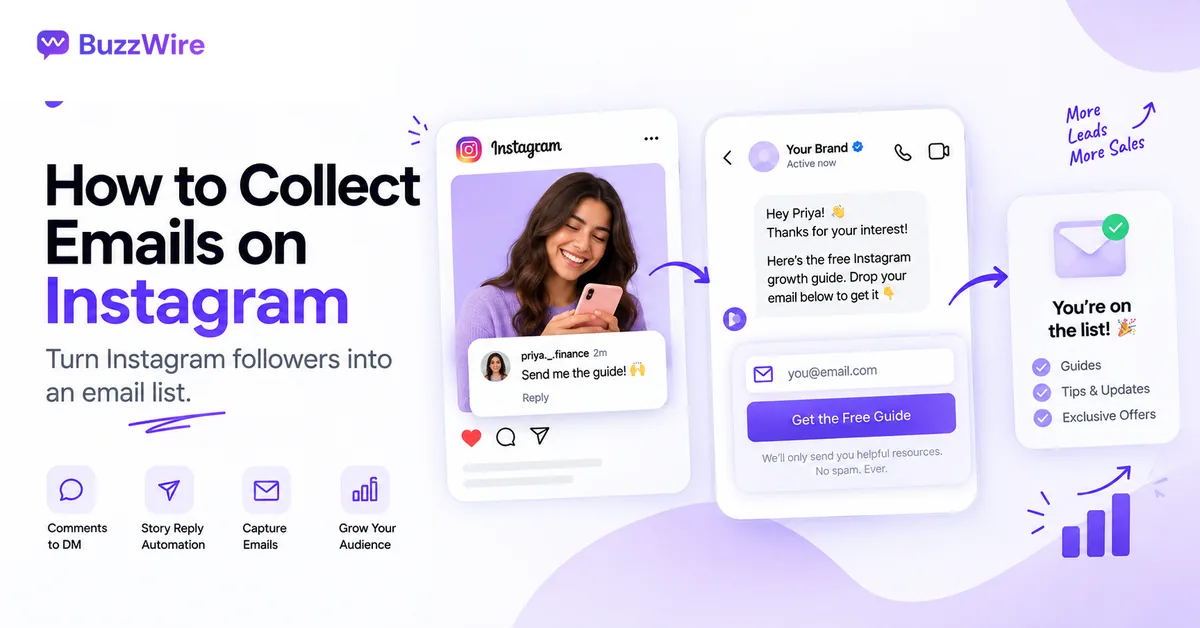
- The DM is where that happens: a keyword comment triggers a DM, and the person replies with their email.
- Meta's rules: one private reply per comment, 7 days to send it, and a 24-hour window that opens when they reply.
- Ask clearly, say what they'll get, and honour every unsubscribe. GDPR and CAN-SPAM set the floor.
- BuzzWire's Email Capture (Pro) asks for the email first (name optional) and exports a CSV ready for the email tool you already use.
You have followers you can't contact directly. Instagram decides who sees each post.
An email address is the one part of this you own. This guide shows how to collect emails through Instagram DMs without scraping anyone. New to the category? Our Instagram DM automation guide covers the basics.
Why the email is the only audience you own
Reach on a post is someone else's decision, remade every time you publish. An email address is a standing permission from one person.
- The account can be restricted.
- The algorithm can change.
- A format you built habits around can be retired.
- The list still opens.
That argument needs no statistic. It needs a method that produces addresses you can defend: people who typed their own, to you, because they wanted what you offered.
The Meta rules that make in-DM email capture possible
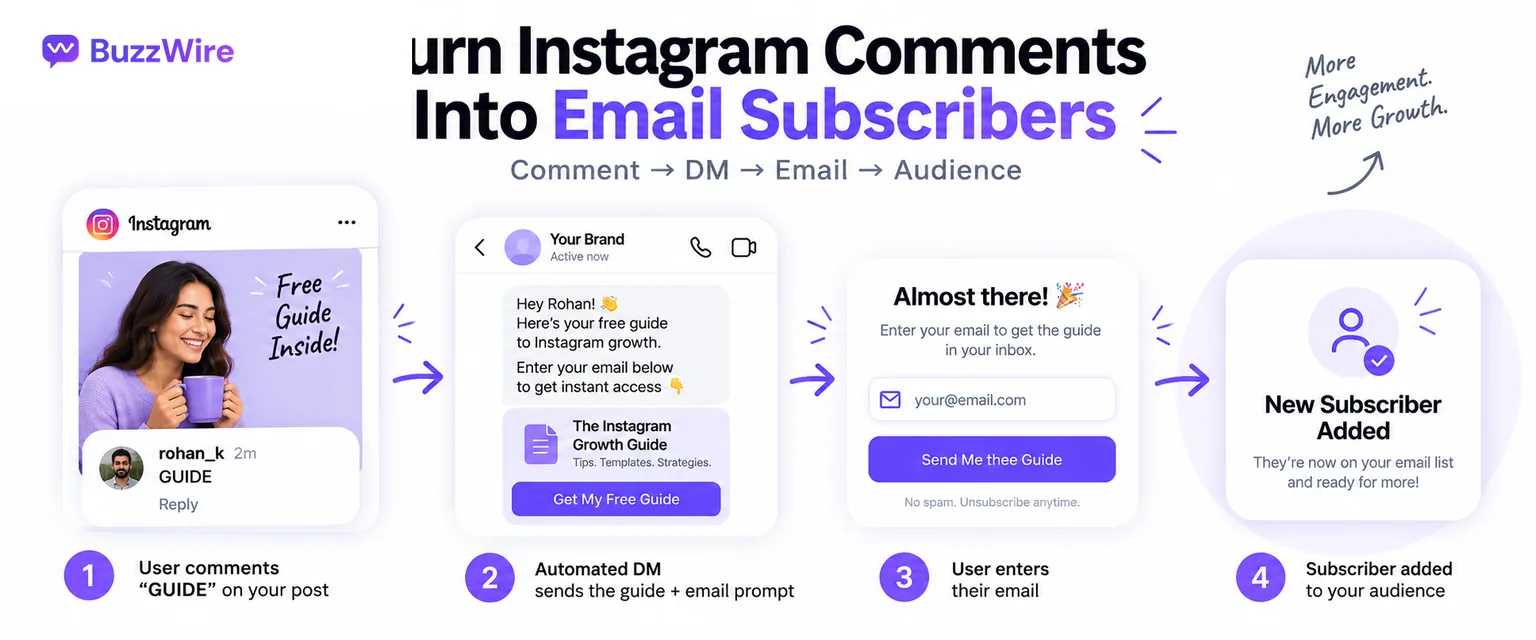
Comment-to-DM works through an API action called a private reply: one DM a business sends to someone who commented. Meta publishes exactly what it allows.
| Rule | What Meta publishes |
|---|---|
| One reply per comment | "Only one message can be sent to the Instagram user who commented." |
| Seven days to send it | "The message must be sent within 7 days from when the comment was created for comments on a post, ads post, or reel." |
| Live is different | Private replies to Live comments "can only be sent during the live broadcast." |
| The window opens on their reply | "Only when the Instagram user responds to the private message can you continue the conversation within the 24-hour messaging window." |
Meta's messaging policy adds: "Businesses will have up to 24 hours to respond to a user. Messages sent within the 24 hour window may contain promotional content."
Read together, these explain the whole mechanism:
- Your first DM is one message. You may send it because they commented.
- Their reply opens the window. Typing the email back counts.
- The conversation creates the permission, not the automation.
Sources: Meta, private replies documentation and messaging policy overview, both checked 22 Oct 2026.
Rate limits and link rules are a separate subject. See Instagram DM limits for the full published set.
How to collect emails through Instagram DMs
Offer one specific thing, ask for a keyword comment, and let the DM ask for the email inside the chat. Then export the list to your own email tool.
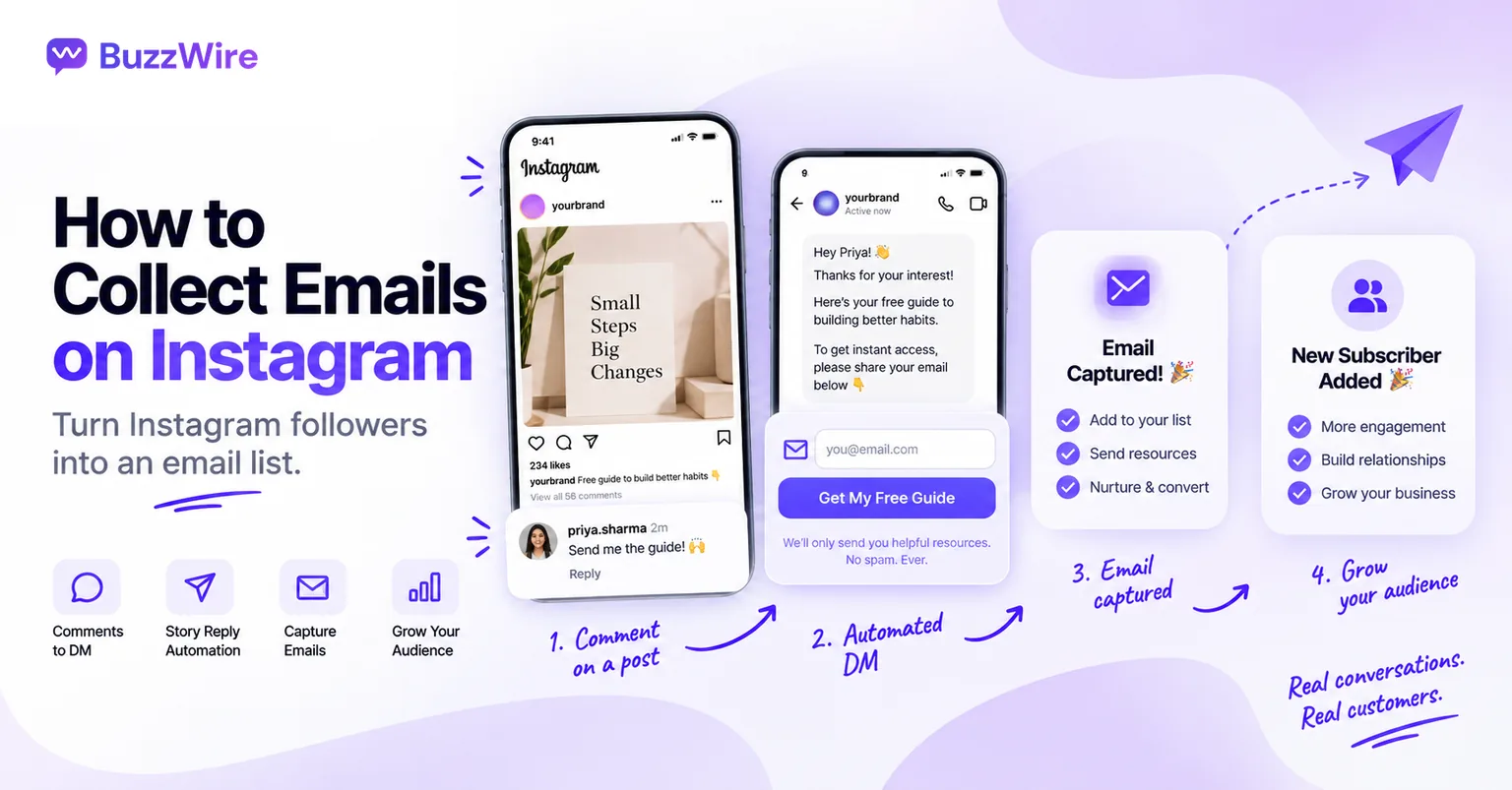
- Pick one lead magnet and make it specific. "My free guide" collects little. "The 7-day meal plan I use with coaching clients" gives people a reason.
- Choose a keyword people can type without thinking. One word, no spaces: PLAN, GUIDE, LIST. Add common misspellings as extra keywords.
- Connect your professional account. Use a tool on the official Instagram API. BuzzWire connects with Instagram Login and never asks for your password.
- Set the comment trigger on the post. Choose the post or Reel and the keyword. Story replies and DM keywords can feed the same list.
- Turn on Email Capture (Pro). BuzzWire asks for the email first, with the name optional, and saves each answer for CSV export.
- Write the ask in plain words. Say what they'll get and how often: "I'll send the plan and a short note most weeks. Unsubscribe any time."
- Keep it in the chat. Ask for the email as a reply, not via a form link. A link out is a step where people leave.
- Test from a second account. Comment the keyword, give a test email and check the row appears in your export.
- Export to CSV and import into your email tool. Do it on a schedule, at least weekly. A list nobody has emailed in six weeks goes cold.
Two of those steps have their own pages. DM keyword automation covers whole-word matching and misspelling keywords. For wording, see our welcome message examples, then check the length of your ask with a free DM character counter.
Consent and privacy basics for an Instagram email list
Collect emails the way you'd want yours collected: ask clearly, say what they'll get, and make leaving easy. These basics cover most of it:
- Ask clearly. The person types their own email after a plain question. No hidden sign-ups.
- Say what they'll get. Name the lead magnet and how often you'll email.
- Say who you are. Your name or brand should be clear in the DM.
- Honour unsubscribes. Every email needs a working opt-out. In DMs, BuzzWire always honours STOP and UNSUBSCRIBE.
- Keep a record. Save the wording of your ask and the date you used it.
This is general information, not legal advice. Which laws apply depends on where you and your subscribers are.
GDPR (EU and UK)
GDPR defines consent as a "freely given, specific, informed and unambiguous" indication of a person's wishes (Article 4(11)). Article 7(3) adds: "It shall be as easy to withdraw as to give consent."
The UK regulator's guidance quotes Recital 32: "Silence, pre-ticked boxes or inactivity should not therefore constitute consent." It also says you must be able to demonstrate that someone consented.
Sources: GDPR, Regulation (EU) 2016/679, EUR-Lex and ICO, What is valid consent?, both checked 22 Oct 2026.
CAN-SPAM (US)
The FTC's guide says CAN-SPAM covers all commercial email: "The law makes no exception for business-to-business email." Its main requirements include:
- Identify the message as an ad, clearly.
- Include your valid physical postal address.
- Tell people how to opt out of future marketing email.
- Honour opt-outs "within 10 business days."
- Don't use deceptive subject lines or false header information.
The FTC states that each email in violation can cost up to $53,088 in penalties.
Source: FTC, CAN-SPAM Act: A Compliance Guide for Business, checked 22 Oct 2026.
Most email platforms give you an unsubscribe link and a footer address field to fill in. The collecting side, the DM, is yours.
Lead magnets that earn an email in a DM
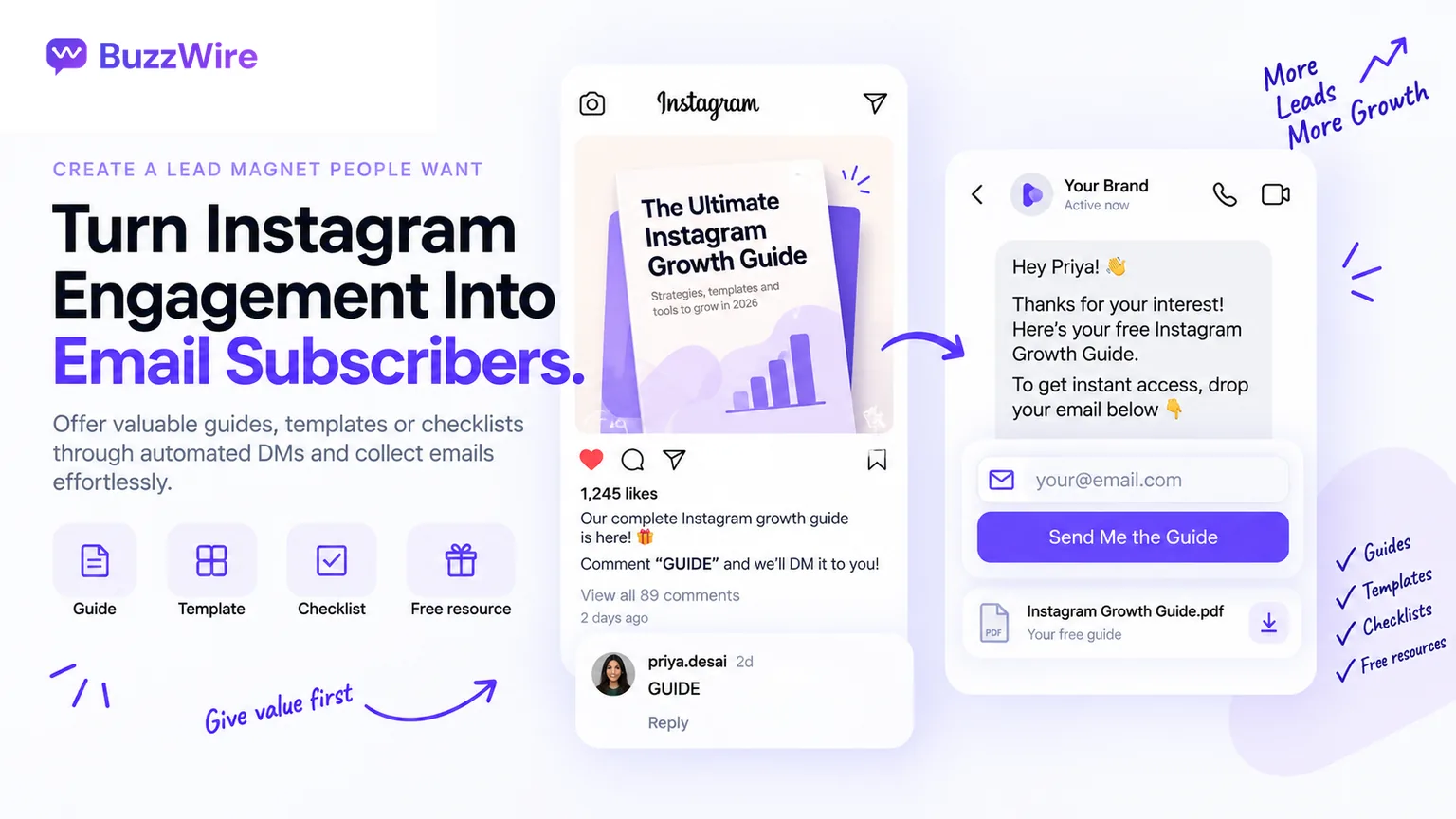
A DM is a small space, so the offer has to be clear at a glance. What works is anything the person can picture:
- A template they will open.
- A discount code with a number on it.
- A checklist short enough to use today.
- One worked example from the post they came from.
What fails is anything that sounds like a commitment. "Masterclass" implies an hour. "Newsletter" implies an obligation they haven't agreed to yet.
Offer the artefact first and mention the ongoing emails in one clause. Keep links few: BuzzWire allows one external link per DM.
Collected versus scraped, and why it decides what your list is worth
Many results for this topic describe tools that pull email addresses from public Instagram profiles in bulk. That is scraping, not collecting.
- They asked for nothing. The address was published for one purpose and taken for another.
- It behaves like a cold list, because it is one.
- The damage lands on your sending domain, not on the tool that sold you the addresses.
BuzzWire only messages people who commented, replied to a story or DMed you first. If bulk prospect addresses are what you're after, BuzzWire is the wrong tool.
For the wider capture picture, see the Instagram DM lead generation framework.
Where the email goes
Email Capture (Pro) asks for the email first (name optional) and exports your list to CSV.
- Your list, your tool. Import the CSV into the email platform you already send from, such as Kit, Mailchimp or Beehiiv.
- Your data. The list is yours to keep, move and segment.
- One clear job each. In-DM lead capture collects the address; your email platform does the sending.
Set it up once, and every keyword comment can feed your list.
What it costs to collect emails this way
Many tools meter the thing you can't predict, such as contacts. A viral post is exactly the event that blows through a cap.
- ManyChat: free plan 25 contacts. Essential $17/mo billed monthly ($14/mo billed yearly); Pro $39/mo ($29/mo billed yearly). Checked 15 Oct 2026 at manychat.com/pricing.
- BuzzWire (our product): Free has unlimited DMs and automations, sent within Instagram's limits, with no contact caps.
- BuzzWire Pro: $9.99/mo or $79/yr ($6.58/mo), a Founding Member price. It includes Email Capture.
The 14-day Pro trial needs no card and moves to Free on its own. Our ManyChat alternative page has the fuller breakdown, and pricing has the plan split.
The mistakes that cost you the list
- Asking before offering. Asking for the email with nothing in return is the common one. It's usually a wording fix.
- Using a tool that wants your password. BuzzWire runs on the official Instagram API and never asks for it. Our compliance page sets out how sending is paced.
- Promising a frequency you won't keep. It costs you the open six months from now.
- Not saving what you promised. The sentence in your DM is the consent you collected. Keep a copy.
The Instagram DM automation rules post covers the account side.
Try it on one post with one lead magnet this week. Start free, and Email Capture is in the 14-day Pro trial.
FAQ
How do you collect emails on Instagram?
Offer something specific in a post and ask people to comment a keyword. A tool sends each commenter a DM that asks for their email, and the person types it in the chat. You then export the list and email it from your own email platform, with an unsubscribe link.
Can you get someone's email address from Instagram automatically?
No. Instagram does not expose follower email addresses to businesses or tools. The person has to type the address to you. In practice that happens inside a DM conversation they started by commenting a keyword, replying to your story or messaging you first.
Is collecting emails through Instagram DMs allowed?
Yes, when the person contacted you first. Meta's policy gives businesses up to 24 hours to respond to a user. It adds that "messages sent within the 24 hour window may contain promotional content." Email laws such as GDPR and CAN-SPAM then apply to what you send.
How many DMs can I send from one comment?
One. Meta's private replies documentation says: "Only one message can be sent to the Instagram user who commented." The conversation only continues if they reply to you. That's why your first DM has to deliver the value and make the email ask together.
What lead magnet works in Instagram DMs?
One that is specific and can be delivered right away: a named template, a discount code or a one-page checklist. Anything that implies a time commitment, such as a masterclass, tends to ask too much for a two-second decision inside a DM.
How do I send emails to the people I capture?
Export the list from BuzzWire's Email Capture (Pro) as a CSV and import it into the email platform you already use. Email Capture asks for the email first, with the name optional, so the list is ready to send to. Your email tool handles the newsletter or welcome sequence.
Do I need a business or creator account?
Yes. Meta's Instagram API works with professional accounts, which can represent a business or a creator. A personal account can't use the messaging features this depends on. BuzzWire connects through Instagram Login, so no Facebook Page is needed.
What about buying an Instagram email list?
A purchased or scraped list is not an opted-in list. Those people never asked to hear from you. Under GDPR, consent has to be freely given, specific, informed and unambiguous, and a bought list can't show that. Mailing it also damages your own sending reputation.