The Instagram Funnel for Nutrition Coaches
Turn "comment DIET" into a meal-plan email list — the exact posts, trigger keywords, auto-DM scripts and capture messages nutrition coaches can copy today.
On this page
- The four-part unit
- How the trigger actually fires
- Step 1: Pick the post that earns the comment
- Step 2: Choose the trigger keyword
- How matching actually behaves
- Step 3: Write the auto-DM
- Anatomy of that message
- How to set up an Instagram auto DM from a comment
- Step 4: Turn Instagram followers into a newsletter
- What to send after the capture
- Instagram auto-reply for the questions that follow
- What the keyword tells you about the lead
- What to measure
- What actually gets accounts flagged
- Migrating a flow you already built
- Troubleshooting
- Mistakes that cost nutrition coaches the list
- Glossary
- FAQ
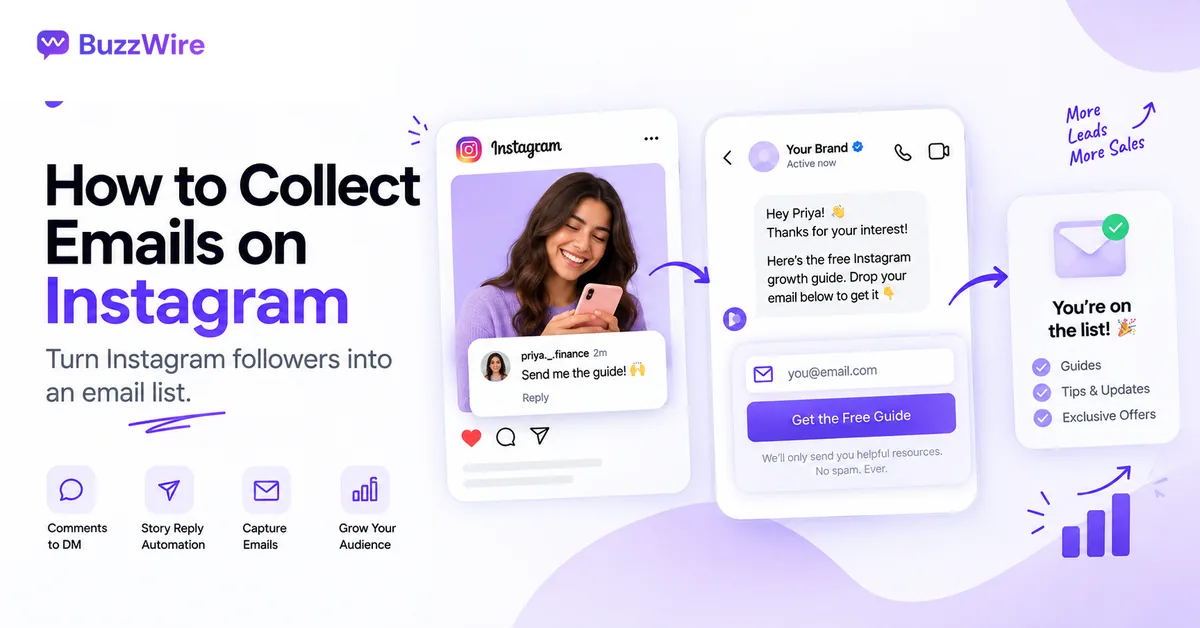
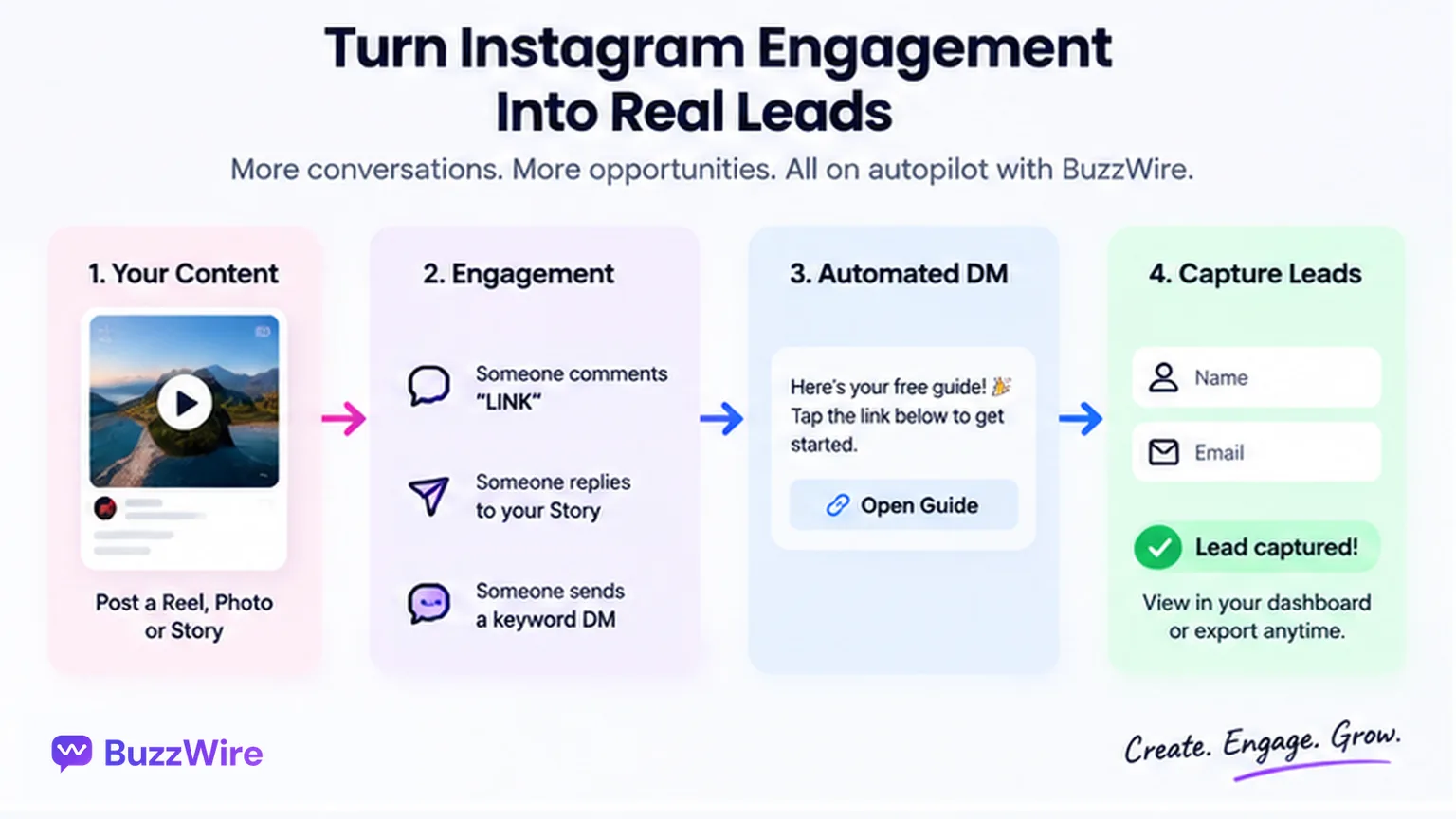
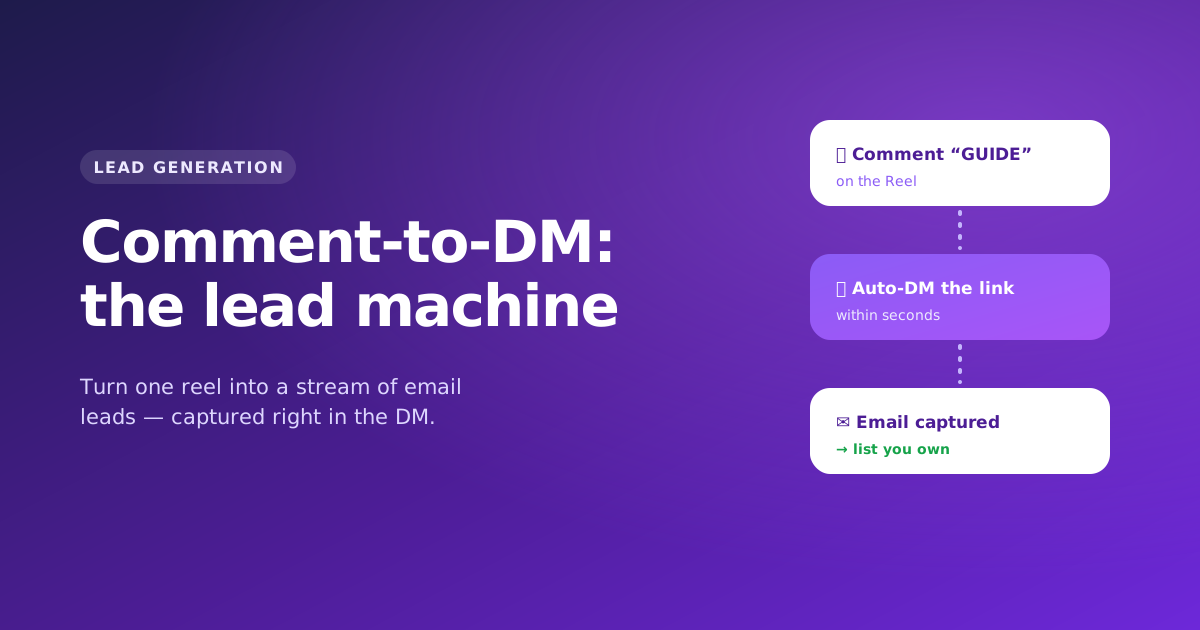
An Instagram funnel for a nutrition coach is a four-part unit: a post that earns a keyword comment, a trigger keyword, an automatic DM that delivers the thing you promised, and a capture step that asks for an email inside the same conversation. Everything else — the discovery call, the program, the renewal — happens downstream of those four.
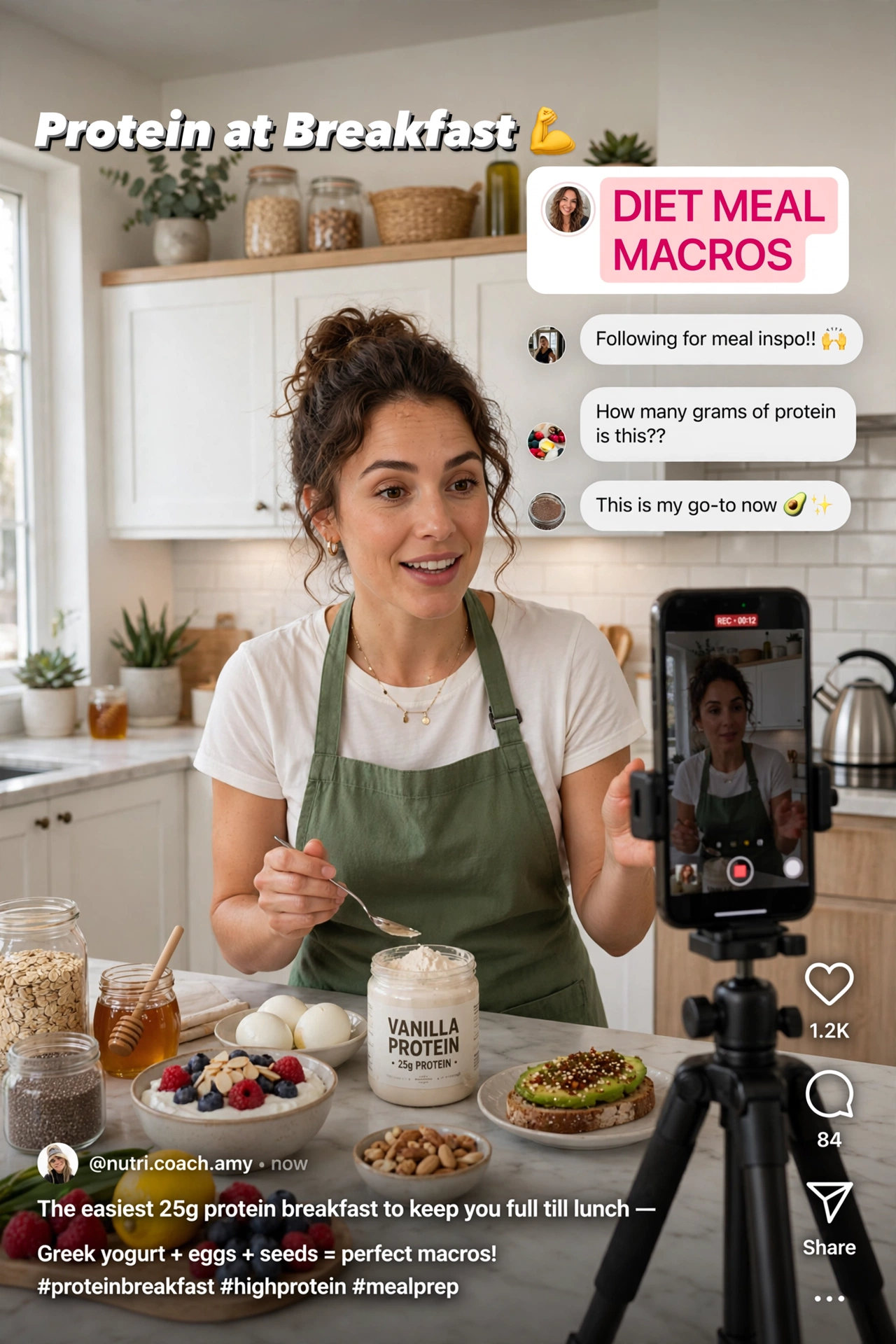
You post a carousel about protein at breakfast. It does better than anything you've made in a month. Dozens of people comment "DIET."
Then Tuesday happens. You get through maybe a third of them, the rest scroll past your reply four days later, and the moment — the one where a stranger actively raised their hand and asked you for help with food — is gone. You didn't lose those people to a competitor. You lost them to a calendar.
This guide is the nutrition-specific version: the posts that earn keyword comments in a food niche, how keyword matching actually behaves, the DM copy, and the capture step almost nobody runs.
The four-part unit
Strip away the diagram and it's four moving parts:
- A post that earns a comment — not a like, a comment, with one specific word in it.
- A trigger keyword that a tool watches for.
- An auto-DM that delivers what you promised, in seconds, while intent is still hot.
- A capture step that asks for an email address inside the conversation.
Most published funnel advice for coaches stops at step three. Step four is the one that decides whether you're renting an audience or building an asset.
How the trigger actually fires
Worth understanding, because almost every "is this safe?" question answers itself once you know the mechanism.
When someone comments on your post, Meta sends your connected app a webhook — a small notification containing the comment text, the commenter's ID and the post it belongs to. The automation tool matches that text against your keyword list. On a match, it sends a message back through the official Instagram Graph API as a private reply to a comment: a message to someone who just engaged with you, not a cold message to a stranger.
That distinction is the whole ballgame. Meta's messaging permissions are built around consent-by-interaction — you may reply to people who contacted or engaged with you, within a defined window after they did. You cannot use the API to message people who never touched your account. So:
- A tool using the official API can only ever answer people who raised their hand. That's a hard architectural constraint, not a policy promise.
- A tool offering "mass DM to your followers" or "DM anyone who follows a competitor" is not using the official API. It's automating the app while logged in as you, which means it holds your password and behaves like a scripted human. That is the category of tool that gets accounts action-blocked.
When someone replies to your automated DM, that reply re-opens the conversation window and gives you room for the follow-up — which is exactly where the email capture goes. The documented figures behind Instagram's DM rules sit on our compliance page.
One consequence people miss: the trigger fires on the comment, not on the follow. Someone can comment DIET without following you and still receive the DM. If you'd rather require a follow first, that's follower gating — a deliberate trade of volume for qualification, covered under what BuzzWire automates.
Step 1: Pick the post that earns the comment
Nutrition content converts on specificity, not motivation. "You've got this 💪" earns likes. "Here are the 12 swaps" earns comments.
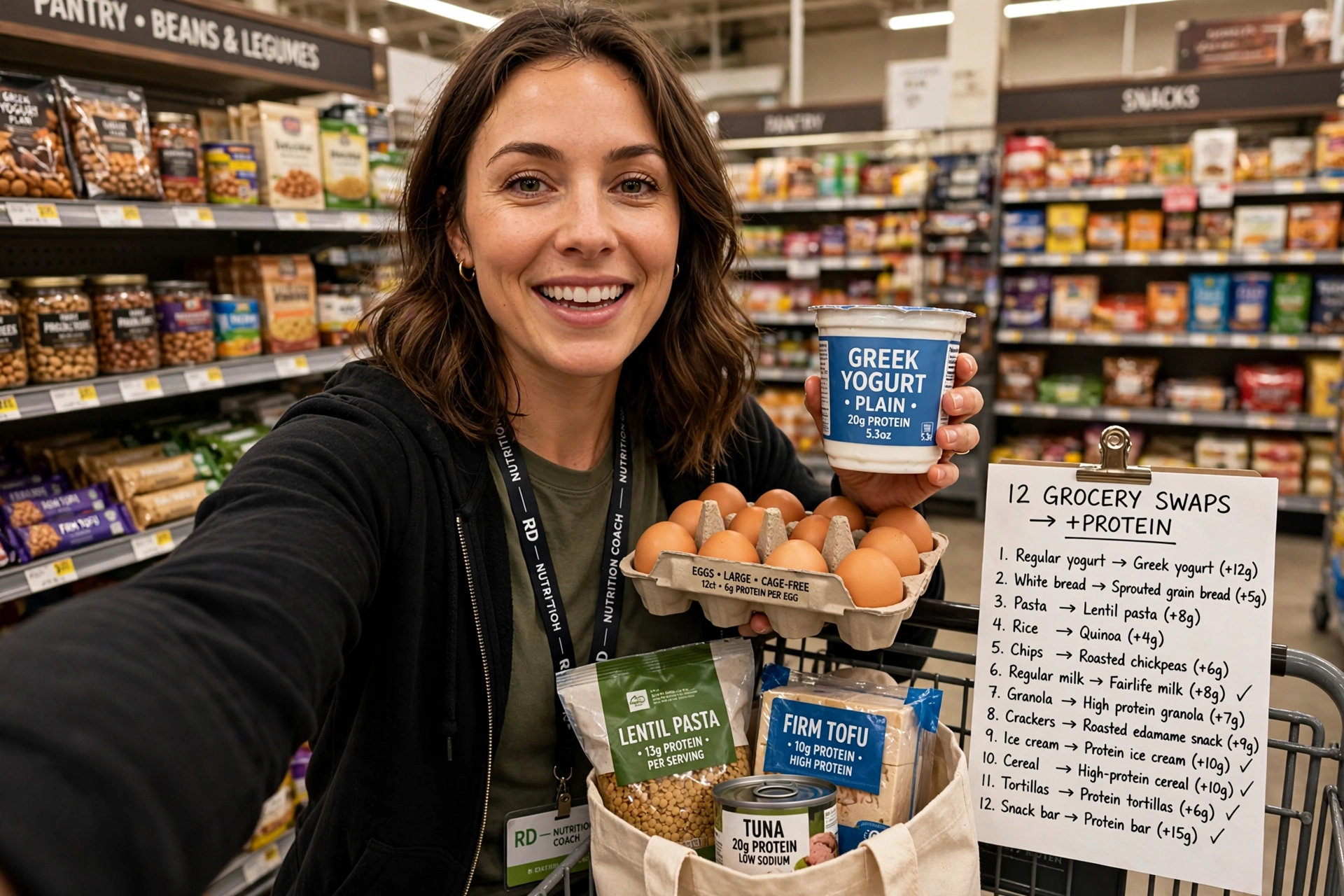
The formats that reliably pull keyword comments in a food niche share a shape — a concrete, slightly contrarian claim, then a resource that resolves it:
- Myth teardown — "5 'healthy' breakfasts that leave you starving by 10am"
- Swap list — "12 grocery swaps that add protein without changing what you cook"
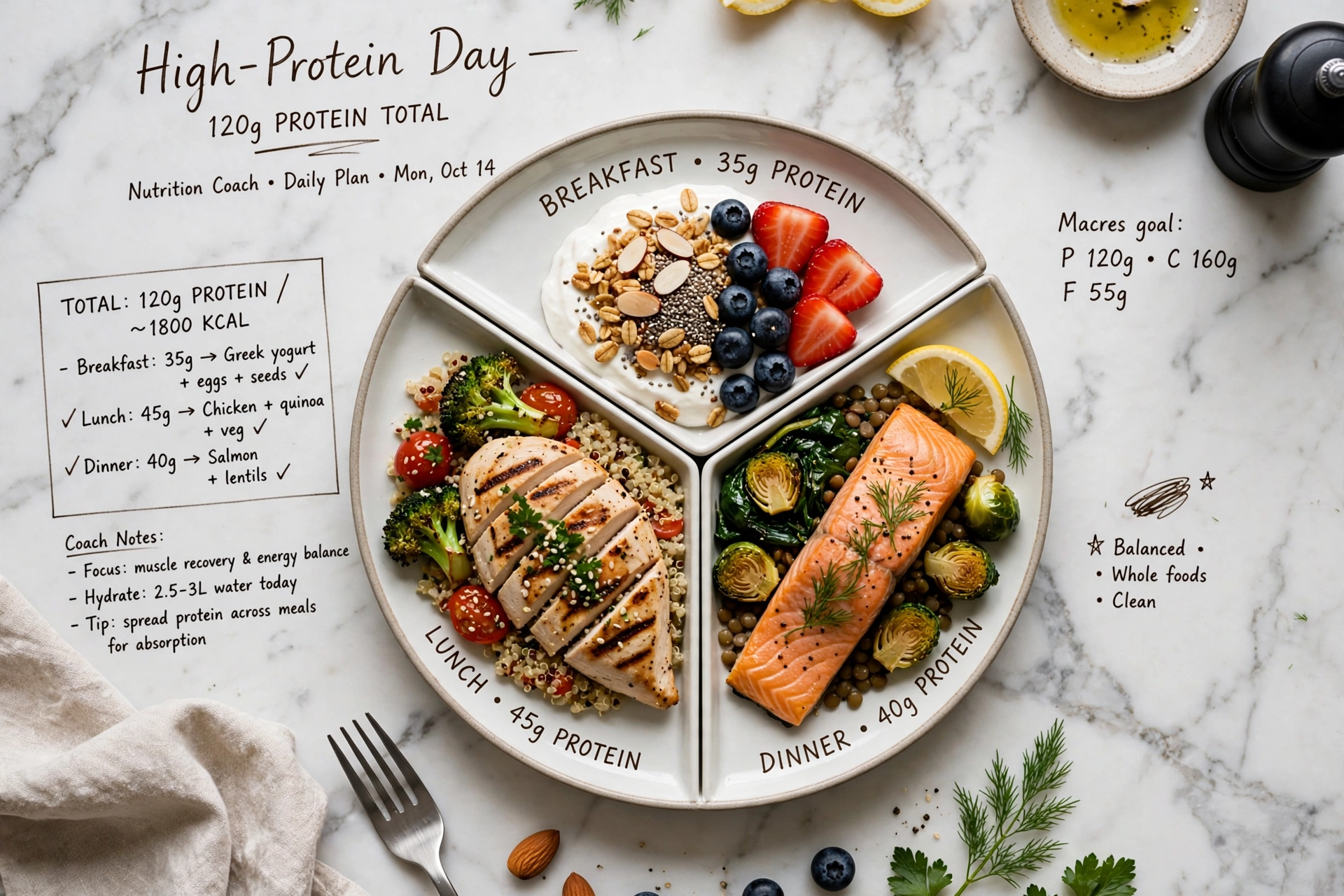
- Day on a plate — a full day of eating at a named calorie and protein target
- Cost angle — "A week of high-protein dinners for under £40"
- Reasoning walkthrough — a real problem, your thinking, the fix
Three placement rules that matter more than the format:
- Say the CTA out loud in the first three seconds of a Reel. Captions get read by a minority; audio gets heard by everyone who doesn't scroll.
- Put it in the caption too, on its own line, near the top — not buried under a paragraph.
- Pin your own comment containing the instruction. It survives caption truncation and it's the first thing anyone reading comments sees.
The most common miss: a great post with the keyword buried in paragraph four of the caption. Instagram truncates at about two lines. If the ask isn't above the fold and in the audio, most people never learn there's something to comment for.
If you're unsure when to publish these, our guide to posting windows by day covers the timing side.
Step 2: Choose the trigger keyword
One word, easy to spell, unlikely to appear in ordinary conversation. For nutrition and diet coaches, four map cleanly to four distinct offers:
| Keyword | Delivers | Audience | Signal strength |
|---|---|---|---|
| DIET | 7-day meal plan PDF | General weight-loss | Wide, unspecific |
| MEAL | Meal-prep template + grocery list | Busy parents, shift workers | Time-poor, high intent |
| MACROS | Macro calculator link + cheat sheet | Lifters, body recomp | Narrow, highest intent |
| RECIPE | Single high-protein recipe card | Top of funnel | Widest, weakest |
How matching actually behaves
This is where most misfires come from, and it's rarely explained:
- Whole-word matching vs substring. With substring matching, DIET fires on "dieting," "dietary" and "my dietitian said." With whole-word matching it fires on "DIET" as a standalone token. Use whole-word, then add plurals and variants as explicit keywords if you want them.
- Case is irrelevant. "diet," "Diet" and "DIET" should all match. Write the CTA in caps anyway — it reads as an instruction.
- Emoji and punctuation attach themselves to words. "DIET!!!" and "DIET🔥" are extremely common. A matcher that strips non-letter characters before comparing catches them; one that doesn't, drops them.
- One keyword per post. Two keywords in one caption splits attention and reduces both. To route two offers, run two posts.
- Always set a catch-all. A meaningful share of comments arrive misspelled, in the wrong place, or as "sent!" from someone who meant to type the word. A catch-all reply — "Not sure which one you wanted — the meal plan or the macro sheet?" — recovers them instead of dropping them.
Step 3: Write the auto-DM
The DM has one job: hand over the thing, fast, in a voice that sounds like you.
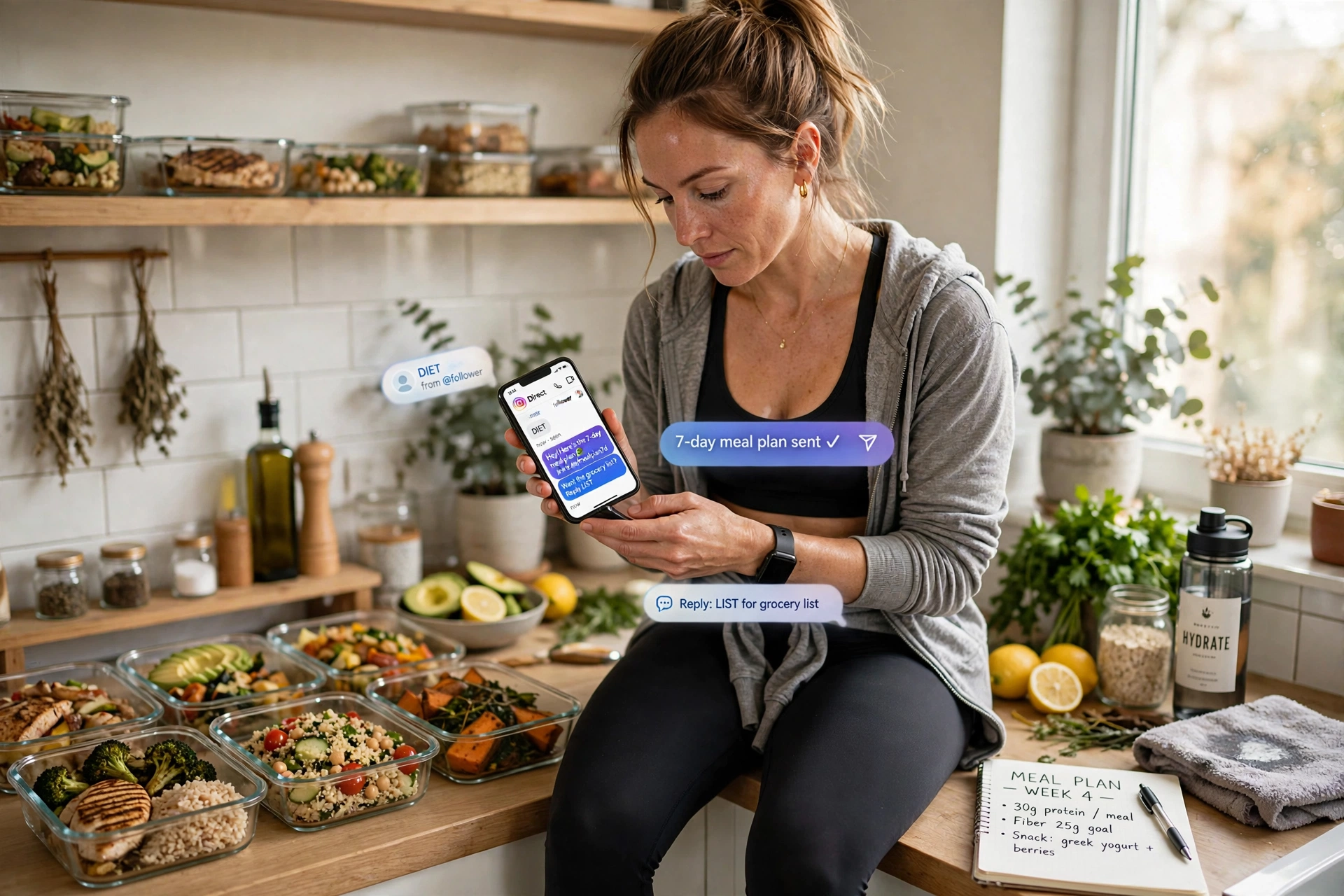
{Hey|Hi|Hey there} {first_name}! Here's the 7-day meal plan I promised 🥗 — [link]
It's built around a protein target at every meal, and each day swaps out in under 20 minutes of prep.
{Want|Need} the grocery list that goes with it? Just reply LIST.
Anatomy of that message
- Deliver in message one. Making someone reply before they get what you promised burns the intent you just earned. Qualify second, never first.
- Spintax on every send.
{a|b|c}picks one variant per message, so no two sends are identical. Identical text at volume is the clearest automation signal you can broadcast — vary the greeting, the connector and the closing question. - Exactly one link, no shorteners. Multiple links and shortened URLs both correlate with filtering. BuzzWire blocks shorteners at the product level rather than trusting you to remember.
- Personalisation tokens, sparingly.
{first_name}is worth it. Anything that reads like a mail merge is not. - Keep it short. Long messages get truncated in the preview, and the preview decides whether it's opened at all. Front-load the link.
- End with one low-friction next step. "Reply LIST" is a smaller ask than "book a call," and it re-opens the conversation window you need for step four.
📋 Grab the swipe file, free. Our 25 ready-made comment-to-DM templates give you the post idea, trigger keyword, exact DM and capture line for each — the whole funnel above, ready to paste. No email required.
How to set up an Instagram auto DM from a comment
Six steps, about ten minutes.
- Connect the account. An Instagram professional account (Creator or Business) linked to a Facebook Page — Meta requires this for any tool using the official Instagram Graph API. You authorise through Meta's own login; you never hand over a password.
- Create the automation. Choose the post or Reel, add the keyword and its variants, switch on whole-word matching.
- Write the public comment reply. A short "Sent! 📩" keeps the comment section active and shows everyone else the thing is real.
- Write the DM. Paste the message above, add spintax variants, drop in your link.
- Add the capture follow-up, triggered by their reply.
- Test from a second account before the post goes live. Every time. This catches the two failures behind most dead funnels: a broken link and a keyword that doesn't match.
Setup is identical regardless of plan — the automation types, the flow builder, spintax and the full safety suite are all in the free plan, which is the whole product rather than a trial. If you've already built flows elsewhere, skip to migrating an existing flow.
Step 4: Turn Instagram followers into a newsletter
Here's the step that separates a busy account from a business. The link you just sent lives on a platform you don't own. The email address does not.
So ask for it — inside the DM, while the conversation is still open:
Want me to send the printable version + the grocery list straight to your inbox? Drop your email below 👇
Why this converts better than a landing page: they're already in a conversation with you, they've already received something free, and typing an email into a chat is less work than loading a page and filling in a form. You've removed the click, the load, the form and the second decision.
Three things to get right:
- Trade something new. "The printable version of what I just sent you" is a weak trade. "The grocery list that goes with it" is a real one, because it's a different object.
- Make the consent explicit. One clear line — "I'll send the list plus a weekly recipe. Unsubscribe any time." — is both the honest thing and the thing that keeps your future open rates alive.
- Know where the data goes. BuzzWire's in-DM lead capture collects name and email inside the thread and exports to CSV. One honest limitation, stated plainly: BuzzWire captures and exports; it does not send email. Pair it with whatever you already use.
If you change one thing on this page, change this. Nearly every funnel we're asked to look at stops at step three — the link goes out, the conversation ends, and the lead stays on rented land. The ask costs you one message.
Frame it the way it actually is: "Instagram decides who sees my posts. Email doesn't."
What to send after the capture
Capturing the address and then going quiet for six weeks wastes the whole funnel. The handover from DM to email should happen while they still remember who you are.
- Immediately, in the DM: confirm it's sent. One line. "Done — check your inbox in a minute (peek in promotions if it's shy)."
- Day 0, by email: the thing you promised, at the top, above any introduction. Nobody wants your origin story before the grocery list.
- Day 2: the single most common mistake people make with the plan you just sent. Pure usefulness — it establishes that your emails are worth opening.
- Day 5: the adjacent problem the plan doesn't solve — usually eating out, or the weekend. Name it honestly.
- Day 8: the first mention of working together, framed as an answer to a question they've now had twice.
Note what isn't here: a countdown timer, a fake cohort deadline, or a "last chance" on day three. Manufactured urgency reads as exactly what it is.
Instagram auto-reply for the questions that follow
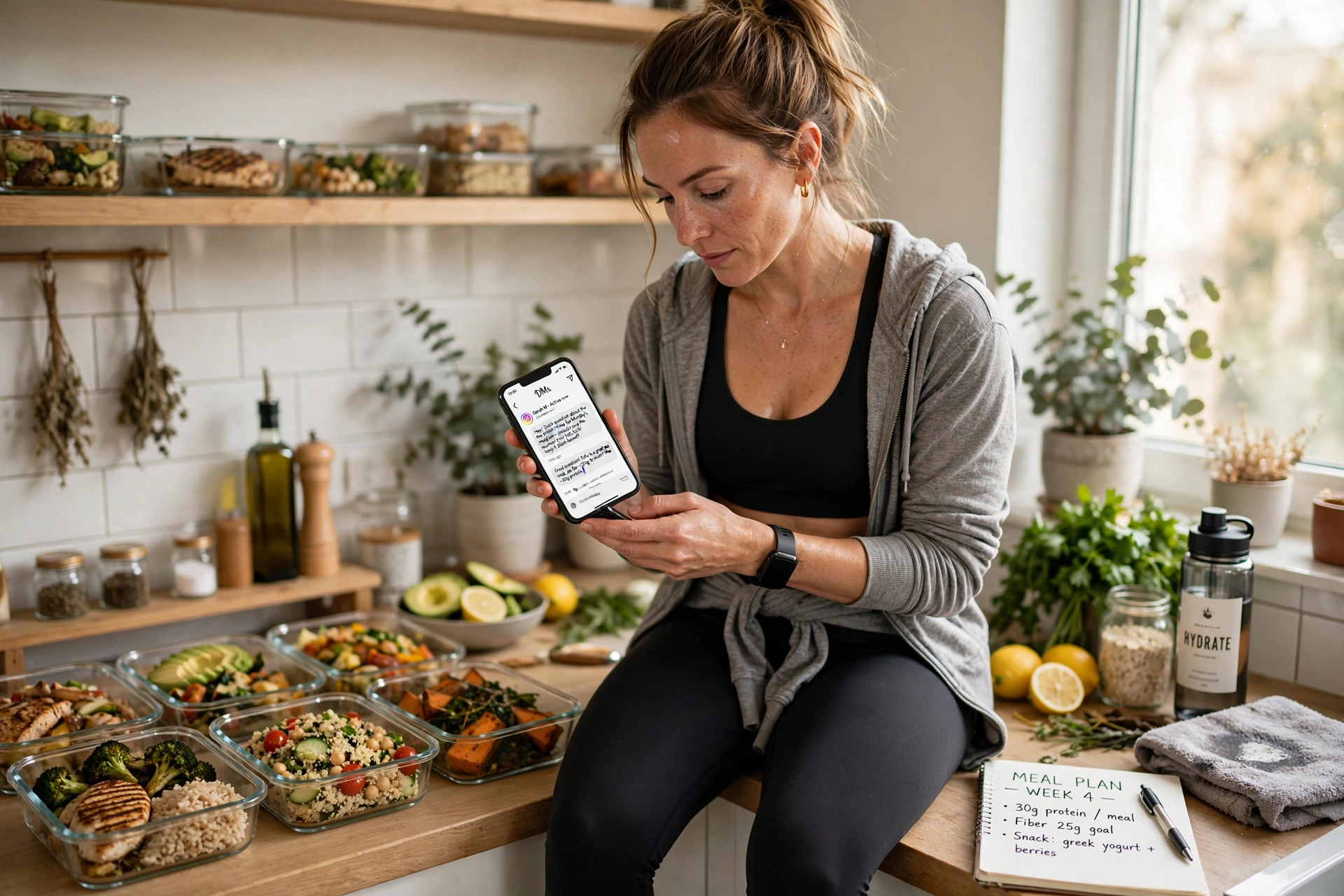
The comment-to-DM flow is the front door. What arrives behind it is the recurring question set every nutrition coach knows by heart: "Is this vegan?" "Do you do 1:1?" "How much is it?"
An Instagram auto-reply — an autoresponder for your DMs — answers the repeat questions on keyword so your attention goes to the conversations that are actually moving. Two things to keep straight:
- Route the questions that need a real person to a real person. You. Anything where a wrong answer matters should hit a catch-all that says a person will reply — not an automated answer.
- Story replies run on their own keyword set. A poll sticker asking "What's harder — breakfast or dinner?" with a keyword reply that sends the matching guide is one of the highest-response formats in this niche.
This is the one place to argue against automating. Some questions need a person, not a keyword reply. Route those to yourself and answer them like a person — because that's what they are: a person asking.
What the keyword tells you about the lead
Underrated: the word someone typed is a free segmentation signal, and almost nobody uses it.
- MACROS means they already track something. They have a vocabulary, they've probably tried an app, and they're closer to buying structured coaching than the DIET crowd.
- MEAL means time is the constraint, not knowledge. Sell them the system, not the education.
- RECIPE means curiosity. Wide net, weak signal — nurture, don't pitch.
- DIET is the broadest and the noisiest. Expect the lowest conversion per lead and the highest volume.
Tag the export by keyword before it reaches your email tool. Four small segments beat one big list, and you built them for free by choosing four words.
What to measure
Four numbers, weekly. No dashboard required:
- Keyword comments per post — did the content earn the ask?
- DM delivery rate — did everyone who commented get answered?
- Reply rate to the capture ask — is the second offer worth an email address?
- Emails captured per 100 keyword comments — the only number that compounds
Read them in that order. The first one that looks wrong is the one to fix; everything below it inherits the problem.
What actually gets accounts flagged
The fear in this niche is rational, so it deserves mechanism rather than reassurance. In rough order of how much they matter:
- Password-based automation. A tool that logs in as you and drives the app is the single highest-risk category. Official API access is a different thing entirely.
- Identical message text at volume. Hundreds of byte-identical DMs is the most legible automation signal there is. This is what spintax exists to solve.
- Sending faster than the platform expects. Bursts look like scripts. Paced delivery with human-like gaps looks like a person answering their inbox — well inside Meta's documented Graph API rate limits. How BuzzWire keeps every send inside them is on our compliance page.
- Messaging people who didn't engage. Structurally impossible through the official API — which is why the API constraint is a feature, not a limitation.
- Link shorteners and multiple links. Both correlate with filtering. One clean, full URL.
- Ignoring opt-outs. Anyone who replies STOP or UNSUBSCRIBE should never hear from an automation again. BuzzWire handles this automatically.
No tool can promise you won't be actioned — Instagram controls enforcement, and any vendor claiming otherwise is selling something it doesn't own. What you can check, before you trust a tool with the account your income depends on, is which of the six above it does and doesn't do.
BuzzWire is a Verified Meta Tech Provider — that's Meta's business and API verification, not a product endorsement, and BuzzWire is not endorsed by or affiliated with Meta or Instagram.
Migrating a flow you already built
If you're coming from a metered tool, the rebuild is smaller than it looks, because the parts that matter are portable:
- Spintax syntax is common across tools. Your message variants copy across as-is.
- Keywords and post targeting are trivially recreated — they're a word and a post ID.
- Contact history usually doesn't move, and mostly doesn't need to. What you want is the export of email addresses you've already captured; those live in your email platform, not the DM tool.
- Run both for one post. Set the new automation on a new post rather than migrating a live one, confirm delivery from a second account, then switch.
The switching notes on our ManyChat comparison cover the sequence in more detail, including how to avoid a gap on posts still receiving comments.
Troubleshooting
| Symptom | Most likely cause | Fix |
|---|---|---|
| Some commenters get the DM, others don't | Substring vs whole-word mismatch, or emoji attached to the keyword | Switch to whole-word matching with punctuation stripped; add a catch-all |
| Nobody gets the DM | Account authorisation expired, or the automation is attached to the wrong post | Re-authorise; confirm the post ID on the automation |
| DM sends but the link doesn't work | Shortener blocked, or tracking parameters broke it | Use one full, unshortened URL and test from a phone, not a desktop |
| Good delivery, almost no replies | The DM asked for something before giving anything | Move the deliverable into message one |
| Replies, but no emails | The capture offer is a restatement, not a new thing | Trade a different object — the list, not the printable |
| Comments dropped off after two posts | Same keyword, same offer, same audience | Rotate the keyword and the lead magnet; four offers exist for a reason |
Mistakes that cost nutrition coaches the list
- Making people jump to the bio. They commented because it was easy. The bio is not easy.
- Sending three messages before the link. Deliver first, qualify second.
- Never asking for the email. The most common failure by a distance.
- Two keywords on one post. Splits attention, halves both.
- Using a tool that logs in with your password. You are handing over the asset your income depends on.
Glossary
Comment-to-DM — an automation that sends a direct message when someone comments a specific keyword on a post or Reel.
Trigger keyword — the word the automation watches for. One per post.
Whole-word matching — matching the keyword as a complete token, so DIET doesn't fire on "dieting."
Catch-all — a fallback reply for comments clearly meant as the keyword that didn't match it.
Spintax — message-variation syntax written {a|b|c}, where one variant is chosen per send.
In-DM lead capture — collecting an email address inside the DM conversation rather than on a landing page.
Private reply to a comment — the official API message type used to answer someone who commented; it cannot message people who didn't engage.
Follower gating — requiring a follow before the automation fires. Trades volume for qualification.
Story-reply automation — the same keyword mechanic, triggered by replies to a story.
FAQ
Do I need a big following for this to work? No. A post that reaches 4,000 people and pulls 60 keyword comments is a better funnel input than one that reaches 40,000 and pulls only likes. The flow runs on comment intent, not reach.
Will automating DMs get my account banned? Nobody can promise you it won't — Instagram controls enforcement, and any tool claiming otherwise is over-selling. What you can check is mechanism: BuzzWire sends through the official Instagram Graph API and never your password; uses smart pacing so the same automation never repeats to the same person; paces messages inside Instagram's own published limits with human-like delays; varies wording on every send; honours STOP and UNSUBSCRIBE automatically; allows one external link per DM and blocks shorteners; and auto-pauses on Meta policy signals. It's all documented in the mechanisms, in full.
Does someone have to follow me for the automation to fire? No. Anyone who comments the keyword can receive the reply. Follower gating is available if you want to require a follow first.
What if someone types the keyword wrong? Set a catch-all. Misspellings, emoji and near-misses are a meaningful share of every keyword post.
How many keywords should one post have? One. A second keyword in the same caption splits attention and reduces both.
Can I use this for story replies too? Yes. Story-reply automation runs on its own keyword set — useful for poll-and-sticker content.
Does BuzzWire send the emails it captures? No. It captures name and email inside the DM and exports to CSV. Email sending and direct email-platform integrations are not current features.
Can I run this on a personal account? No. Any tool using the official API needs an Instagram professional account — Creator or Business — connected to a Facebook Page. Switching is free and takes a minute in settings.
What does it cost? The free plan includes the automation types, the flow builder, spintax and the full safety suite, with a "Powered by BuzzWire" badge on free DMs. Pro is $9.99/mo (or $79/yr) and removes the badge and adds in-DM lead capture with CSV export, plus follower gating.
BuzzWire is free Instagram DM automation for creators, built on Instagram's official API and inside Instagram's own rules. Verified Meta Tech Provider — business verification, not endorsed by or affiliated with Meta or Instagram. See what else BuzzWire automates or the fitness coach use case.
Illustrations are AI-generated. The scenes shown are not photographs of BuzzWire customers.