Instagram Chatbot: How a DM Bot Works, and the Line Instagram Draws
An Instagram chatbot answers DMs, comments and story replies for you. Rule-based vs AI, what Instagram allows, free options, and setup in 5 steps.
On this page
- What is an Instagram chatbot?
- Instagram DM bot vs follower bots: the line Instagram draws
- Rule-based vs AI Instagram chatbot
- Instagram AI chatbot: what Meta offers now
- Instagram chatbot examples
- What an Instagram bot message can and can't do
- The private-reply rule: one message per comment
- Is there a free Instagram chatbot?
- How to set up an Instagram DM bot
- FAQ
- Are Instagram chatbots allowed?
- Can an Instagram chatbot get my account banned?
- What is the difference between an Instagram chatbot and an auto-reply?
- Do I need coding skills to build an Instagram DM bot?
- Does BuzzWire use AI to write replies?
- Can an Instagram chatbot message people who haven't contacted me?
- Is there a free Instagram chatbot with no contact limit?
- Which Instagram account types can use a chatbot?
In short: An Instagram chatbot is software that replies to DMs, comments or story replies through Meta's official API. Most creator chatbots are rule-based: a keyword triggers a message you wrote. AI chatbots write the reply themselves. Follower and like bots are a different thing. Instagram's terms prohibit them.
"Instagram chatbot" covers two very different tools. Only one of them is allowed. This page separates them.
It is part of our guide to Instagram DM automation, which covers the whole mechanism. Here you get the plain version. What a DM bot does. Rule-based versus AI. What it costs. And how to set one up.
What is an Instagram chatbot?
An Instagram chatbot is a program that sends messages from your account when something happens. The trigger is a person's action. They send a DM, comment on a post or Reel, or reply to your story.
The important word is official. A legitimate chatbot connects through Meta's API. You log in through Meta and grant permissions. It never asks for your password. It never logs in as you in a browser.
That one test sorts most tools. If a product wants your password, it is not using the API. The same goes for a browser extension that clicks for you.
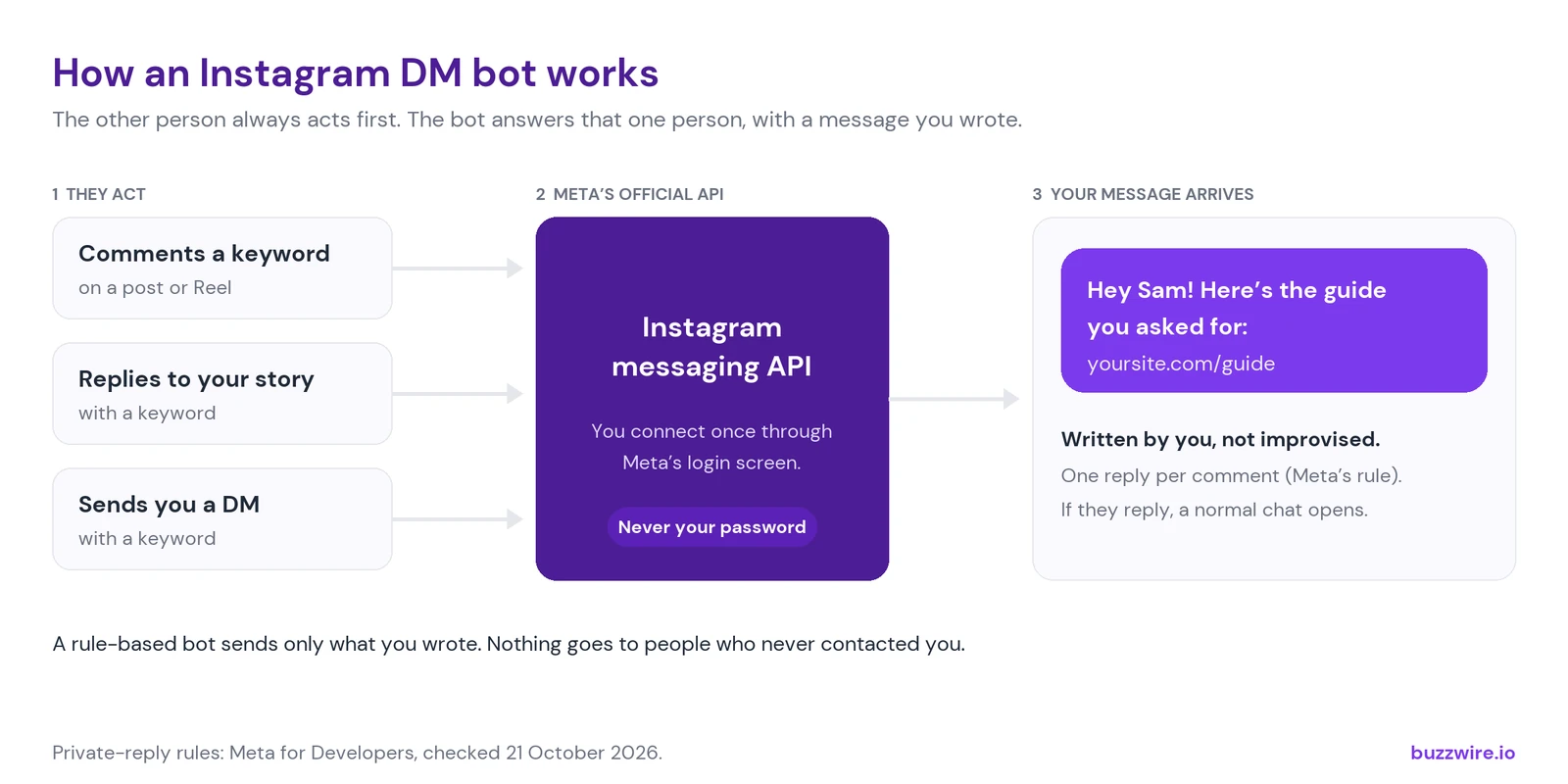
The other person always acts first. The bot answers that one person, with a message you wrote.
For the jargon behind this, see what Instagram DM automation means.
Instagram DM bot vs follower bots: the line Instagram draws
On Instagram, "bot" usually means something Instagram removes. A DM chatbot is not that product.
A follower or like bot fakes activity. It follows, likes or comments at scale to inflate numbers. Instagram's Terms of Use rule this out. You "can't attempt to create accounts or access or collect information in unauthorized ways." The Terms add: "This includes creating accounts or accessing or collecting information in an automated way without our express permission."
Source: Instagram Terms of Use, quoted verbatim, checked 21 October 2026.
An Instagram DM bot replies to people who contacted you first. Someone comments a keyword, replies to a story, or sends a DM. The bot answers that one person, inside rules Meta publishes.
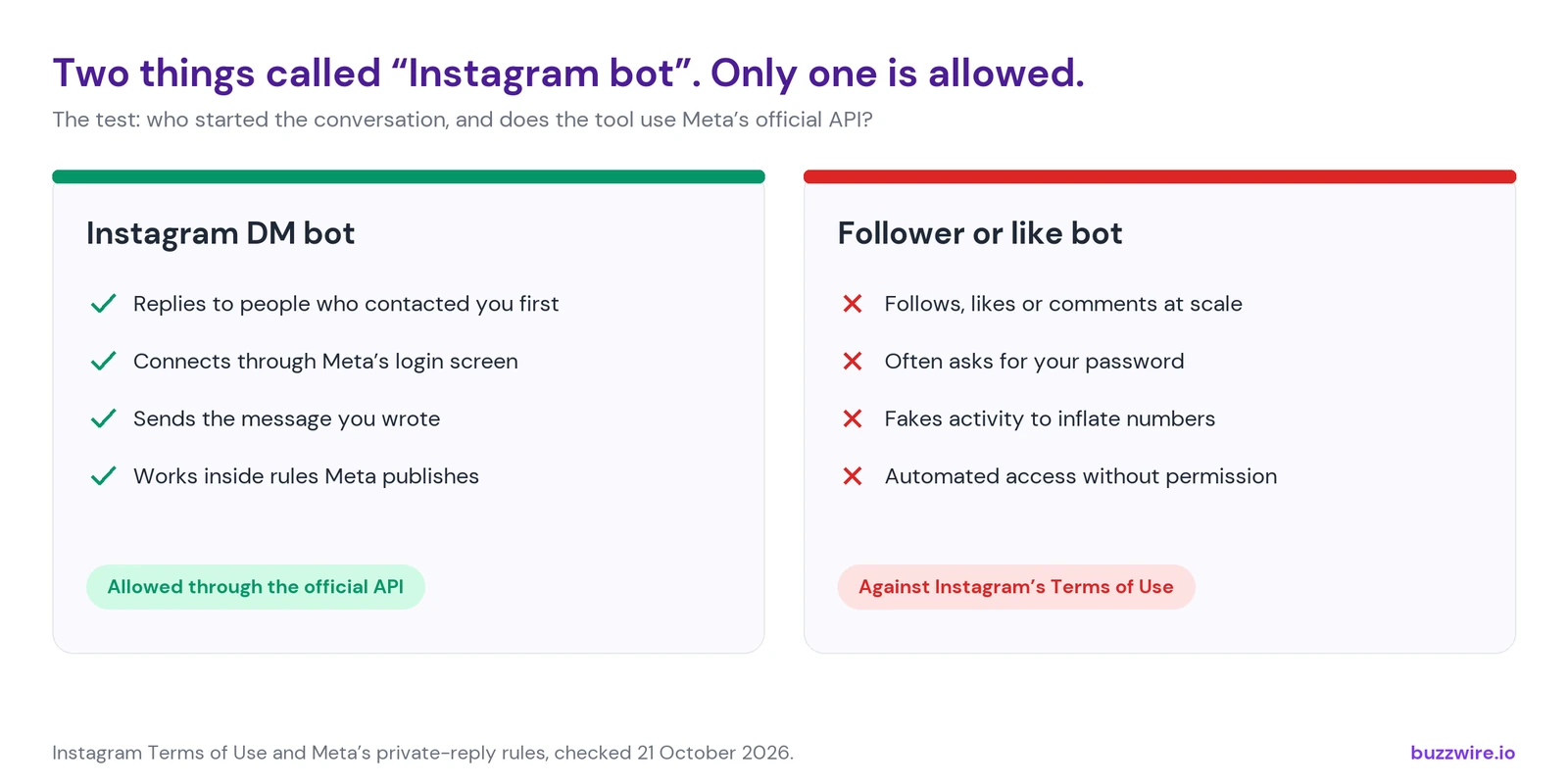
Same word, opposite products.
So the useful question is not "is it a bot?" It is "who started the conversation, and does the tool use the API?" The rules are covered in more depth in the DM automation rules for 2026.
Rule-based vs AI Instagram chatbot
A chatbot decides what to say in one of two ways.
Rule-based. You write the messages. You set a trigger, such as the word GUIDE in a comment. The bot sends your exact message, or one of a few variants you wrote. Nothing is improvised.
AI-generated. A language model writes the reply from your instructions and past content. It can answer open questions. It can also say things you never approved.
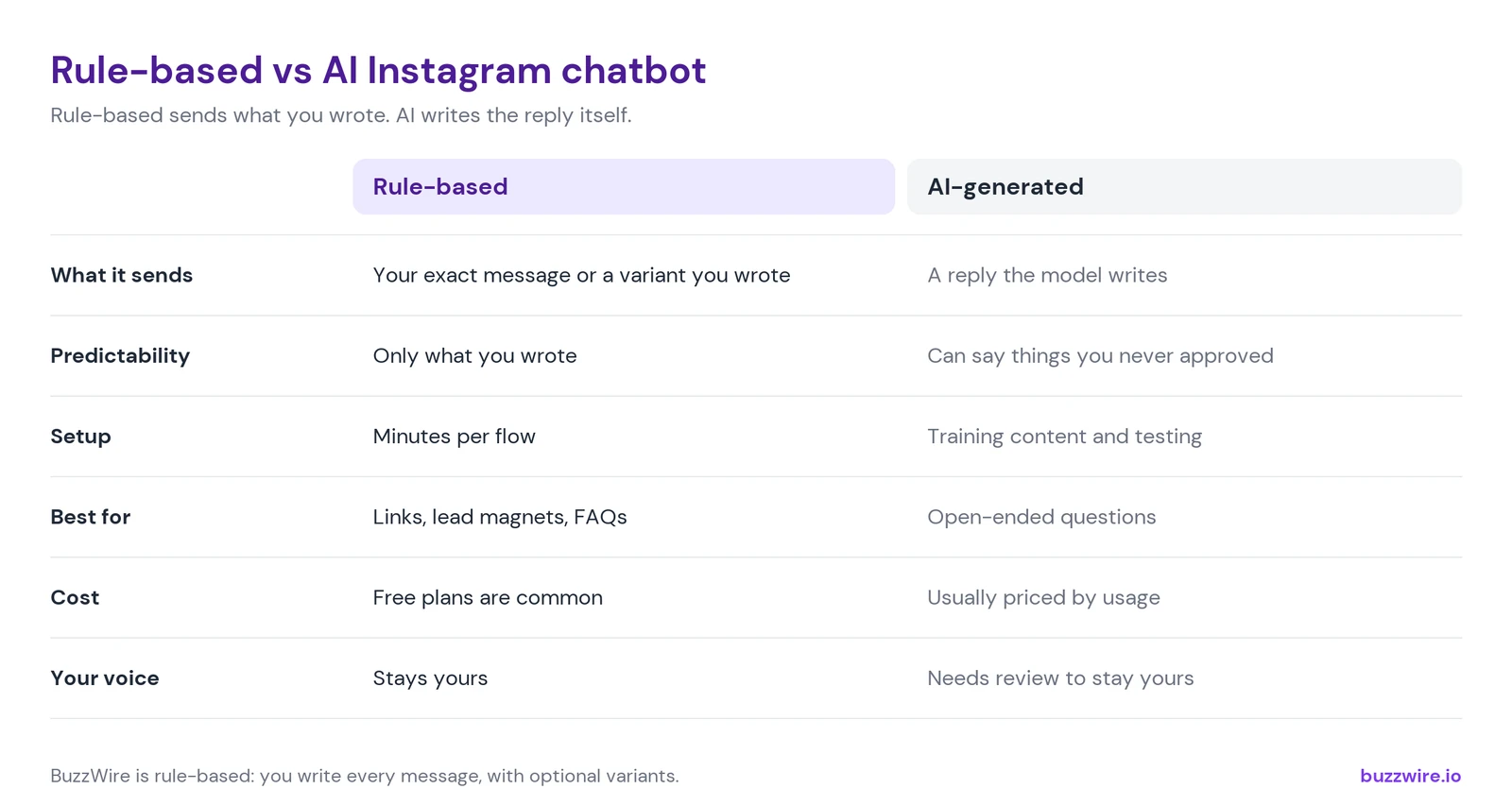
Rule-based sends what you wrote. AI writes the reply itself.
Most creators want the first kind. The job is usually "send my link when someone asks". It is rarely "hold a conversation".
BuzzWire is a rule-based chatbot. It does not write replies with AI today. You write the messages. It sends them when the trigger fires.
Instagram AI chatbot: what Meta offers now
If you want AI replies, Meta's own option was AI Studio. It let creators set up an AI that answers common DMs and story replies for them.
Meta launched it in the US on 29 July 2024. Engadget's report opened: "The next time you DM a creator on Instagram, you might get a reply from their AI." Engadget also reported a disclaimer on those chats, seen in screenshots from Meta: "Some messages generated by AI may be inaccurate or inappropriate."
That has changed. On 10 August 2026, Meta froze it. Its update says people "will no longer be able to create new AI characters or edit existing ones as part of AI Studio." Existing characters and chats stay active. Meta says it is focusing on "the next generation of experiences powered by Muse Spark."
Sources: Meta newsroom, AI Studio (update of 10 August 2026) and Engadget, 29 July 2024, both checked 21 October 2026.
Muse, Meta's new AI agent, works more like a back-office assistant. In what Meta has shown so far, it does not answer your audience for you. We cover what it does in Meta Muse for Instagram creators.
The old disclaimer still sums up the trade-off. An AI stand-in can answer anything, and it may answer wrongly. A rule-based bot answers less, but every word is yours.
Instagram chatbot examples
These are the flows creators set up most often. Each one starts with the other person acting first.
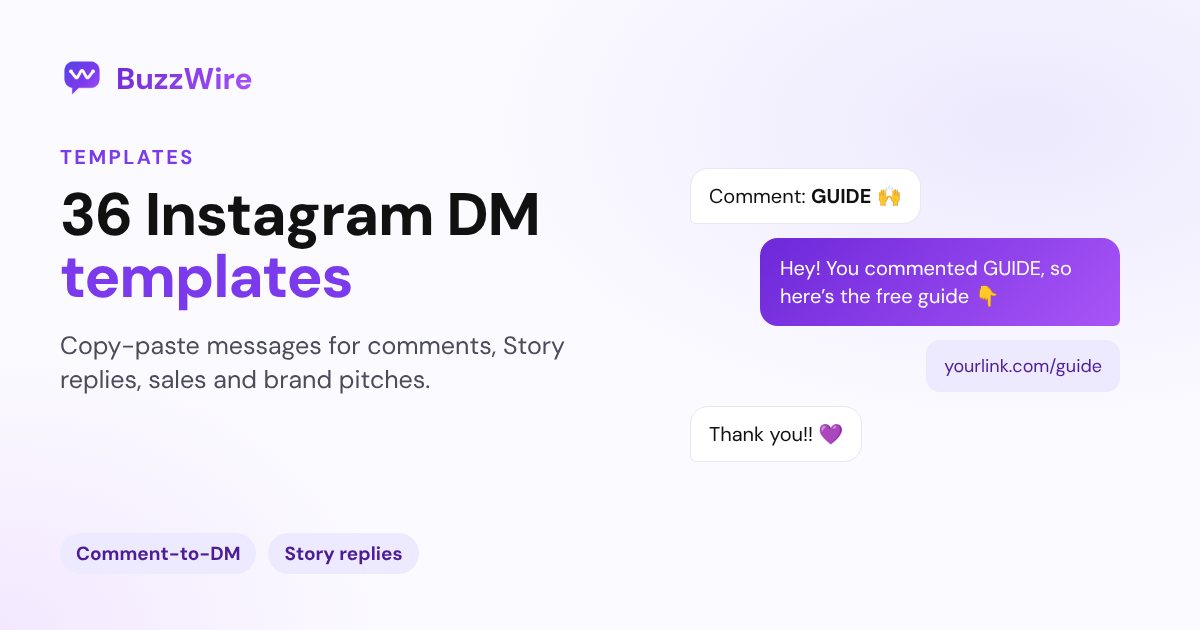
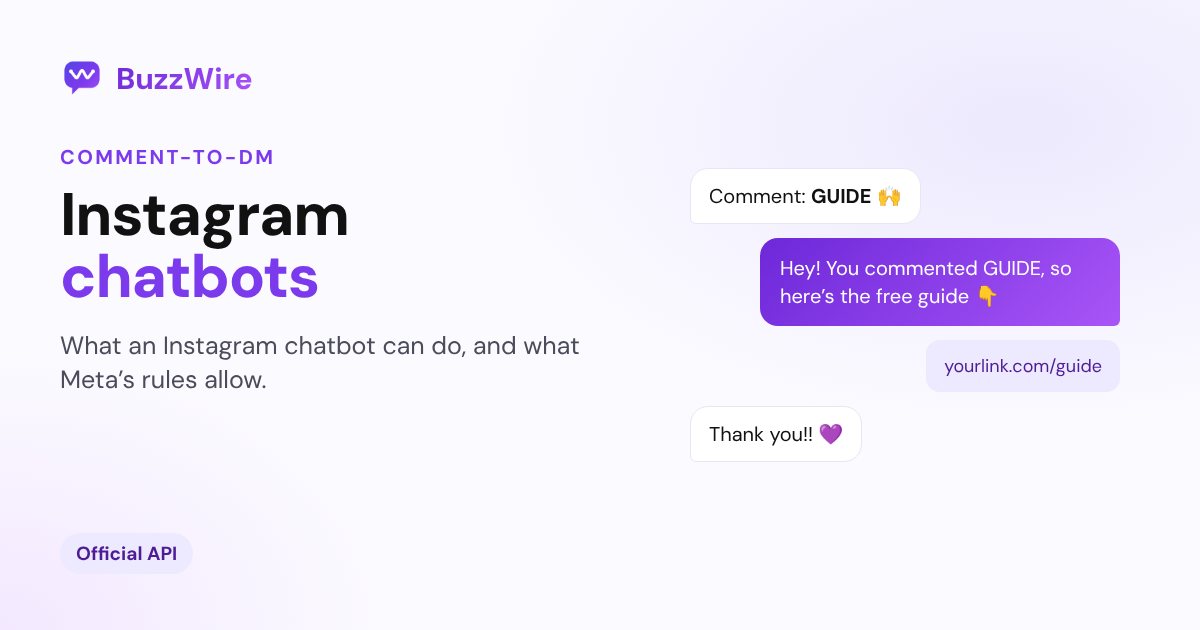
- Comment keyword to DM link. "Comment RECIPE and I'll send it." The bot DMs the link to each commenter. This is comment-to-DM automation.
- Story reply to DM. Someone replies to your story with a keyword and gets the resource. See story reply automation.
- DM keyword to answer. A follower types PRICES and gets your rate card. See DM keyword triggers.
- FAQ reply. Common questions get an automatic answer, matched by keyword. This is how you send automatic replies to DMs.
- Lead capture (Pro). The bot asks for an email inside the DM, then sends the freebie.
- Follow invitation (Pro). The bot invites the person to follow you, then sends the reward either way. Meta's spam rules don't allow locking content behind a follow.
None of these send to strangers. A bot that messages people who never contacted you is cold outreach. That is where accounts get restricted.
What an Instagram bot message can and can't do
An Instagram bot message is an ordinary DM, sent by software. It can carry text, a link and quick-reply buttons. It arrives in the person's inbox like any other message.
It can't ignore Instagram's limits. Meta controls when you can message someone and how many messages you can send. Those rules change, so we keep them on one page: Instagram DM limits, explained.
Write bot messages the way you would type them. Short, specific, one link. The comment-to-DM page above shows weak and strong first messages side by side.
The private-reply rule: one message per comment
When your chatbot replies to a comment in DMs, Meta calls it a private reply. Every comment-to-DM bot runs on it. Meta's documentation sets three rules:
- "Only one message can be sent to the Instagram user who commented."
- "The message must be sent within 7 days from when the comment was created for comments on a post, ads post, or reel."
- "Due to the transient nature of Instagram Live Stories, private replies on Instagram Live Story comments can only be sent during the live broadcast."
Source: Meta for Developers, private replies, quoted verbatim, checked 21 October 2026.
That one-message rule is why a good bot puts everything useful in its first DM. If the person replies, a normal conversation opens. The rules on the limits page apply from there.
Is there a free Instagram chatbot?
Yes. Several tools have a free plan. They differ in what the free plan stops you doing.
The common free-plan limits are contact caps, a cap on automations, and branding on your messages. Check all three before you build on one.
BuzzWire's free plan includes unlimited automations and no contact caps. It covers comment, story-reply and DM-keyword triggers. "Unlimited" means BuzzWire's own volume and contacts. Instagram's limits still apply to every account. Pro adds in-DM email capture. See current BuzzWire pricing.
Comparing tools? Start with the free DM automation tools compared. Moving off ManyChat? Read how BuzzWire compares as a ManyChat alternative.
How to set up an Instagram DM bot
You need an Instagram professional account: Business or Creator. Personal accounts can't connect to the messaging API.
- Switch to a professional account in Instagram's settings, if you haven't already.
- Connect the account to your chatbot tool through Instagram's login screen. Never type your password into the tool itself.
- Pick a trigger. A comment keyword on one post, a story reply, or a DM keyword.
- Write the first message, with the link or answer in it. Add two or three variants so repeat senders don't get identical text.
- Test it from a second account. Then mention the keyword in your caption or story.
That is the whole setup. Most flows take under ten minutes once the account is connected.
To see how BuzzWire handles API access and data, read our compliance page. For everything the product does, see all BuzzWire features.
FAQ
Are Instagram chatbots allowed?
Yes, when they use Meta's official API and reply to people who contacted you first. Meta publishes rules for these messages, including the private-reply rule above. What Instagram's terms prohibit is automated access without permission. That includes password-based bots that follow, like or comment to fake engagement.
Can an Instagram chatbot get my account banned?
No tool can promise that it won't. Instagram enforces its own rules, and they can change. You lower the risk by using the official API and replying only to people who acted first. Stay inside Meta's limits, and send messages people actually asked for.
What is the difference between an Instagram chatbot and an auto-reply?
They overlap. An auto-reply sends one set message when someone writes to you. A chatbot can chain steps: trigger, message, button, follow-up question, email capture. Every chatbot includes auto-replies. Not every auto-reply tool can run a multi-step flow or react to comments.
Do I need coding skills to build an Instagram DM bot?
No. Creator chatbot tools use a visual builder. You pick a trigger, type the message and choose what happens when someone taps a button. Developers can build on Meta's API directly. That means app review, hosting and maintenance that a hosted tool already handles.
Does BuzzWire use AI to write replies?
Not today. BuzzWire is rule-based. You write each message, and you can add variants so repeat replies don't read identically. It sends what you wrote when the trigger fires. Meta's AI Studio no longer lets anyone create a new AI character, so a rule-based bot is the practical option for now.
Can an Instagram chatbot message people who haven't contacted me?
Not through the official API, in the way cold outreach tools promise. Messages are tied to an action the other person took, such as a comment, story reply or DM. Tools that message strangers at scale usually work outside the API. That is the activity Instagram restricts.
Is there a free Instagram chatbot with no contact limit?
Yes. BuzzWire's free plan has unlimited automations and no contact caps. That refers to BuzzWire's plan, not to Instagram. Meta's own limits apply to every account and every tool. Paid plans elsewhere often price by contact count, so check before your audience grows.
Which Instagram account types can use a chatbot?
Business and Creator accounts. Both are professional accounts, and switching is free in Instagram's settings. Personal accounts can't connect to the messaging API, so no legitimate chatbot runs on them. Switching keeps your followers, posts and Reels. You can switch back later.
Start free: Create your BuzzWire account. Unlimited automations, no contact caps, no card needed.