How to schedule Instagram posts in 2026
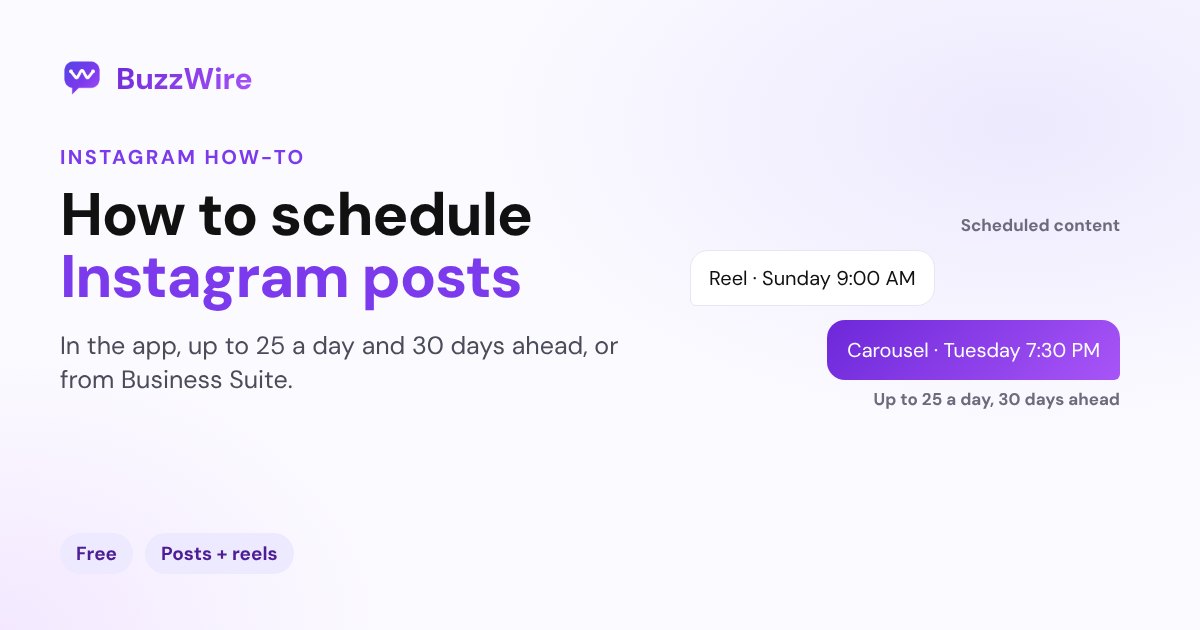
Schedule Instagram posts, carousels and reels in the app, up to 25 a day and 30 days ahead, or from a computer with Meta Business Suite. Steps and limits.
On this page
- Can you schedule posts on Instagram?
- How to schedule a post or reel in the Instagram app
- How to edit, reschedule or cancel a scheduled post
- What you can't schedule on Instagram
- How to schedule Instagram posts from a computer
- Should you use a third-party scheduler?
- When should you schedule your posts for?
- A tip for creators and brands
- FAQ
- Can you schedule posts on Instagram for free?
- How far in advance can you schedule Instagram posts?
- Can you schedule Instagram Stories?
- Why can't I schedule a post on Instagram?
- Do scheduled posts get less reach?
In short:
- Yes, you can schedule Instagram posts for free, right in the Instagram app. Turn on Schedule this post under More options before you share.
- It works for photos, carousels and reels on public accounts.
- Instagram's limits: up to 25 scheduled posts a day, up to 30 days in advance.
- Product tags, collab posts, sponsored posts and fundraisers can't be scheduled yet.
- From a computer, Meta Business Suite has a scheduler and a calendar (the Planner) for Instagram and Facebook.
Instagram's steps and limits below come from its Help Center page How to create and manage scheduled posts and reels, checked 5 Nov 2026.
Can you schedule posts on Instagram?
Yes. Instagram says: "If you have a public Instagram account, you can plan ahead by scheduling reels, photos and carousel posts from the Instagram app." There's no extra app or fee. Three rules apply before you start:
- Public account only. Private accounts can't schedule.
- 25 a day, 30 days ahead. "You can schedule up to 25 posts a day, up to 30 days in advance."
- Settings are locked in. A scheduled post keeps "the same privacy and audience settings that were configured at the time of scheduling."
How to schedule a post or reel in the Instagram app
- Tap Create in the top left, or swipe right anywhere in Feed, then tap Post or Reel.
- Pick your photo or video and tap Next.
- Add your caption, effects or filters.
- Tap More options.
- Turn on Schedule this post (or Schedule this reel) and choose the date and time.
- Tap Done, then Back.
- Tap Schedule.
That's it. Instagram publishes it at the time you picked.
How to edit, reschedule or cancel a scheduled post
Go to your profile, tap Menu, and under Your insights and tools tap Scheduled content. Tap Options next to a post and choose:
- Edit post to change the caption or details
- Reschedule to move it
- Share now to publish it right away
- Delete to cancel it
You can also reach the same list from Create → Post or Reel → Scheduled.
What you can't schedule on Instagram
Instagram lists a few features that "aren't compatible with scheduled content at this time":
| Feature | Can you schedule it? |
|---|---|
| Photos, carousels, reels | Yes |
| Posts with product tags | No |
| Collab posts | No |
| Sponsored (paid partnership) posts | No |
| Fundraisers | No |
For a collab or a tagged shopping post, save it as a draft and publish it by hand at the right time.
How to schedule Instagram posts from a computer
Instagram's Help Center describes scheduling in the app. On a computer, use Meta Business Suite (business.facebook.com), Meta's free dashboard for Facebook and Instagram:
- Connect your Instagram professional account to Business Suite.
- Go to Content and choose Create post.
- Add your media and caption, then set a date and time under the scheduling options.
- Use the Planner to see everything you've scheduled on a calendar, and to reschedule or delete it.
Meta's own Help Center assistant describes the same flow, and says Business Suite can schedule posts, stories and reels for both Facebook and Instagram on desktop and mobile.
Should you use a third-party scheduler?
Social media schedulers publish through Instagram's official API, and they add things the app doesn't, such as team approvals, a visual grid planner or posting to several networks at once. If you post a few times a week to one account, Instagram's built-in scheduler and Business Suite cover it for free. If you run several accounts or a team, a scheduler earns its price. Whatever you use, give it access through Instagram Login rather than your password.
When should you schedule your posts for?
Pick the times your audience is online. Instagram shows when your followers are most active in Insights once you have at least 100 followers (see what Instagram Insights mean). For outside data, our best time to post on Instagram guide compares the three biggest studies by day and format.
A tip for creators and brands
A scheduled post goes live while you're away, and so do the comments. If your caption asks people to "Comment GUIDE for the link", make sure someone answers even at 2 a.m. BuzzWire's comment-to-DM automation sends your link by DM to everyone who comments the keyword, so a post you scheduled for Sunday morning still delivers on Sunday morning. It's free, on Instagram's official API.
FAQ
Can you schedule posts on Instagram for free?
Yes. Public Instagram accounts can schedule photos, carousels and reels in the Instagram app at no cost. Turn on Schedule this post under More options before sharing. Meta Business Suite, Meta's free desktop dashboard, can schedule Instagram content too.
How far in advance can you schedule Instagram posts?
Up to 30 days in advance, according to Instagram's Help Center, with a limit of 25 scheduled posts a day. Manage them under Profile → Menu → Scheduled content.
Can you schedule Instagram Stories?
Instagram's in-app scheduler covers posts, carousels and reels. To schedule stories, use Meta Business Suite, which Meta says can schedule posts, stories and reels for Instagram and Facebook.
Why can't I schedule a post on Instagram?
The most common reasons are a private account (scheduling needs a public account) or a post that uses a feature Instagram can't schedule yet: product tags, collab posts, sponsored posts or fundraisers. Check your app is up to date too.
Do scheduled posts get less reach?
Instagram doesn't say that scheduled posts are treated differently. Its ranking systems predict what each viewer will find relevant, such as how likely they are to like, comment, save or share a post. Our guide to the Instagram algorithm explains those signals.
Schedule the post, and let the DMs run themselves. Start free on BuzzWire and send your link to everyone who comments your keyword.