Instagram's 24-hour messaging window, explained with examples
How Instagram's 24-hour messaging window works for business DMs: what opens it, the 7-day private reply rule, the 7-day window for ad chats, Human Agent and examples.
On this page
- What is Instagram's 24-hour messaging window?
- Who does the 24-hour rule apply to?
- What opens the window?
- How comments work: the 7-day private reply rule
- The two longer windows
- Up to 7 days for chats that start from an ad
- 7 days for a human: the Human Agent tag
- Examples: can you still message them?
- How to work with the window, not against it
- What error do you see outside the window?
- FAQ
- Does the 24-hour rule apply to normal Instagram DMs?
- Does a new message reset the 24-hour window?
- How long do I have to reply to an Instagram comment by DM?
- What is the Human Agent tag on Instagram?
- Is there a 7-day messaging window on Instagram?
Sources: Meta's messaging policy (updated 28 Sep 2026), Instagram messaging API, private replies and Human Agent docs. Checked 21 Nov 2026.
What is Instagram's 24-hour messaging window?
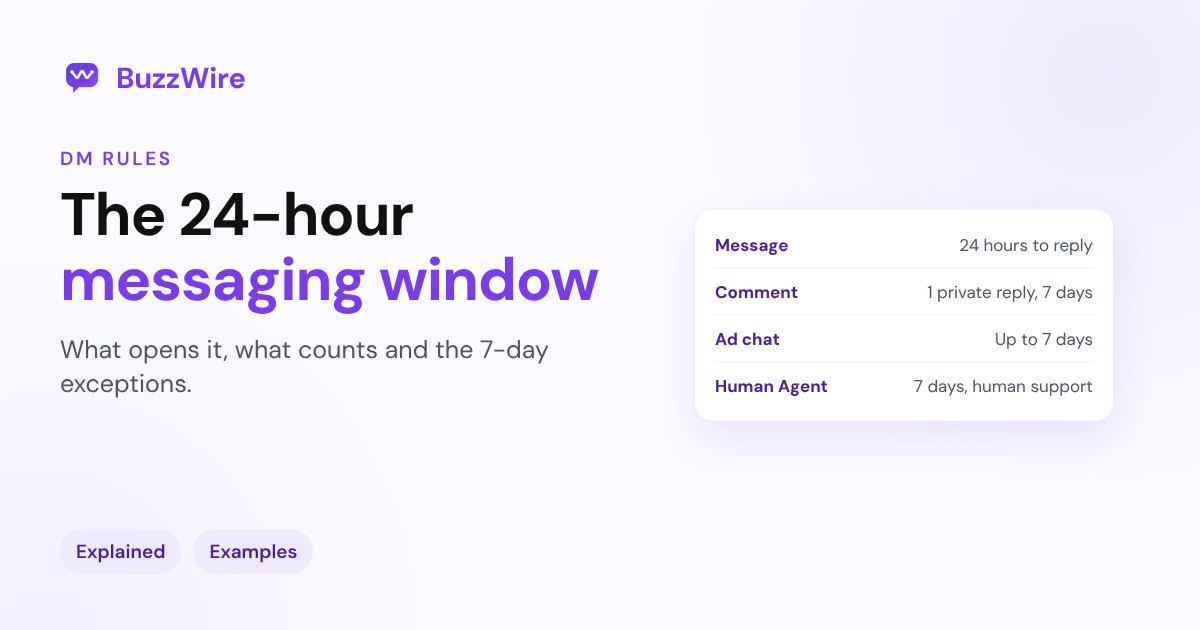
It's the time an app has to reply after someone interacts with a business on Instagram. Meta calls it the standard messaging window and says "for most user actions, it lasts 24 hours." Instagram's API docs put it plainly: "Your app has 24 hours to respond to any message sent from an Instagram user to your app user."
It exists to stop businesses from messaging people who didn't ask. An app can't start a conversation cold: Meta says an app can message someone "only after an Instagram user has sent your app user's Instagram professional account a message."
Who does the 24-hour rule apply to?
| You're replying... | Does the window apply? |
|---|---|
| Yourself, in the Instagram app | No. Normal chats in the app have no 24-hour limit. |
| Through an automation tool (comment-to-DM, keyword replies) | Yes |
| Through a shared inbox or CRM connected to Instagram | Yes |
| Through Meta Business Suite automations (instant reply, away message) | They answer new messages, so they run inside the window |
So if a customer messages you on Monday and you reply by hand on Wednesday, that's fine. If your automation tries to send them something on Wednesday without a new message from them, it can't.
What opens the window?
Meta lists the user actions that start it. The common ones on Instagram:
- the person sends you a message (including a keyword DM)
- they reply to your Story
- they tap a button in a message you sent
- they react to a message
- they start a chat from a Click-to-Direct ad or an ig.me link
Each new message from them is a new user action, so in practice the 24 hours count from their latest message.
How comments work: the 7-day private reply rule
Comments don't open the 24-hour window. Instead, Meta allows a private reply: one DM to the person who commented.
- One message: "Only one message can be sent to the commenter."
- Within 7 days: it has to be sent "within 7 days of the creation time of the comment." For Instagram Live, only while the broadcast is on.
- Follow-ups need a reply: "Follow-up messages can only be sent if the recipient responds, and must be sent within 24 hours of the response."
- Where it lands: in their main inbox if they follow you, in message requests if they don't.
This is how comment-to-DM tools work. More in how Instagram DM automation works.
The two longer windows
Up to 7 days for chats that start from an ad
Since 28 September 2026, Meta's policy says that when someone sends their first message after tapping a Click-to-Messenger or Click-to-Direct ad, "the window may last up to 7 days from that message." Every other entry point keeps the 24-hour window. Source: Meta messaging policy. More in our click-to-DM ads guide.
7 days for a human: the Human Agent tag
The Human Agent tag lets a business reply "within 7 days of a user's message" to "provide human agent support in cases where a user's issue cannot be resolved in the standard messaging window." It's for people answering support questions, not for marketing, and it "requires successful completion of the App Review process" and business verification. Source: Meta, Human Agent
Meta adds that using tags outside approved use cases "may result in restrictions on your ability to send messages."
Examples: can you still message them?
| Situation | Can your automation send a DM? |
|---|---|
| Someone commented your keyword 2 hours ago | Yes, one private reply |
| Someone commented 9 days ago | No, the 7-day limit has passed |
| They got your private reply and wrote back 3 hours ago | Yes, within 24 hours of their reply |
| They got your private reply but never answered | No follow-up allowed |
| They replied to your Story yesterday morning, 26 hours ago | No, unless they message again |
| They messaged you from a Click-to-Direct ad 4 days ago | Possibly, the window may last up to 7 days |
| A support question needs a human answer on day 5 | Yes, with the Human Agent tag, by a person |
How to work with the window, not against it
- Deliver in the first message. Put the link or the answer in the DM itself. "I'll send it tomorrow" is often outside the window.
- Ask a question. "Want the beginner or advanced version?" gets a reply, which opens the 24-hour window for your next message.
- Use buttons. A tap on a button is a user action too.
- Collect an email for longer follow-up. If you need to reach people next week, ask for their email inside the DM. BuzzWire's In-DM lead capture saves names and emails you can export to your email tool.
- Don't try to get around it. Repeated sends outside the window fail, and patterns that look like spam can limit your account. See Instagram DM rules 2026.
What error do you see outside the window?
A tool that tries to send outside the window gets an error from Meta saying the message is outside the allowed window, and the DM isn't delivered. If your automation suddenly "skips" people, check when they last interacted with you. For other causes, see comment-to-DM not sending.
FAQ
Does the 24-hour rule apply to normal Instagram DMs?
No. If you type a reply yourself in the Instagram app, there's no 24-hour limit. The window applies to apps that send messages through Meta's API, like automation tools and shared inboxes.
Does a new message reset the 24-hour window?
Each new message is a new user action, so the window counts again from their latest message. Your own messages don't reset it.
How long do I have to reply to an Instagram comment by DM?
Up to 7 days from when the comment was posted, and only one private reply per comment. For Instagram Live comments, only while the live is on.
What is the Human Agent tag on Instagram?
It lets a person reply to a support conversation for up to 7 days after the user's message, when the issue couldn't be solved within 24 hours. It needs Meta's App Review and business verification, and it isn't for promotions.
Is there a 7-day messaging window on Instagram?
Yes, in two cases: conversations that start from a Click-to-Direct ad may stay open for up to 7 days from the person's first message, and the Human Agent tag gives a person 7 days to answer support questions.
Cite this article
Quoting or referencing this page? Copy the citation or the link.
Vimal, R. (2026, November 21). Instagram 24-Hour Messaging Window Explained (2026). BuzzWire. https://buzzwire.io/blog/instagram-24-hour-messaging-window
<a href="https://buzzwire.io/blog/instagram-24-hour-messaging-window">Instagram 24-Hour Messaging Window Explained (2026)</a> (BuzzWire)