Can you send links in Instagram DMs? What works, what gets blocked and why
Yes, links in Instagram DMs are clickable. When a DM link won't send or open, why shorteners get flagged, the one-link rule for automated DMs and how to fix it.
On this page
- Can you send links in Instagram DMs?
- Why won't my link send in an Instagram DM?
- Why won't a link in a DM open?
- The rules for links in automated DMs
- Buttons vs. pasted links
- FAQ
- Are links in Instagram DMs clickable?
- Why can't I send a link on Instagram DM?
- Can businesses send links in automated Instagram DMs?
- Do link shorteners work in Instagram DMs?
- How do I send a link to someone who doesn't follow me?
Sources: Meta's Instagram messaging API docs and Instagram's Help Center on message limits. Checked 21 Nov 2026.
Can you send links in Instagram DMs?
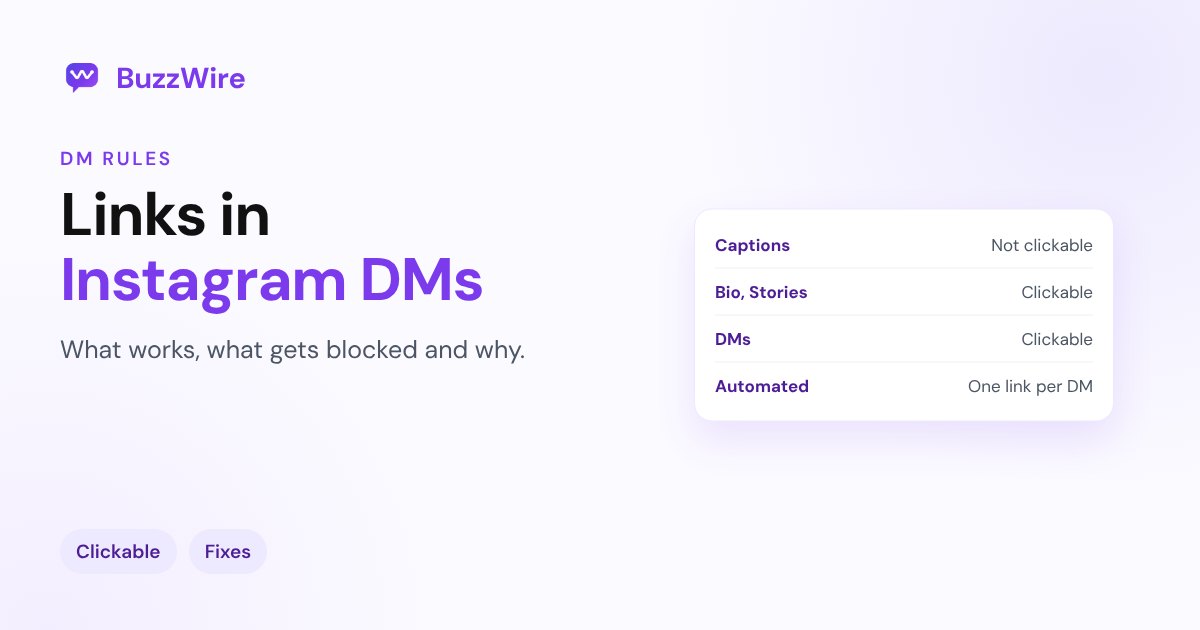
Yes. A link you paste into a DM shows up as a tappable link, usually with a preview card. That's why creators move their calls to action into DMs: links in captions and comments aren't clickable, while links in DMs are.
Businesses can send links in automated DMs too. Meta's messaging API supports links as a message type and only asks that "links must be valid formatted URLs," with message text of "1000 bytes or less."
| Where on Instagram | Are links clickable? |
|---|---|
| Captions | No |
| Comments | No |
| Bio | Yes |
| Stories (link sticker) | Yes |
| DMs | Yes |
| Posts and Reels | Only with a paid Meta One Advanced plan |
See every option in how to add a link to an Instagram post.
Why won't my link send in an Instagram DM?
1. The link is flagged. Instagram blocks links it considers unsafe or spammy, such as known spam domains or pages reported many times. You may see the message fail to send. Try the same message without the link: if that works, it's the link.
2. You're using a link shortener. Generic shorteners hide where a link goes, and some are associated with spam. Use the full URL or your own domain. Our Instagram link not working guide covers this.
3. Your account has a messaging limit. Instagram has "limits in place to stop direct messages that people may not want to get, such as spam." If you've sent many messages quickly, you may not be able to send more "for a period of time." See "Try again later".
4. The person can't receive your message. If their settings don't accept requests from you, nothing sends, link or not. See "This account can't receive your message".
Why won't a link in a DM open?
- A typo or a missing https. Check the URL in a browser first.
- The page blocks Instagram's in-app browser. Some checkout and login pages work badly inside apps. Tell people they can tap the menu and open the link in their phone's browser.
- The link expired. Discount codes, one-time links and event pages can stop working.
- It's in their message requests. If they don't follow you, your DM lands in requests. They'll see the link once they open it.
The rules for links in automated DMs
If you send links with comment-to-DM or keyword automation, a few habits keep messages safe and readable:
- One link per DM. Several links in one message look like spam and confuse people. If you have two offers, ask which one they want.
- Use your own domain or a well-known one. A link to your site, your store, or a major platform is more trusted than a shortener.
- Add context before the link. "Here's the free guide you asked for:" tells the person why it's there.
- Vary the wording. Message variation keeps a busy post from sending hundreds of identical messages.
- Only send to people who asked. A comment keyword, a story reply or a DM. Never send links to people who didn't interact with you.
BuzzWire sends one link per DM through Meta's official API, with message variation, so each DM reads naturally. Pro adds rich image-card DMs that put a picture, a title and a button around your link.
Buttons vs. pasted links
A button ("Get the guide") looks cleaner than a raw URL and gets tapped more, and a tap counts as an interaction that lets you send a follow-up. Many automation tools let you add a link button to the DM, and rich image-card DMs wrap the link in a picture, a title and a button. Templates to copy are in Instagram DM templates.
FAQ
Are links in Instagram DMs clickable?
Yes. Links in DMs are tappable and usually show a preview. Links in captions and comments aren't.
Why can't I send a link on Instagram DM?
Instagram may have flagged the link or domain as unsafe, you may be using a link shortener, or your account may have a temporary messaging limit. Send the message without the link to find out which.
Can businesses send links in automated Instagram DMs?
Yes, through Meta's official API, to people who messaged them or commented on their post. Keep it to one link per message and only send to people who asked.
Do link shorteners work in Instagram DMs?
They can, but generic shorteners are more likely to be flagged. Use the full URL or a branded domain.
How do I send a link to someone who doesn't follow me?
Send it in a DM: it goes to their message requests, and they'll see it when they open the request. If their settings don't accept requests, ask them to message you first.
Cite this article
Quoting or referencing this page? Copy the citation or the link.
Vimal, R. (2026, November 21). Can You Send Links in Instagram DMs? Rules and Fixes (2026). BuzzWire. https://buzzwire.io/blog/links-in-instagram-dms
<a href="https://buzzwire.io/blog/links-in-instagram-dms">Can You Send Links in Instagram DMs? Rules and Fixes (2026)</a> (BuzzWire)