Instagram link not working? Here's why and how to fix it
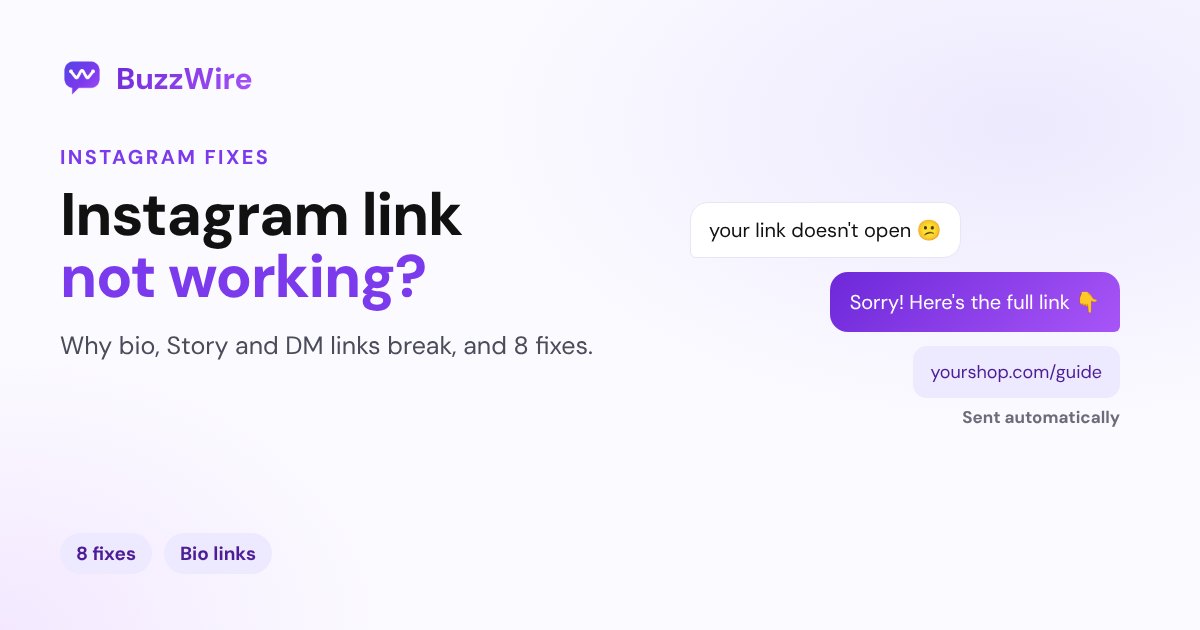
Instagram link not working? Why links in captions aren't tappable, why a bio link can be removed or blocked, and 8 fixes for bio, Story and DM links.
On this page
- Why is my Instagram link not working?
- 1. Don't put links in captions or comments
- 2. Check the URL itself
- 3. Use the full URL, not a shortener
- 4. Check whether your bio link was removed
- 5. Save Story links to a highlight
- 6. Make sure the link isn't flagged as unsafe
- 7. Open the link in your phone's browser
- 8. Update, restart and reinstall
- A tip for creators and brands
- FAQ
- Why is my Instagram bio link not working?
- Why can't I click links on Instagram captions?
- Why does Instagram say a link is unsafe?
- How do I open an Instagram link in Chrome or Safari?
- How many links can I put on Instagram?
In short:
- Links in captions and comments aren't tappable for most accounts. Only Meta One subscribers can add clickable caption links. Use your bio, a Story link sticker or a DM.
- A bio link can be removed if you're under 18 and it points to a site Instagram restricts for teens.
- Instagram warns about or blocks links it flags as unsafe, such as scams, phishing and malware. Non-encrypted messages are scanned automatically.
- Links open in Instagram's in-app browser by default. If a page breaks there, open it in your phone's browser from the More menu.
- Fix the basics first: check the URL, avoid shorteners, update the app and test on Wi-Fi and mobile data.
Sources: Instagram's Help Center on removed bio links, safe website browsing, in-app browsing and troubleshooting, plus our guide to adding a link to an Instagram post. Checked 13 Nov 2026.
Why is my Instagram link not working?
| Where the link is | Most likely reason | Fix |
|---|---|---|
| Caption or comment | Not tappable without Meta One | Move it to your bio, a Story or a DM |
| Bio | Typo, broken page, or removed for a teen account | Check and re-add it (fixes 2 to 4) |
| Story link sticker | Story expired after 24 hours | Save it to a highlight (fix 5) |
| DM | Flagged as unsafe, or the page breaks in the in-app browser | Use the full URL; open in your browser (fixes 6, 7) |
1. Don't put links in captions or comments
A URL typed into a caption or comment isn't clickable for most accounts. Since September 2026, Meta One subscribers can add clickable caption links; everyone else uses one of the places that work:
- Your bio: up to five links
- A Story link sticker
- A direct message
- A paid ad
That's why creators say "link in bio", or "comment LINK and I'll DM it to you".
2. Check the URL itself
Open the link in your phone's browser outside Instagram. If it fails there too, the problem is the page, not Instagram. Look for typos, a missing "https://", or a page that was moved or deleted.
3. Use the full URL, not a shortener
Short links hide where they go, which is also what spam does. A full, recognizable URL is more trustworthy to people and less likely to be flagged.
4. Check whether your bio link was removed
Instagram says teens under 18 "can't include links to certain websites" in their bios, and it may have removed one that was there. If you're over 18 and the link vanished, re-add it under Edit profile → Links and check it saves.
5. Save Story links to a highlight
A Story, and its link sticker, disappears after 24 hours. To keep the link available, add the Story to a highlight on your profile. If the Story itself won't post, see Instagram story not uploading.
6. Make sure the link isn't flagged as unsafe
Instagram's safe website browsing warns people when they tap a suspicious link in Direct, and it says non-encrypted messages "are automatically scanned for unsafe links." Links to scams, phishing or malware can be warned about or blocked. If your legitimate site is affected, make sure it uses HTTPS and has no hacked pages or suspicious redirects.
7. Open the link in your phone's browser
Links in posts, ads, stories and messages open in Instagram's in-app browser by default. If a checkout or login page doesn't work there, tap More in the top right and choose Open in external browser.
8. Update, restart and reinstall
Instagram's own troubleshooting order: update the app and your phone's software, restart the phone, test on Wi-Fi and mobile data, then delete and reinstall Instagram. Your photos and profile info are saved. If the app shows an error instead, see Instagram "Something went wrong".
A tip for creators and brands
The most reliable way to get a link to someone on Instagram is a DM they asked for. BuzzWire's comment-to-DM automation sends your link to everyone who comments your keyword, free on the official API, with one full link per message. Write the message with our free Instagram DM generator.
FAQ
Why is my Instagram bio link not working?
Check the URL for typos and test it in your phone's browser. If you're under 18, Instagram may remove links to some websites from your bio. Re-add the link under Edit profile, then Links, and avoid URL shorteners.
Why can't I click links on Instagram captions?
Instagram doesn't make links in captions or comments tappable for most accounts. Since September 2026, Meta One subscribers can add clickable caption links. Use your bio, a Story link sticker or a DM instead.
Why does Instagram say a link is unsafe?
Instagram warns about links it flags as possible scams, phishing or malware, and it scans non-encrypted messages automatically. If your own site is flagged, check it for security problems and use the full HTTPS URL.
How do I open an Instagram link in Chrome or Safari?
Tap the link, then tap More in the top right of Instagram's in-app browser and choose Open in external browser.
How many links can I put on Instagram?
Up to five in your bio. You can also add a link sticker to each Story and send links in DMs.
Send links people can actually tap. Start free on BuzzWire and DM your link to everyone who comments your keyword.