Instagram story not uploading? How to fix it
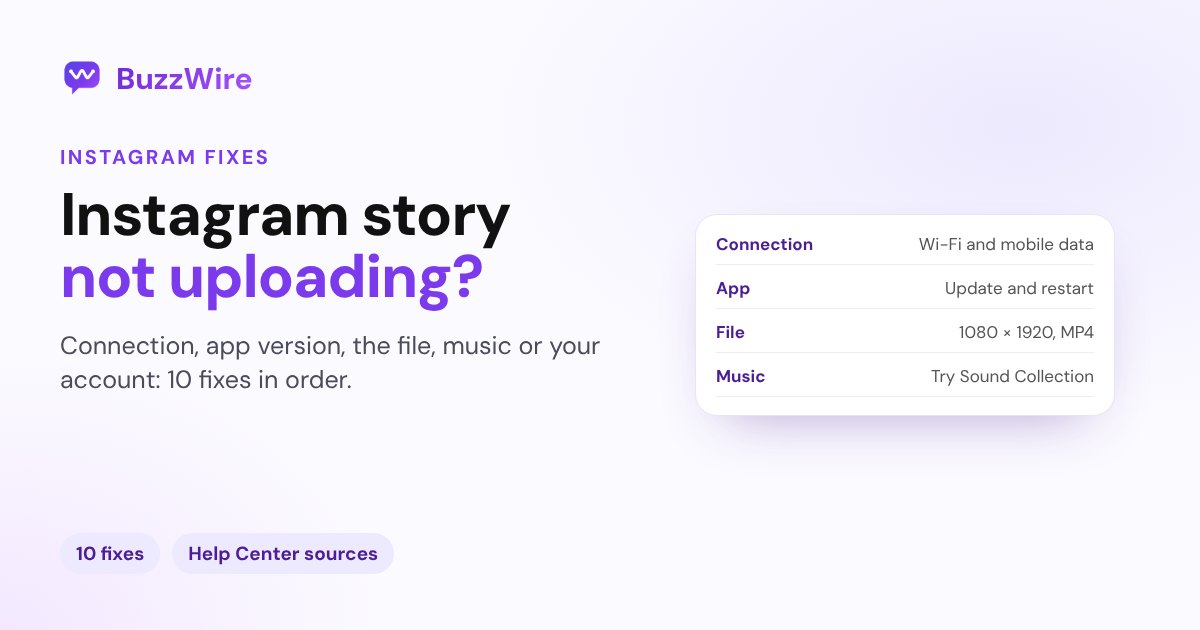
Instagram story stuck on uploading or failing to post? Work through the causes in order: connection, app version, the file, storage, music and Account Status.
On this page
- Why is my Instagram story not uploading?
- 1. Try Wi-Fi and mobile data
- 2. Restart your phone
- 3. Update Instagram and your phone's software
- 4. Check whether Instagram is down
- 5. Check the photo or video file
- 6. Free up storage
- 7. Delete and reinstall Instagram
- 8. Swap the music, sticker or effect
- 9. Check Account Status
- 10. Report the problem to Instagram
- A tip for creators and brands
- FAQ
- Why is my Instagram story stuck on uploading?
- Why does my story fail but my posts work?
- Why can't I add music to my Instagram story?
- Can Instagram stop me from posting stories?
- Will reinstalling Instagram delete my stories?
In short:
- Most stuck stories are a connection or app problem, not a problem with your account. Try the story on Wi-Fi and on mobile data, then restart your phone.
- Update Instagram and your phone's software. Instagram's troubleshooting steps start there, and some older app versions are no longer supported.
- Check the file: stories are vertical, 1080 × 1920. Post a plain photo to see whether the problem is the video.
- Music can be the cause: some business accounts and some countries don't get Instagram's licensed music library. Meta's Sound Collection is the alternative.
- If nothing posts at all, open Account Status to see whether any feature on your account is limited, then report the problem from the app.
Sources: Instagram's Help Center pages on troubleshooting, the app not working, the licensed music library, Account Status and reporting a technical problem. Checked 13 Nov 2026.
Why is my Instagram story not uploading?
A story upload has three stages: your phone prepares the file, the app sends it, and Instagram processes it. A story gets stuck when one of them fails:
| What you see | Most likely cause | Start with |
|---|---|---|
| Stuck on "Posting…" or "Uploading" | Weak or switching connection | Fixes 1 and 2 |
| "Couldn't post. Tap to retry" | Connection drop or old app version | Fixes 1 to 3 |
| Only videos fail, photos post | The video file | Fix 5 |
| A song won't add or play | Music not available to your account or country | Fix 8 |
| Every post type fails | An outage or a limit on your account | Fixes 4 and 9 |
1. Try Wi-Fi and mobile data
Instagram's own troubleshooting says to try the app on both Wi-Fi and mobile data, to see whether a weak connection is the problem. Turn off any VPN while you test.
2. Restart your phone
Instagram says to "always try restarting your phone or tablet first" when something isn't working. Force-close the app, restart, then retry the story.
3. Update Instagram and your phone's software
Instagram recommends the latest version of the app and of your phone's operating system before any other step, and notes that some older app versions are no longer supported. Update from the App Store or Google Play.
4. Check whether Instagram is down
If friends can't post either, the problem isn't on your side. Wait it out rather than reposting the same story again and again, which can leave duplicates once it's fixed.
5. Check the photo or video file
- Shape: stories are vertical, 1080 × 1920 pixels (9:16). See every size in our Instagram size guide.
- Format: export videos as MP4 (H.264). If an HDR or high-frame-rate clip keeps failing, re-export it at 30 fps.
- Test it: post a single plain photo. If that works, the problem is the original file, not your account.
6. Free up storage
Your phone prepares the story before it uploads. With almost no free space, that step can fail. Delete a few large videos or apps and try again.
7. Delete and reinstall Instagram
If restarting and switching networks don't help, Instagram's next step is to delete and reinstall the app. On iPhone, Instagram says "your photos and profile info will be saved by Instagram". Drafts saved only on your phone can be lost, so post or save anything you need first.
On Android, clearing the cache (Settings → Apps → Instagram → Storage → Clear cache) is a lighter first try.
8. Swap the music, sticker or effect
If the story fails only with a certain song, post it without that track. Instagram says certain business accounts and certain types of posts don't have access to its licensed music library, and licensed music "may also not be available in certain countries or regions".
The alternative is Meta's Sound Collection: over 14,000 royalty-free songs and sounds that are safe to use in Stories and Reels, including for commercial use. Find it from the music sticker in Stories.
9. Check Account Status
If you can post nothing at all, open your profile, tap Menu, and below More info and support tap Account Status. It shows removed content and any Features you can't use, and lets you request a review if you think Instagram made a mistake.
10. Report the problem to Instagram
Shake your phone while Instagram is open and tap Report a problem, or go to your profile → Menu → Help → Report a problem. Instagram asks for as much detail as possible: your phone model, what you were doing, and a screenshot.
A tip for creators and brands
Stories are one of the best places to start a conversation. With BuzzWire's story-reply automation, anyone who replies to your story with your keyword gets your link by DM, free on the official API. If your story posts fine but other things fail, see Instagram "Something went wrong".
FAQ
Why is my Instagram story stuck on uploading?
Usually a weak or switching connection, or a stalled app. Try the story on Wi-Fi and on mobile data, restart your phone, and update Instagram. If it still sticks, delete and reinstall the app.
Why does my story fail but my posts work?
Stories often fail because of the file or an element on it: a non-vertical or HDR video, or a music track your account can't use. Post a plain photo; if that works, re-export the video or swap the song.
Why can't I add music to my Instagram story?
Instagram says certain business accounts and certain types of posts don't have access to its licensed music library, and licensed music may not be available in some countries. Use Meta's Sound Collection from the music sticker instead.
Can Instagram stop me from posting stories?
Yes. If content goes against Instagram's Community Standards, some features can be limited. Open Account Status and check Features you can't use to see whether anything is limited and how to request a review.
Will reinstalling Instagram delete my stories?
No. Instagram says your photos and profile info are saved when you delete the app. Your posted stories, highlights and archive stay on your account; only drafts stored on your phone can be lost.
Get every story reply answered. Start free on BuzzWire and DM your link to everyone who replies with your keyword.