Instagram "Something went wrong, please try again": how to fix it
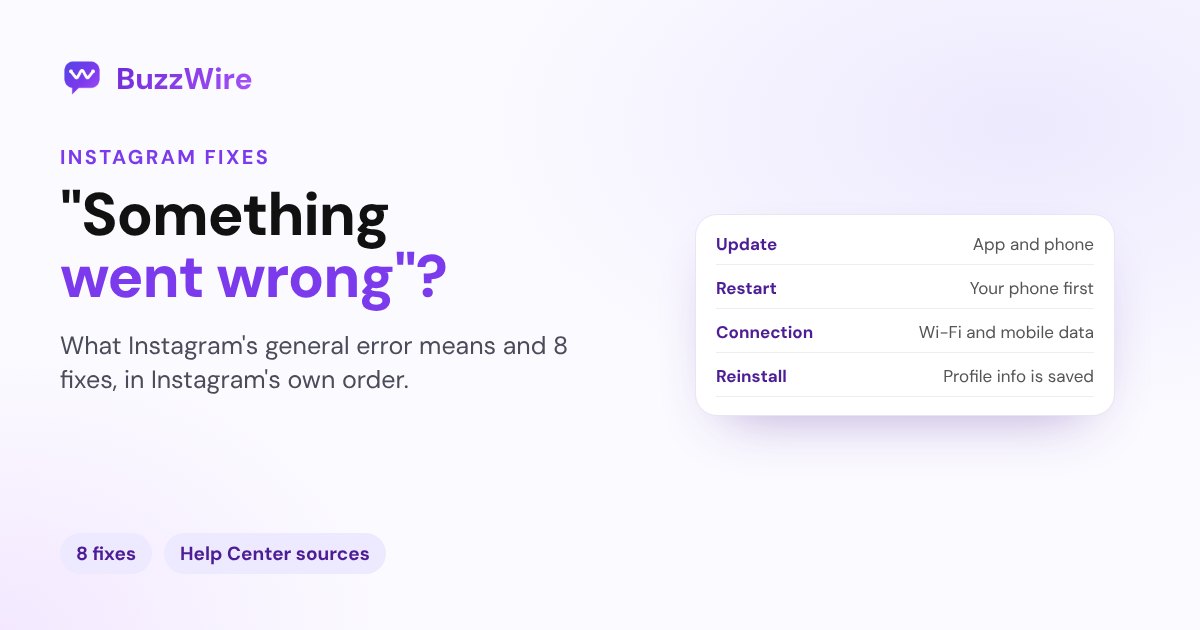
Instagram saying "Something went wrong, please try again"? What the error means and 8 fixes, in the order Instagram's own troubleshooting recommends.
On this page
- What does "Something went wrong" mean on Instagram?
- 1. Update Instagram and your phone's software
- 2. Restart your phone
- 3. Try Wi-Fi and mobile data
- 4. Check whether Instagram is down
- 5. Delete and reinstall Instagram
- 6. If it's a comment that fails
- 7. Try the web version, or log out and back in
- 8. Report the problem
- "Something went wrong" vs "Try again later"
- A tip for creators and brands
- FAQ
- Why does Instagram keep saying "Something went wrong"?
- Is "Something went wrong" a ban?
- Why does Instagram say "Something went wrong" when I comment?
- How do I fix "Something went wrong" when logging in?
- Will reinstalling Instagram delete my account?
In short:
- "Something went wrong" is Instagram's general error. A request didn't finish; it doesn't mean your account is in trouble.
- The usual causes: an old app version, a weak connection, a stalled app or an outage on Instagram's side.
- Fix it in Instagram's order: update the app and your phone, restart, try Wi-Fi and mobile data, then delete and reinstall.
- If it's a comment that fails, check Instagram's comment rules: no more than five @mentions or 30 hashtags, and no posting the same comment repeatedly.
- "Try again later. We restrict certain activity" is a different message, about activity on your account. See Instagram "Try again later".
Sources: Instagram's Help Center pages on troubleshooting, the app not working, comment errors and reporting a technical problem. Checked 13 Nov 2026.
What does "Something went wrong" mean on Instagram?
The app asked Instagram's servers for something (a post, a profile, a login) and didn't get a usable answer. The message doesn't say why, so the fix is to rule out causes one at a time, quickest first.
| Where you see it | Most likely cause | Start with |
|---|---|---|
| Anywhere in the app | Old app version or a stalled app | Fixes 1 and 2 |
| On a profile or page that won't load | Connection | Fix 3 |
| When adding a comment | One of Instagram's comment rules | Fix 6 |
| When logging in | App version, network or login session | Fixes 1, 3 and 7 |
| Everywhere, for everyone | An outage on Instagram's side | Fix 4 |
1. Update Instagram and your phone's software
Instagram's troubleshooting starts here: run the latest version of the app and of your phone's operating system. Instagram also notes that some older app versions are no longer supported.
2. Restart your phone
Instagram says to "always try restarting your phone or tablet first" if you're having trouble. Force-close the app, restart, and try again.
3. Try Wi-Fi and mobile data
Use Instagram on Wi-Fi, then on mobile data, to see whether a weak connection is the cause. Turn off any VPN while you test.
4. Check whether Instagram is down
If friends see the same error at the same time, it's on Instagram's side. Wait a while and try again rather than repeating the action many times.
5. Delete and reinstall Instagram
If the steps above don't help, delete the app and reinstall it from the App Store or Google Play. Instagram says your photos and profile info are saved when you remove the app. Log back in with your username and password.
6. If it's a comment that fails
Instagram's Help Center lists what blocks a comment:
- more than five @mentions in one comment
- more than 30 hashtags in one comment
- posting the same comment multiple times, including the same emoji
Instagram also filters certain words and phrases to help people follow its Community Standards.
7. Try the web version, or log out and back in
Open instagram.com in a browser. If it works there, the problem is the app on your phone, so reinstalling usually fixes it. Logging out and back in refreshes your session; have your password, email or phone number ready first.
8. Report the problem
Shake your phone while Instagram is open and tap Report a problem, or go to your profile → Menu → Help → Report a problem. Include your phone model, what you were doing and a screenshot.
"Something went wrong" vs "Try again later"
| Message | What it's about | What to do |
|---|---|---|
| "Something went wrong, please try again" | A request that didn't finish | The fixes above |
| "Try again later. We restrict certain activity to protect our community" | Activity on your account | Pause the action and check Account Status |
The second message is covered in our guide to Instagram "Try again later".
A tip for creators and brands
Replying to a busy post by hand means repeating similar messages again and again. BuzzWire's comment-to-DM automation sends your link to everyone who comments your keyword, through Meta's official API and within Instagram's limits, with message variation built in. For DM-specific problems, read Instagram DMs not working.
FAQ
Why does Instagram keep saying "Something went wrong"?
Usually an old app version, a weak connection or a stalled app. Update Instagram and your phone's software, restart, try Wi-Fi and mobile data, then delete and reinstall the app. If it keeps happening, report it from the app.
Is "Something went wrong" a ban?
No. It's a general error when a request doesn't finish. If Instagram limits a feature on your account, Account Status shows it under Features you can't use.
Why does Instagram say "Something went wrong" when I comment?
Check Instagram's comment rules: no more than five @mentions and 30 hashtags in one comment, and no posting the same comment multiple times. Instagram also filters certain words and phrases.
How do I fix "Something went wrong" when logging in?
Update the app, switch between Wi-Fi and mobile data, and try instagram.com in a browser. If the web works, reinstall the app. If neither works, use "Forgot password?" on the login screen.
Will reinstalling Instagram delete my account?
No. Instagram says your photos and profile info are saved when you delete the app. Reinstall it and log in with your username and password.
Spend less time replying to comments by hand. Start free on BuzzWire and DM your link to everyone who comments your keyword.