What does Remix mean on Instagram?
Remix on Instagram lets someone make a reel that includes your reel or photo, credited to you. How it works, the layouts, and how to turn remixing off.
On this page
- What does Remix mean on Instagram?
- How does a remix look?
- How to remix a reel on Instagram
- Who can remix your reels and photos?
- How to turn off Remix on Instagram
- A tip for creators
- FAQ
- What does Remix mean on Instagram?
- Does Instagram tell you when someone remixes your reel?
- How do I stop people from remixing my reels?
- Can I remix my own reel?
- Is a remix the same as a Collab?
In short:
- Remix lets anyone make a reel that includes someone else's reel or photo, shown side by side or one after the other.
- The new reel credits the original with a "Remix with [username]" line that viewers can tap.
- On a public account, anyone can remix your content by default. On a private account, no one can.
- You can turn remixing off for your whole account or for a single post.
- You get a notification when a public account remixes your content.
Everything below comes from Instagram's Help Center pages on remixing a reel and who can remix your content, checked 27 Oct 2026.
What does Remix mean on Instagram?
A remix is a new reel built on top of someone else's. Instagram's Help Center puts it plainly: "Remix lets anyone create a reel that includes someone else's video or photo."
Creators use it to react to a reel, answer a question, duet a dance or add their own take on a recipe or tip. The original stays in the remix, so both creators are on screen.
Photo remixing exists too, but Instagram says it's "not available to everyone at this time."
How does a remix look?
You pick the layout when you make it:
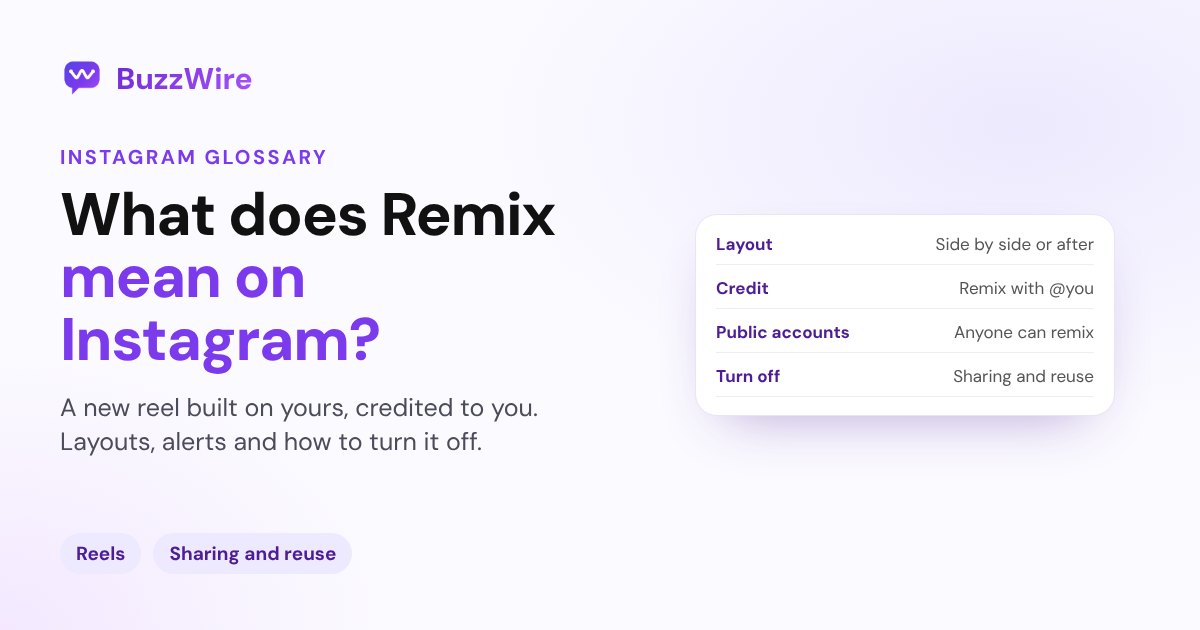
- Side by side: "By default, the original reel will be the background of your reel." Tap Layout to choose a different arrangement.
- After the original: your clip plays once the original finishes. In this mode you can't change the original reel's audio.
Every remix shows "Remix with [original creator's username]" at the bottom. Viewers can tap it to watch the original reel.
How to remix a reel on Instagram
These steps are from Instagram's iPhone help page:
- Open the reel you want to remix.
- Tap the share icon, then tap Remix.
- Choose a layout, then record or add your clip.
- Add audio, text or effects, then share it like any reel.
You can remix your own reels. You can't remix a reel that's already a remix, or one whose creator has turned remixing off. If you remix a feed video, Instagram says it "will become a reel."
Who can remix your reels and photos?
It depends on your account type, per Instagram's Help Center:
- Public accounts: "Anyone on Instagram can remix" your reels, feed videos and photos, unless you turn it off.
- Private accounts: "No one can remix your reels, feed videos and photos."
- Under-18 accounts: remixing can be limited to everyone, people you follow or no one. The default is people you follow.
You'll get a notification when a public account remixes your content.
How to turn off Remix on Instagram
You have two options:
- For your whole account: go to your profile, tap Menu, then Sharing and reuse, and switch remixing off for posts or reels.
- For one post: open the post, tap the options menu, then Remixing and Turn off reuse.
Turning remixing off doesn't remove remixes people already made. If you delete your original post, its remixes are deleted too. Remixes of your content are also removed if you switch your account to private "for longer than 24 hours."
A tip for creators
A remix puts your reel in front of someone else's audience, with a tap-through back to you. Ask for remixes on purpose: "Remix this with your version." If the original reel has a keyword call to action like "Comment PLAN for the guide", new viewers who tap through can still comment and get your link. Our Instagram comment-to-DM guide shows how to set that up, and what Collab means covers co-posting with another creator.
FAQ
What does Remix mean on Instagram?
Remix is an Instagram feature that lets someone make a new reel that includes your reel, video or photo, either side by side or after it. The remix credits you with a "Remix with [your username]" line, and viewers can tap it to see your original.
Does Instagram tell you when someone remixes your reel?
Yes, if a public account does it. Instagram's Help Center says, "You'll receive a notification if a public account remixes your content." The remix also shows your username at the bottom, so people can find your original reel.
How do I stop people from remixing my reels?
Turn remixing off in Menu → Sharing and reuse for your whole account, or in a single post's options menu under Remixing. Remixes that already exist stay up unless you delete the original post. A private account can't be remixed at all.
Can I remix my own reel?
Yes. Instagram lets you remix your own reels. You can't remix a reel that's already a remix, or one where the creator has turned remixing off.
Is a remix the same as a Collab?
No. A remix is a new reel by someone else that includes your content. A Collab is one post co-authored by two or more accounts, shared to both profiles. See what Collab means on Instagram.
Turn reel views into conversations. Start free on BuzzWire and let keyword comments send your links by DM.