What does Restrict mean on Instagram?
Restrict on Instagram hides someone's comments from others, moves their DMs to requests and hides your activity. What it does, how to use it, vs block.
On this page
- What happens when you restrict someone on Instagram?
- Does someone know if you restrict them on Instagram?
- How to restrict someone on Instagram
- Restrict vs block vs mute
- Restrict and DM automation
- FAQ
- What does restricted mean on Instagram?
- Can a restricted person see my posts and stories?
- Can a restricted person still message me?
- Is restricting better than blocking?
In short:
- Restricting someone on Instagram limits what they can do on your account without blocking them.
- Their new comments on your posts are visible only to them, unless you approve them.
- Their chat moves to your message requests, and they can't see when you're online or whether you've read their messages.
- Instagram's own blog says you can restrict someone "without alerting them".
- It's quieter than blocking: they can still see your posts, and you can still read what they send.
Instagram describes Restrict as a way to protect your account from unwanted interactions without the confrontation of a block. Everything below comes from Instagram's Restrict help page and its guide to restrict, mute and block (22 Nov 2024), checked 22 Oct 2026.
What happens when you restrict someone on Instagram?
According to Instagram's help page:
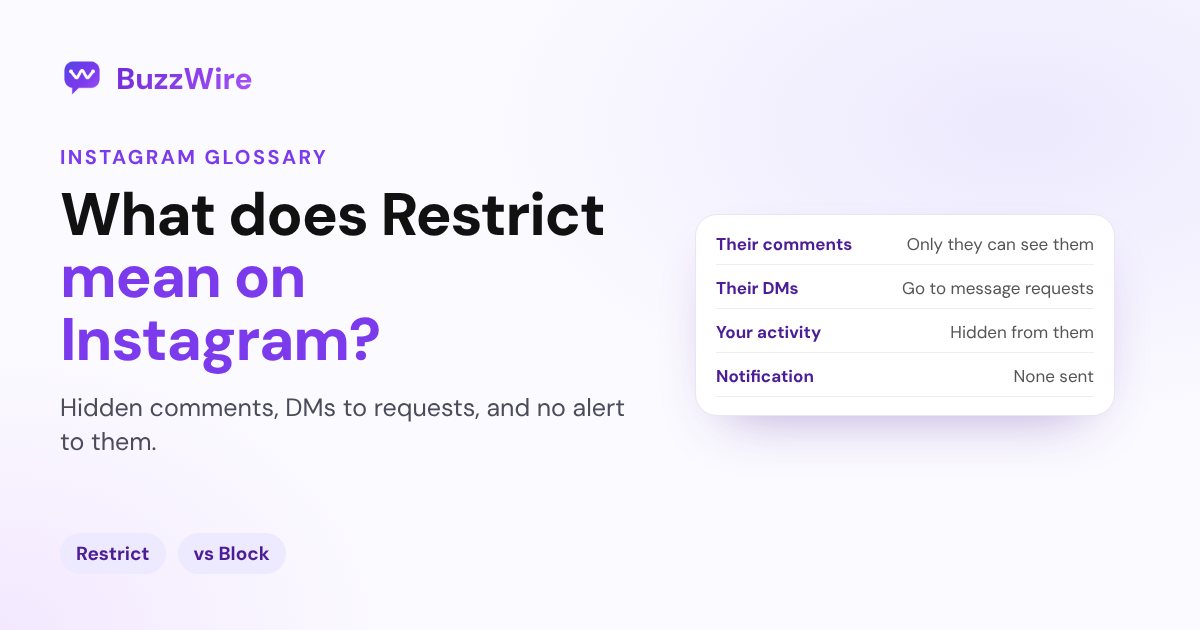
- Comments: their new comments on your posts are visible only to them. You can tap See comment to read one, then Approve, delete or ignore it.
- Notifications: you won't get notified about their future comments.
- Messages: your chat moves from your main inbox to Message requests, and so do their future messages.
- Read receipts and activity: they can't see when you're online or whether you've read their messages. You can read their messages without them knowing.
- Group chats: if you're in a group with them, you get a warning and can choose to stay or leave.
Instagram's blog adds that restricted people "can't tag or mention you or remix your content".
Does someone know if you restrict them on Instagram?
Instagram doesn't notify them. Its blog says the feature lets you "discreetly restrict someone without alerting them". They may notice indirect signs, such as no read receipts or no activity status, but there's no alert.
How to restrict someone on Instagram
Instagram's help page lists four ways (menu names as of 22 Oct 2026):
- From a comment: on your post, tap Comments, press and hold the comment, then tap Restrict account.
- From their profile: go to their profile, tap Options in the top right, then Restrict.
- From a chat: open the chat, tap their name at the top, tap Options, then Restrict, and confirm.
- From settings: go to your profile, tap Menu, and under "How others can interact with you" tap Restricted, then search for the account.
To undo it, follow the same path and tap Unrestrict. Future messages then go back to your main inbox. On Instagram Lite, you can only restrict from the person's profile.
Restrict vs block vs mute
| Restrict | Block | Mute | |
|---|---|---|---|
| They're notified | No | No | No |
| They can see your posts | Yes | No | Yes |
| Their comments | Visible only to them unless approved | Removed from your posts | Unchanged |
| Their messages | Go to message requests | Not delivered | Muted if you mute messages |
| Main effect | Limits what they can do | Ends contact | Changes only what you see |
Instagram's guide sums it up: Restrict is for when you "prefer not to engage directly but still want to manage what's visible on your account"; Block is for ending "all interactions"; Mute is for managing your own feed without unfollowing. See also what Mute means on Instagram.
Restrict and DM automation
If you use comment-to-DM automation, a restricted person's comments are hidden from everyone else, and their messages go to requests. Restricting is a good way to handle spam or abusive commenters on a post that's collecting keyword comments, without blocking them.
Our guide to Instagram message requests explains where restricted and non-follower messages land.
FAQ
What does restricted mean on Instagram?
It means the account owner has limited your interactions. Your new comments on their posts are visible only to you unless they approve them, your messages go to their message requests, and you can't see their activity status or read receipts. You aren't notified.
Can a restricted person see my posts and stories?
Yes. Restrict doesn't hide your content from them. If you don't want them to see your posts or stories, block them, or remove them as a follower if your account is private.
Can a restricted person still message me?
Yes, but their messages go to your message requests, not your main inbox, and they can't see whether you've read them.
Is restricting better than blocking?
It depends on what you want. Restrict quietly limits someone while you keep an eye on them. Block ends contact completely and removes their likes and comments from your posts. Neither sends a notification.