What does Close Friends mean on Instagram?
Close Friends on Instagram is a private list for stories, reels, posts and notes. What the green ring means, whether people know they're on it, how to use it.
On this page
- What does Close Friends mean on Instagram?
- What does the green ring on Instagram mean?
- Do people know they're on your Close Friends list?
- How to add people to Close Friends
- How creators use Close Friends
- FAQ
- What does Close Friends mean on Instagram?
- Does Instagram notify people when you add them to Close Friends?
- Why is someone's Instagram story ring green?
- Can someone see my Close Friends list?
In short:
- Close Friends is a private list. When you share a story, reel, post or note, you can show it only to the people on it.
- A green ring around someone's profile picture, or a green "Close friends" label on their story, means you're on their list.
- People aren't notified when you add or remove them, but they can tell they're on it when they see your Close Friends content.
- Nobody can ask to be added.
- Creators use it for previews, VIP offers and early access.
Everything below comes from Instagram's Close Friends help page and related help pages, checked 22 Oct 2026.
What does Close Friends mean on Instagram?
It's a list you build yourself, so you can share some things with fewer people. Instagram says that "when you share things like a post, note, reel or story, you can choose for only people on that list to see it".
Your list is private, and "no one can request to be added".
What does the green ring on Instagram mean?
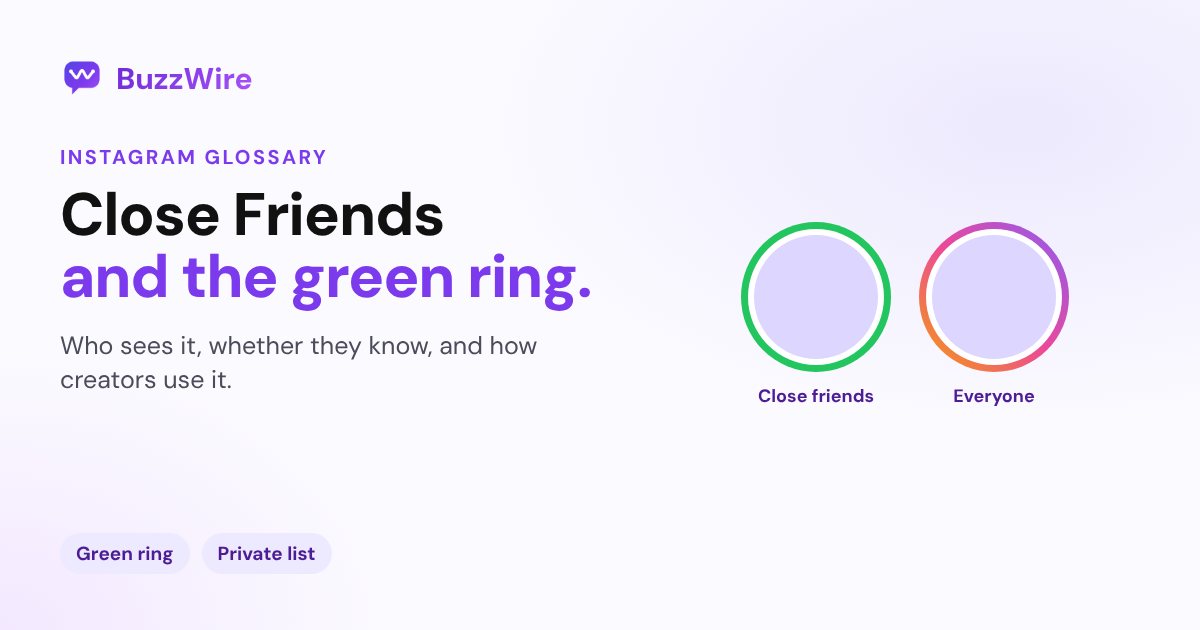
A green ring around someone's profile picture means they've shared a story with their Close Friends list, and you're on it. When you view it, you'll also see a green "Close friends" label. A normal story shows a different colored ring.
Close Friends stories disappear after 24 hours, like any other story.
Do people know they're on your Close Friends list?
They aren't notified, but they can tell. Instagram says: "People won't be notified when you add or remove them from your list." But when they view your Close Friends notes, reels or stories, they see a "Close friends" label that "lets them know they're part of your list", and may see a green ring.
If you remove someone, they simply stop seeing your Close Friends content.
One thing to know for reels: on a reel shared to Close Friends, other people on your list can see who liked, commented on or shared it.
How to add people to Close Friends
From Instagram's help pages (menu names as of 22 Oct 2026):
- Go to your profile and tap Menu in the top right.
- Under "Who can see your content", tap Close friends.
- Tap Select next to each person, or search for them.
- Tap Done to save.
To share a story with the list, create your story and tap Close Friends at the bottom. For a reel, tap Audience before sharing and choose Close friends.
How creators use Close Friends
- VIP previews: show a launch, a product or a new video to your best fans first.
- Paid-community perks: give subscribers or customers a private story feed.
- Feedback: test an idea with a small group before posting it publicly.
- Early-access offers: "Reply YES to this story for the early link." Story replies arrive in your DMs, so they work with story-reply automation.
Keep the list honest. If you promise something exclusive, make it worth being on.
Related Instagram terms: what Mute means, what Restrict means, what Archive means, what Active Now means, what Highlights means, or browse the full Instagram glossary.
FAQ
What does Close Friends mean on Instagram?
It's a private list of people you choose. You can share stories, reels, posts and notes with only them. People on the list see a green ring or a "Close friends" label on that content.
Does Instagram notify people when you add them to Close Friends?
No. Instagram doesn't send a notification when you add or remove someone. They'll know they're on the list when they see Close Friends content from you, because it carries a green label.
Why is someone's Instagram story ring green?
Because they shared that story with their Close Friends list and you're on it. Stories shared with everyone show a different colored ring.
Can someone see my Close Friends list?
No. Your list is private, and nobody can ask to be added. On a Close Friends reel, though, people on the list can see who liked, commented on or shared it.